
Good news! Premium cabin Star Alliance inventory is now reasonably searchable again using the ANA tool!!
If that sounded like Martian to you, don’t check out just yet — I’ll explain why exactly this is good news here shortly.

Back in April Japanese airline ANA updated their frequent flier program, website, and award search tool. The ANA tool had previously been the gold standard for verifying Star Alliance award space. While united.com and aeroplan.com would occasionally display false results, ANA was pretty reliable if you were searching nonstop routes.
The April updates, however, essentially decimated the ANA tool, particularly for those of us who were using it to search premium cabin award space. While the old version of the ANA tool allowed you to search for a week of space at a time, the new version only allowed searches on a single day, among other issues.
Fortunately, many of the bugs seem to have been fixed, and it’s now possible to search a week of space in a given cabin on a particular route, among other improvements.
Why do you want to use the ANA tool?
For the most part, airlines that have a partnership with multiple other airlines make the same award space available to everyone. This is why you can typically use the British Airways website to find Cathay Pacific space, for example, even if you’re booking with Alaska or American miles. All partners typically have access to the same inventory, with additional space being held back for members of the native program (there are of course exceptions).
So, if you’re looking to redeem miles on any Star Alliance carrier, the ANA tool is a great way to verify inventory. Sometimes united.com won’t show space on a carrier, or the Air Canada Aeroplan search can’t process a more complex routing, so it’s nice to have a backup. It can also be more efficient for searching space in some cases.
Using the new new ANA tool
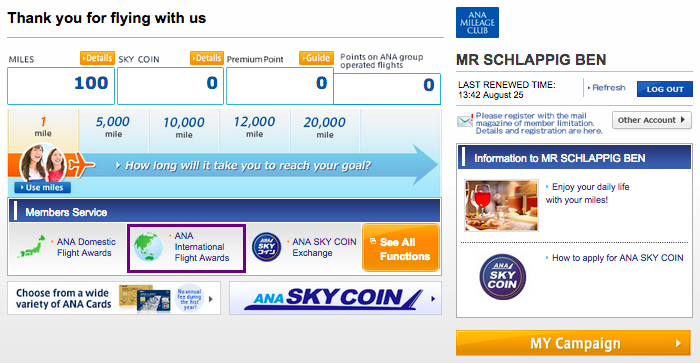
If you haven’t already, I highly recommend you bookmark the link to the new ANA tool. It can be tricky to find otherwise. Once you’ve logged in, select “ANA International Flight Awards” from the Members Service section.
In what is a tremendous improvement over the April site, all classes of service are now on the same tab. This means you can select first or business class from the drop down menu, and tick the checkbox for being able to search +/- 3 days.
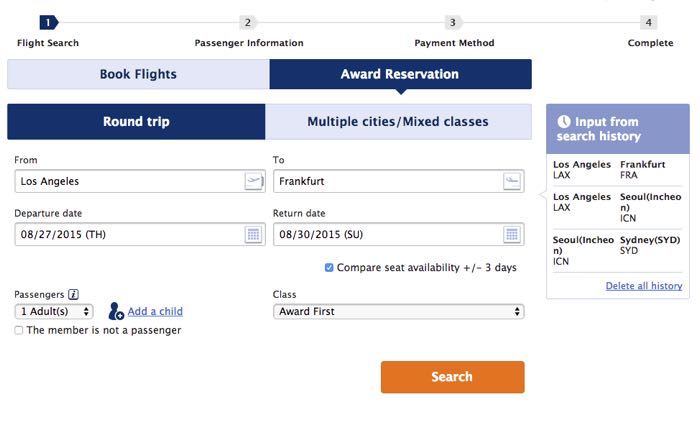
Y’all have no idea how excited I am about that little check box.
But as an example, let’s go ahead and look at first class space between Los Angeles and Frankfurt. If you want to search +/- 3 days of inventory, you must do so as a roundtrip. You can of course put in a dummy return flight (or a fake outbound).
With the dates I’d entered above, we get an error message informing us there isn’t space over our dates (hardly surprising for first class from the West Coast).
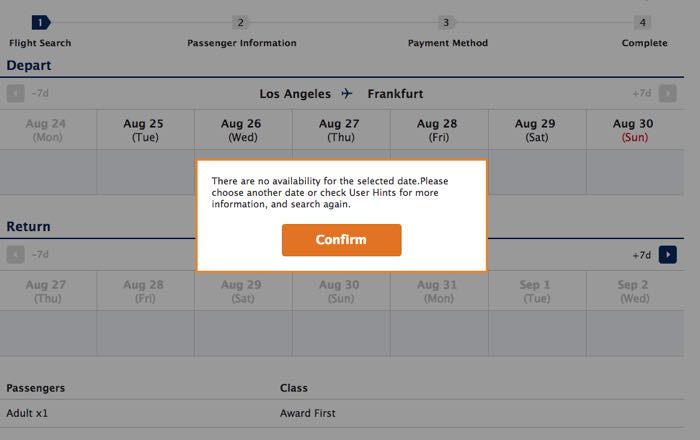
However, once you hit “Confirm” you can see a calendar of when there is actually award space:
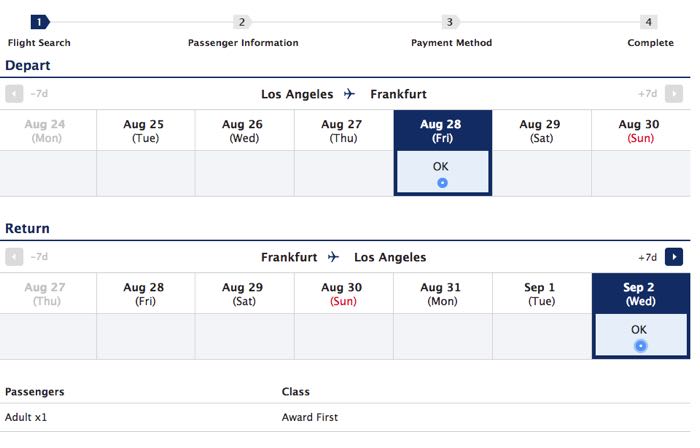
And sure enough, Lufthansa first class is available in both directions on the new dates:
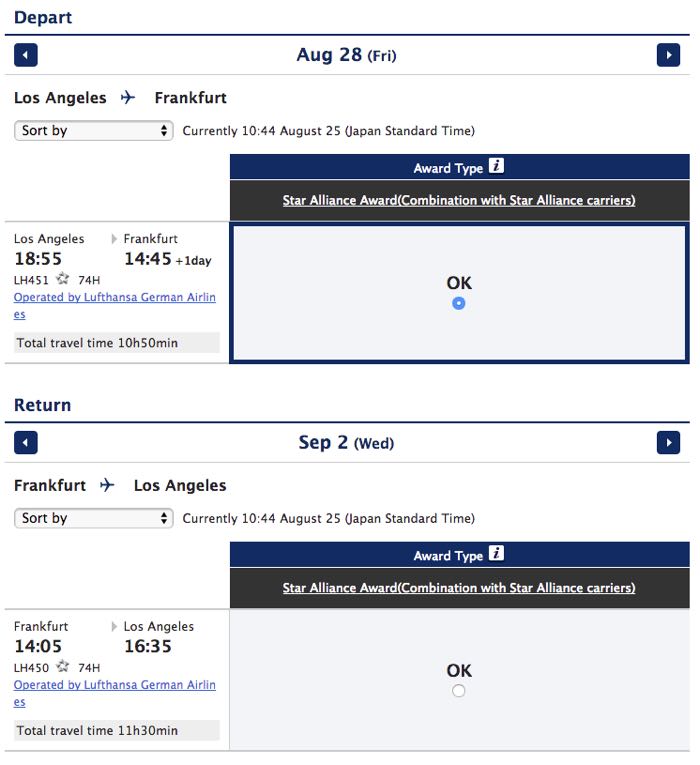
Pro Tip: When you’re using the ANA tool, “OK” means there are results that match whatever you’d requested. In this case, we were asking for one first class seat. If you want more than one seat, you’ll need to change the initial search parameters, as the ANA tool won’t otherwise tell you how many seats are available.
It’s worth noting that while the ANA tool is better, it is still a bit glitchy. For example, while I was pulling screenshots the site did error out a couple of times, generating this very angry red box:
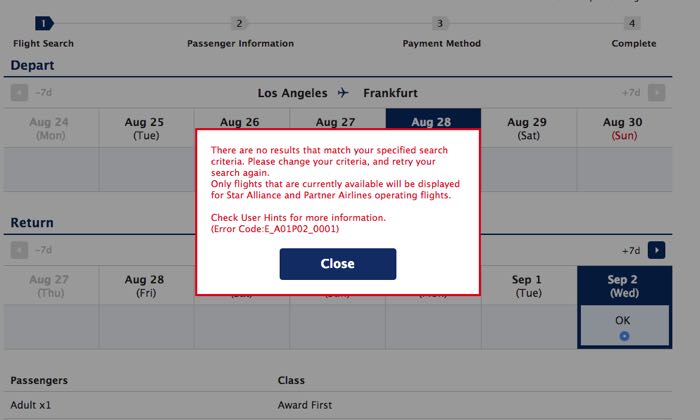
This seemed odd, given the space had just been there, but to make sure I wasn’t going crazy I also checked inventory using the Aeroplan tool:
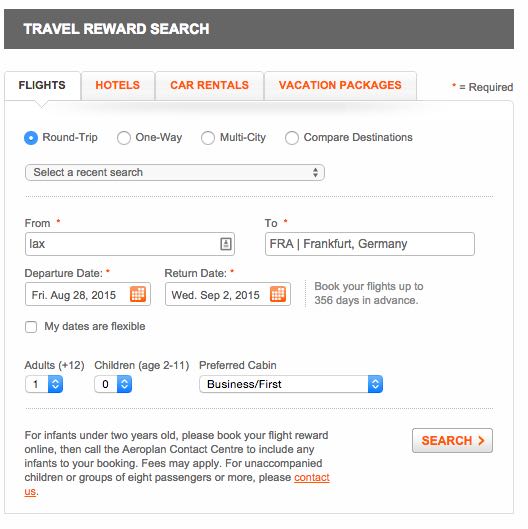
Which did indeed show the same inventory:
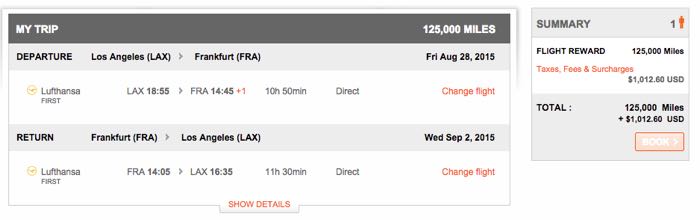
Running the search again on the ANA tool did the trick, and the error went away. I haven’t done enough searches yet to know exactly what’s happening, but if you get a weird error it’s probably worth just trying again while the website glitches get worked out.
Estimating taxes and fees
One other update I’m appreciating is the final itinerary page on ANA now:
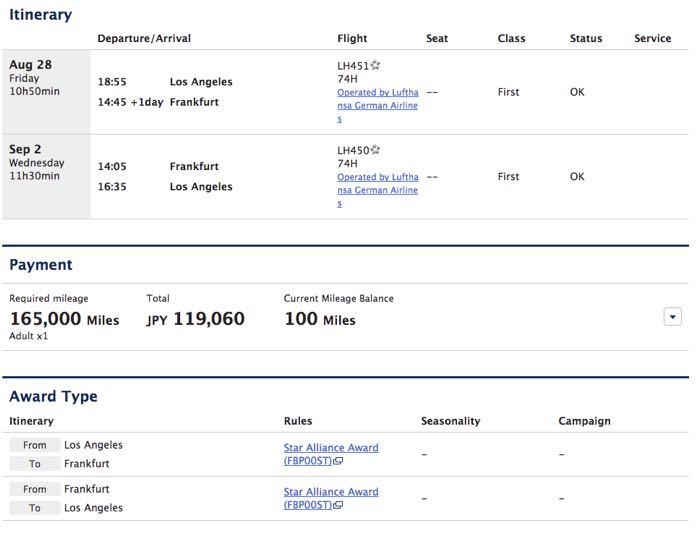
I’m a nerd, so I love that they have links to the relevant award charts and rules. This is useful given how complex some of the new ANA rules are, and I also like how transparent it is (ahem, Delta).
You can also see the full breakdown of what ANA would charge in taxes and fees, including fuel surcharges:
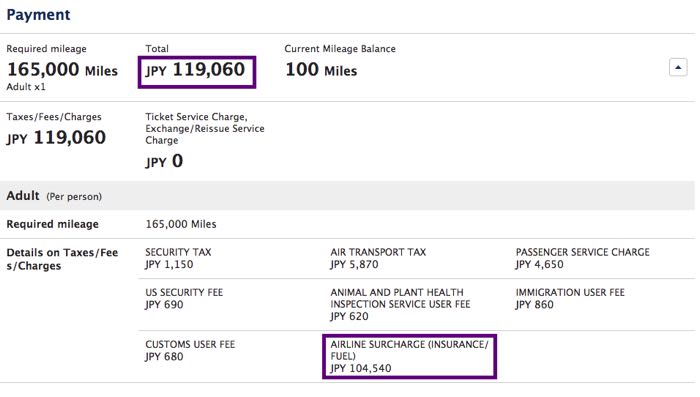
Aeroplan shows this information as well, but if you’re already using the ANA tool it’s nice to not have to go elsewhere to calculate:
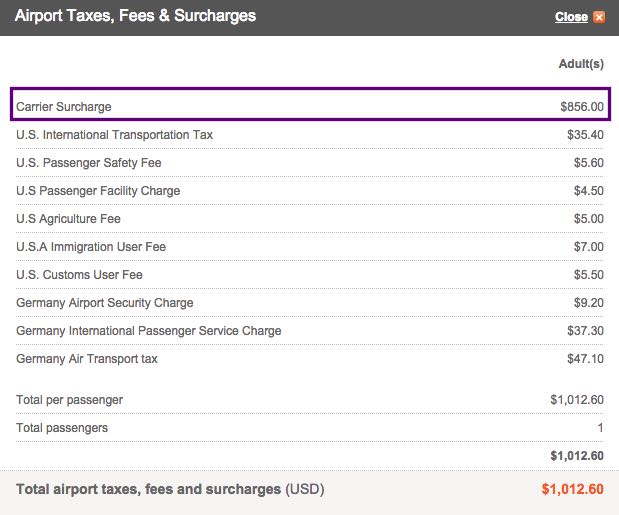
The fees should be roughly the same in either case (and for all partners that directly pass on fuel surcharges).
Searching day-by-day
In addition to being able to search a week at a time, you can easily look at subsequent days — a feature that had been removed in April.
For example, let’s look at flights between Los Angeles and Seoul:
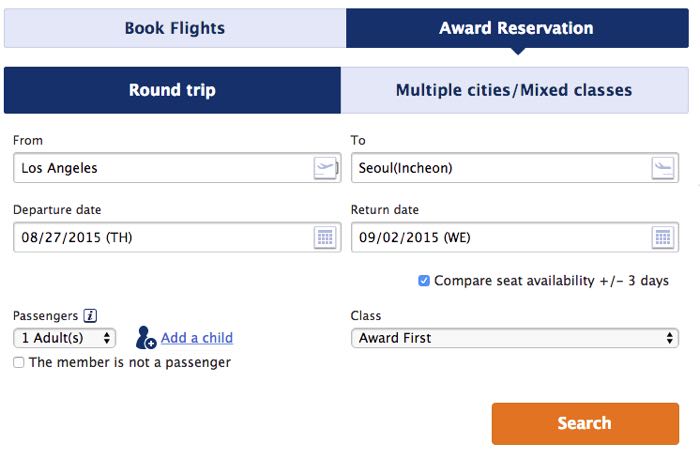
This route typically has great award space, so it’s not surprising to see nearly every day have some kind of availability (though we can’t see specifics from this view):
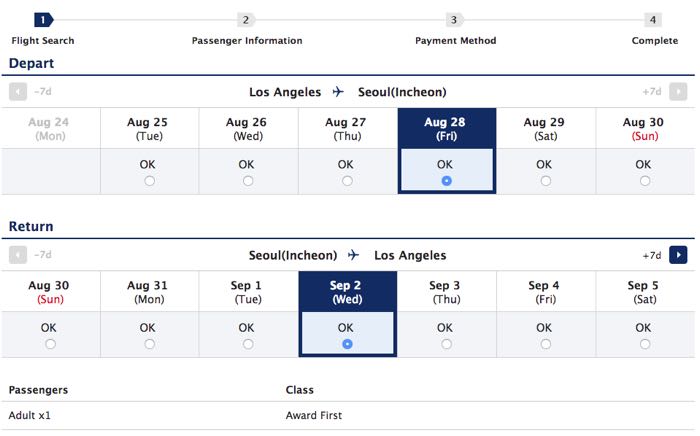
Once you’ve selected a starting date, you can use the arrows at the top of the screen to navigate forwards or backwards in time:
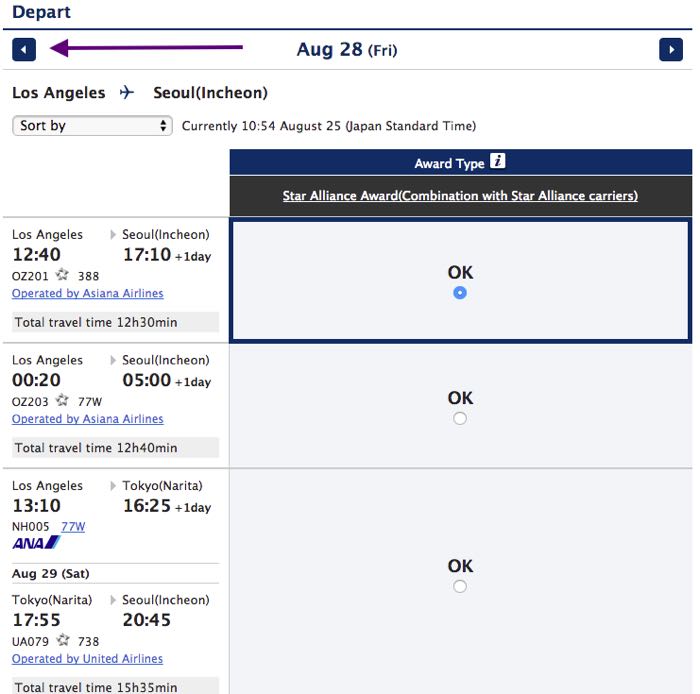
And the results for those dates will be displayed:
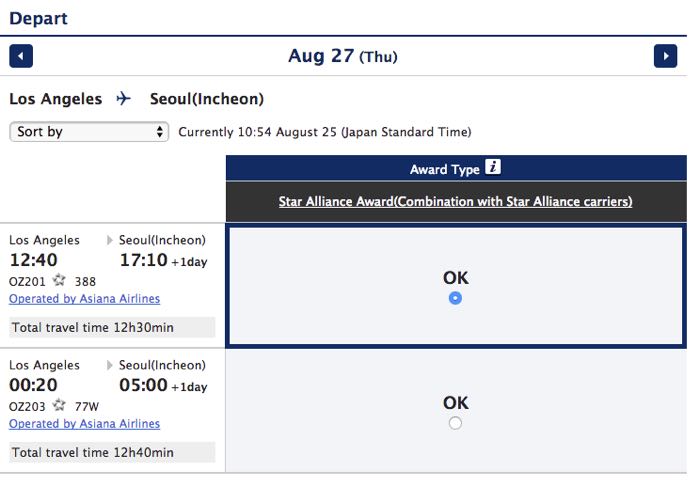
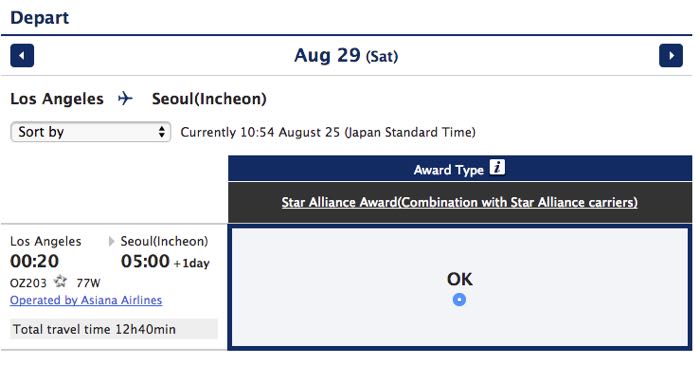
I know this seems like a no-brainer, but not having that feature for the past few months has made using the ANA tool almost impossible, so I’m very glad to have it back.
Bottom line
In general, the site seems to be performing as expected. There are still some glitches, and inventory isn’t 99% reliable like it was in the old days, but this is a massive improvement.
Many of you won’t need to use the ANA tool today, or possibly even in the next weeks or months. However, when you do go to redeem miles it’s a very helpful tool to have, particularly now that much of the functionality has been restored.
Anyone else use the ANA tool to search award space?




Membership is free and takes no more information than commenting as a guest. Earn status points for good contributions, and see fewer ads as your status grows.