
I’ve written extensively about Korean Air SkyPass in the past. It’s one of my favorite frequent flyer programs, and after American AAdvantage, it’s the mileage currency I’ve redeemed the most for my own travels this year. So far this year I’ve flown the following flights using Korean Air SkyPass miles:
- Korean Air First Class 777-300ER Los Angeles to Sao Paulo
- Korean Air First Class A380 Seoul Incheon to Los Angeles
- Korean Air First Class 777-200 Tokyo Narita to Seoul Incheon
- China Southern First Class A330 Guangzhou to Tokyo Narita
- China Southern First Class A380 Los Angeles to Guangzhou

Korean Air A380 first class

For those of you not familiar with Korean Air SkyPass, here are some posts that might be helpful:
- How To Redeem Korean Air SkyPass Miles
- Booking Korean Air SkyPass Awards Online
- Korean Air SkyPass Award Ticket Holds
Summing it up, the best thing about Korean Air SkyPass miles is that they can be redeemed for SkyTeam first class, which very few other mileage currencies can be redeemed for.
There’s no doubt there are several downsides to Korean Air SkyPass miles, though:
- You can only redeem your SkyPass miles for family members
- You need to fill out a redemption nomination form in order to ticket an award for a family member
- You can’t search Korean Air award availability through their website unless you have enough miles for the award ticket (which is a bit of a “chicken or egg” situation, since how are you supposed to know how many miles you need if you don’t know what’s available?)
Anyway, Korean Air has made some pretty awesome updates to their website, which make it much easier to book awards. The most exciting update is that it’s now possible to search Korean Air award availability online without having enough miles in your account.
Let me start by saying in theory that they new website kind of annoys me. They’ve gone for the overly-digital magazine looking website which prioritizes “bubbly” looking graphics over functionality, a bit like Virgin America’s website. So I wouldn’t be thrilled about the changes if there weren’t also functional improvements, and if the old website weren’t so bad.

But fortunately there is added functionality once you log into your SkyPass account. Previously you couldn’t view award availability on Korean Air unless you had enough miles for that award. Now SkyPass lets you search Korean Air award availability regardless of how many miles you have in your account. Beyond that, the new interface allows you to view a bit more information at once, even if the display is a bit clunky.
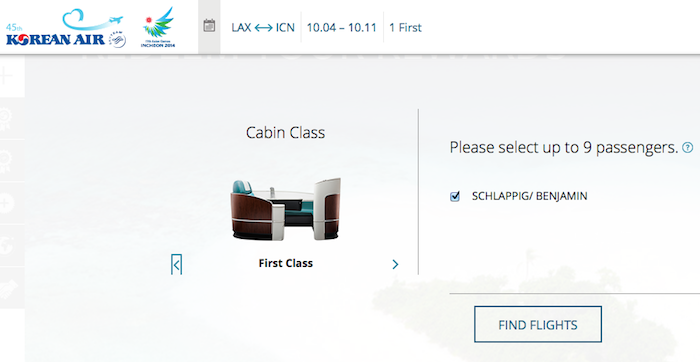
First you can enter your origin, destination, dates, and desired class of service.

Then you’ll be brought to a calendar which shows the award seat availability over a 30 day period. You can easily switch months to get a great overview of availability (hopefully the below search between Los Angeles and Seoul Incheon shows the unreal amount of award space that Korean Air releases).
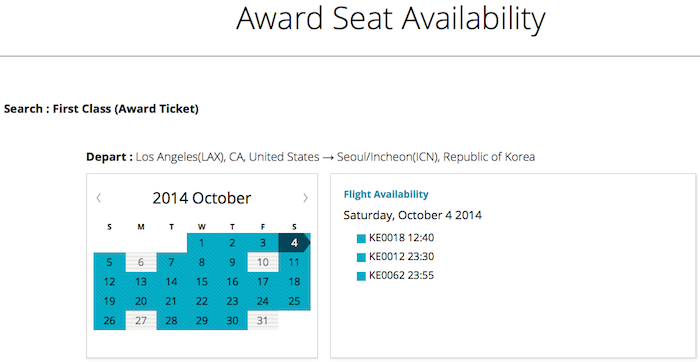
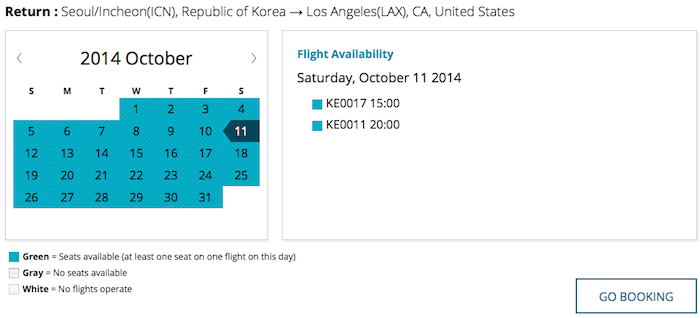
Once you select dates you’ll be shown all the options, and can even easily zoom a few days forward or back. The award price, including taxes, fees, and fuel surcharges, will be displayed.
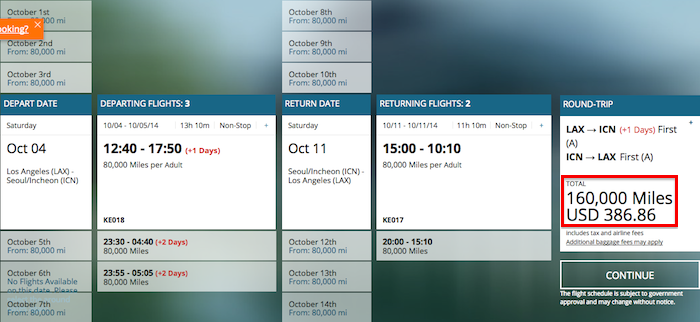
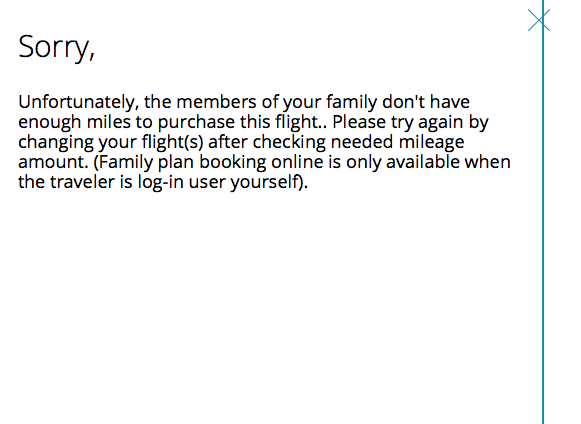
Of course if you hit “Continue” and try to go to the next page you’ll get an error message if you don’t have enough miles.
At the top of the screen you can also change the class of service you’re searching, so can easily search business class instead of first class, for example.
You’ll be shown similar results for business class.
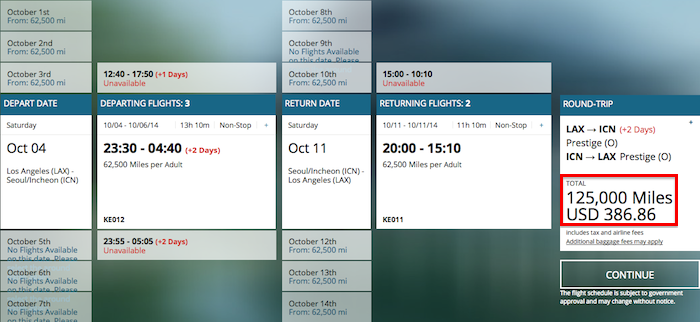
This is a huge improvement. Previously I used ExpertFlyer to search Korean Air first class award space, though ExpertFlyer doesn’t display Korean Air business or economy class award space.

Given that there was no other website to search all Korean Air business or economy class award space, this is great news.
Bottom line
This makes the process of redeeming Korean Air SkyPass miles much easier. You can transfer points from Marriott Rewards though it’s not instant.
(Tip of the hat to Mac)


Membership is free and takes no more information than commenting as a guest. Earn status points for good contributions, and see fewer ads as your status grows.