



A couple of months ago I redeemed 160,000 Korean Air SkyPass miles for a first class award ticket to Asia on Korean Air and China Southern. As part of that trip I outlined how to redeem Korean Air SkyPass miles. Korean Air has some ridiculous rules for SkyPass redemptions (like having to fax in a redemption form and only being able to redeem miles for family members). Since my itinerary included travel on one of their partner airlines, the reservation had to be made by phone.

However, in this case since my travel was exclusively on Korean Air, I was able to make the reservation directly on the website. So in this post I figured I would outline the process of making a Korean Air award reservation online.
How to accrue Korean Air SkyPass miles
UPDATE: Unfortunately, as of 2018, Korean Air SkyPass is no longer a transfer partner of Chase Ultimate Rewards. Only Marriott Bonvoy® points can be transferred to Korean Air SkyPass miles as of 2021.
The only way to earn Korean Air SkyPass miles is by flying Korean Air and their partners, or through Marriott Bonvoy cards. Marriott points can be transferred to Korean Air SkyPass. The easiest way to earn Marriott points quickly is by signing up for their co-branded cards issued by American Express and Chase. These are the best cards presently available:
 Marriott Bonvoy Bold® Credit Card
 Marriott Bonvoy Boundless® Credit Card
 Marriott Bonvoy Brilliant® American Express® Card
 Marriott Bonvoy Business® American Express® Card
Korean Air SkyPass used to be a transfer partner of Chase Ultimate Rewards. Ultimate Rewards points are still among the easiest points currencies to come across through everyday spend, given that there are cards accruing bonus points on dining, travel, gas, office supply stores, cellular phones, landline, internet, and cable TV services:
Step 1: Figure out how many Korean Air SkyPass miles you need
First I pulled up Korean Air’s award chart on their website to see how many miles I would need for travel between North America and South America in first class.

The above prices are roundtrip, and one ways are allowed for half the cost of a roundtrip. So one way first class costs 70,000 miles off-season and 105,000 miles during peak season.
Step 2: Check to see if your travel dates fall over peak pricing periods
Korean Air has “off peak” and “peak” award pricing, so to get the lower award rates you’ll want to be sure your travel doesn’t fall over the “peak” dates.
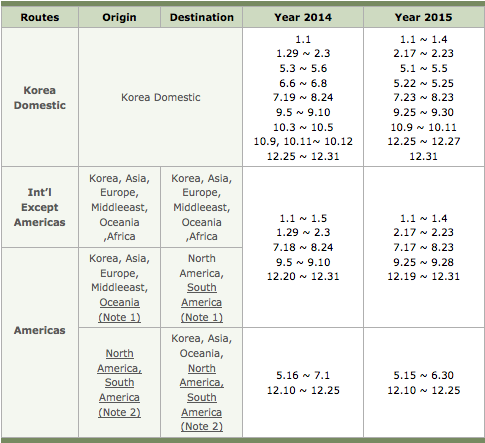
Fortunately my travel date didn’t fall over their “peak season,” so my one-way ticket would cost me 70,000 miles.
Step 3: Verify award availability through ExpertFlyer
I then checked Korean Air first class award availability through ExpertFlyer.
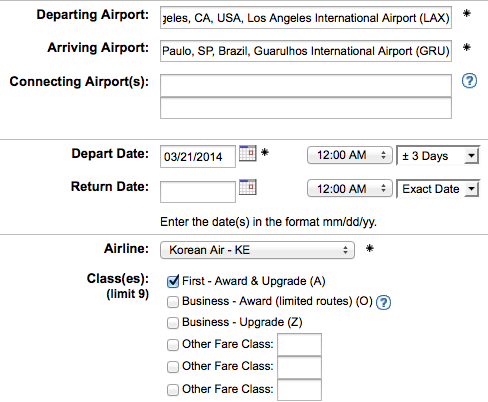
Korean Air uses the “A” fare bucket for first class awards, and my desired flight had two “A” class seats.

For what it’s worth, the flight was “R7,” meaning they were still selling seven of the eight first class seats at the time.

It’s worth noting that you can also search award space on koreanair.com, but only if you have enough miles for the award, which is rather frustrating.
Step 4: Transfer points from Chase Ultimate Rewards
At this point I transferred points from Chase Ultimate Rewards. Transfers from Chase Ultimate Rewards to Korean Air SkyPass are instant, so I transferred 70,000 points.
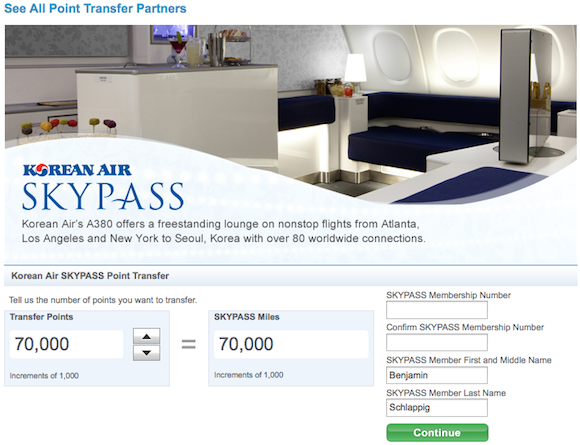
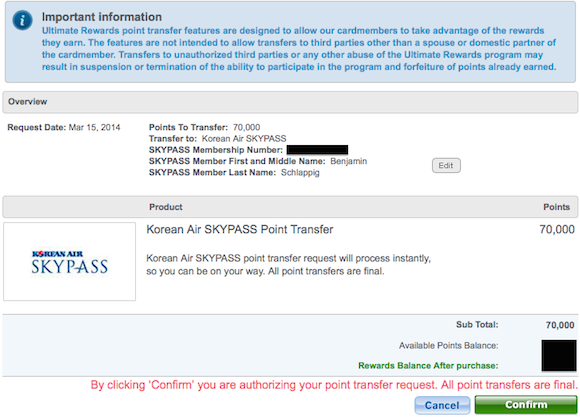
The miles instantly showed up in my SkyPass account, at which point I began the booking process.
Step 5: Make the Korean Air SkyPass award reservation online
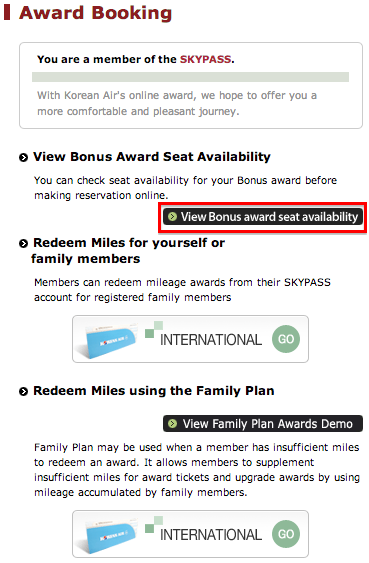
Once logged into my SkyPass account I pressed the “SkyPass” button on the top of the page, and selected “Award Booking.”

That brought me to a page where I selected “View Bonus award seat availability.”
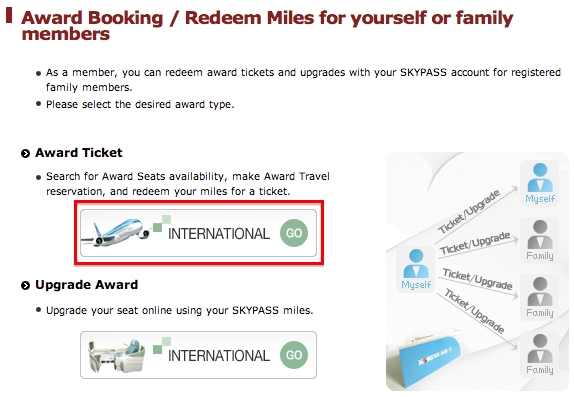
From there I selected “International” under the “Award Ticket” header.
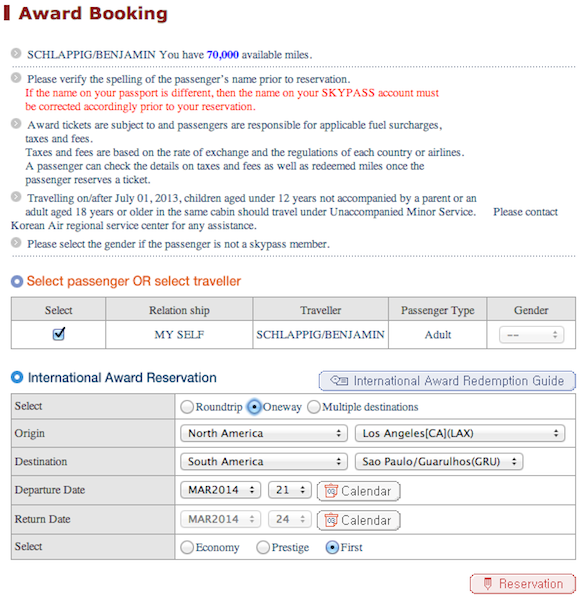
And then I was brought to the page where I could search for availability. It’s worth noting that you can only make award reservations online for yourself or anyone that’s part of your “Family Plan” account. So booking an award ticket online isn’t a way to get around the restriction of only being able to book awards for family members.
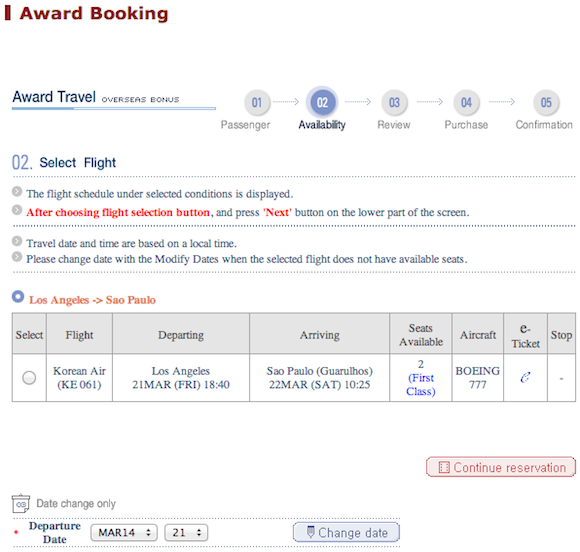
Once I entered the origin and destination, dates, and class of service, I was brought to a page which showed the two first class award seats which were available.
The next page confirmed the itinerary.
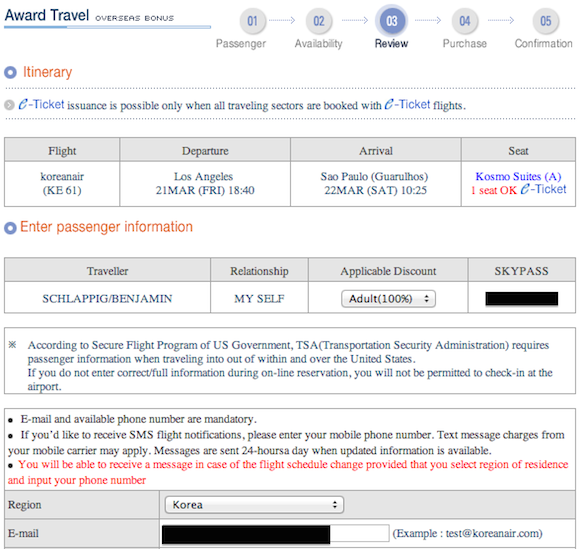
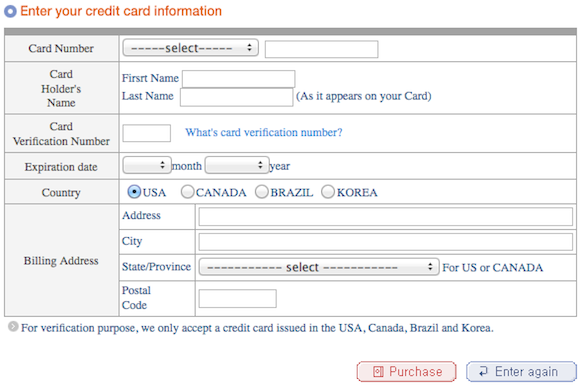
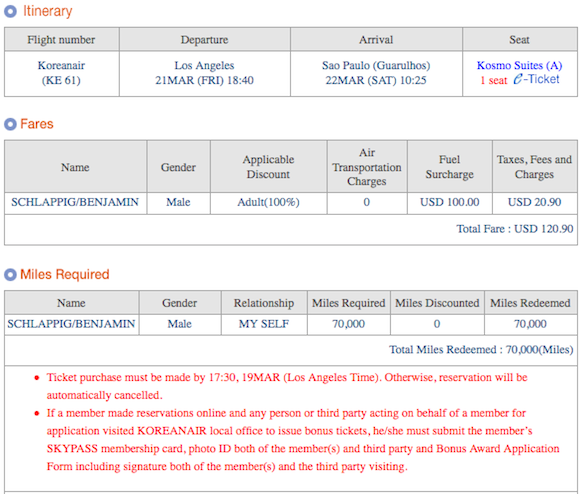
And then the next page asked for my credit card information to pay the $120.90 in taxes and fuel surcharges ($100 of it were fuel surcharges, while $20.90 were the taxes).
The website actually gave me the option of holding the ticket (which they’ll only do if you have enough miles in your account), though I figured I might as well complete ticketing.
After completing that I instantly received the email confirmation and was able to select seats through the website.
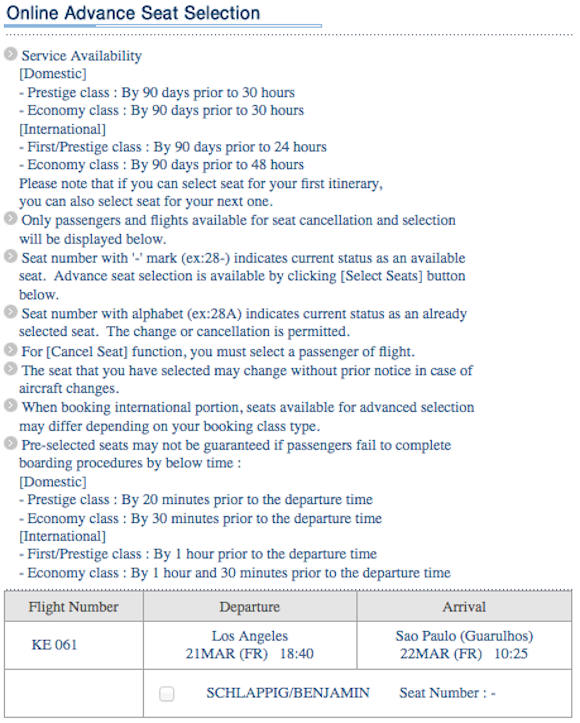
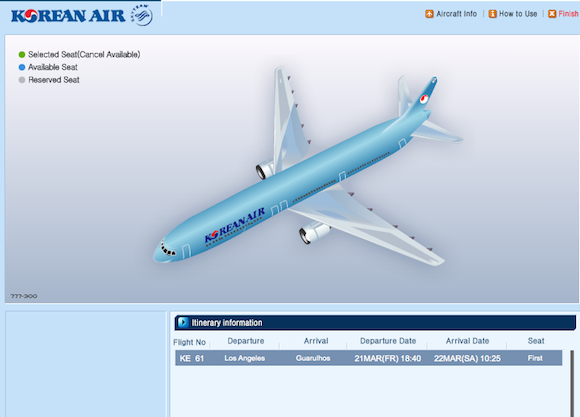
I selected seat 2A — only seat 1G was taken on the seatmap so far.
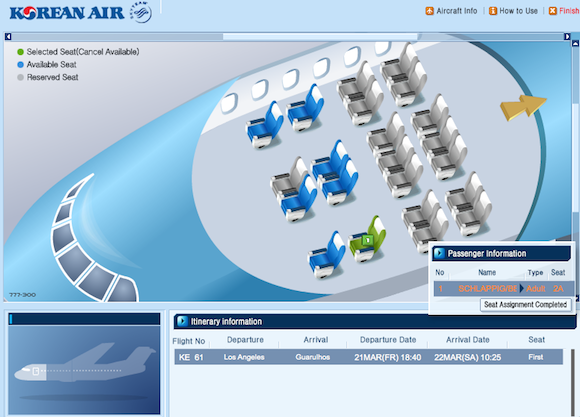
Anyway, the booking process was fairly painless, even if their website looks straight out of the 90s.
Why would anyone book a Korean Air SkyPass award by phone?
The major benefit to booking SkyPass awards by phone is that you can hold the reservations even without having enough points. That shouldn’t really be necessary, since points transfers are instant and I don’t find Korean Air award availability to be all that fluid.
That being said, it is frustrating that the website will only display award space if you have enough miles. So if you don’t have enough miles, you can’t hold or search the award space.
(In the interest of full disclosure, I earn a referral bonus for anyone approved through some of the above links. Thanks for your support!)


Membership is free and takes no more information than commenting as a guest. Earn status points for good contributions, and see fewer ads as your status grows.