
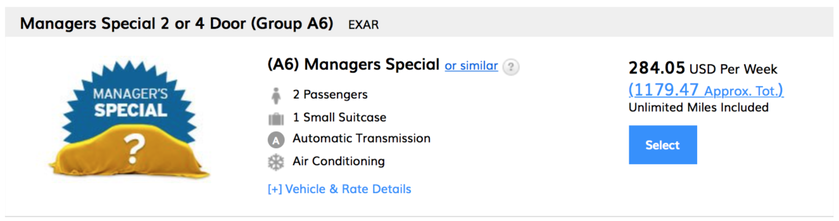
Summer travel can be pricey in many regards, and renting a car is no exception. While I often rent a car for a couple of days at a time, I’m getting ready to leave for my annual three-week trip to the Bay Area (the site of last year’s car disaster trifecta), and yikes, prices are expensive!
Like, not quite buy-a-car-instead expensive, but definitely more than my first car was worth at the end of its life:

Thankfully for me (and for my friend whose company is contracting me for the month), there are plenty of ways to work around the add-ons, and in some ways, even the base price. So I thought it might be useful to round up some of my favorite strategies for saving cash when I rent a car.
Just a quick warning – a few of these tips link back to material that I’ve already written, so if you’re a regular here, feel free to skip around this post.
Then again, I still have to remind my husband to decline the collision coverage whenever he rents a car in Europe. And he helped me edit my first post on credit cards that offer collision coverage. So, I guess a refresher never hurts. 😉
Speaking of things that I’ve told my husband (and my best friend, and my hairdresser, and the person standing next to me in the elevator) to do…
Sign up for the car company’s loyalty program
If there is one single way to pretty much ensure a better car and a less stressful time at the counter, my gosh is this it. For years, I went with the cheapest option that I could find, rolling the dice on off-airport locations and not really caring about earning points.
All that changed when I signed up for Hertz Gold Plus Rewards last summer.
Because, with many of the rental car loyalty programs in place, you get access to better cars and expedited service just by signing up. Both Avis and Budget offer programs where you can skip the line and go straight to your car, while National and Hertz offer the option to choose your car – often from a more premium line – simply by signing up for their program.
And while Alamo Insiders doesn’t quite get you the swanky check-in experience, you can still save 5% on every rental in the U.S., Mexico, the Caribbean and Latin America.
Furthermore, your airline loyalty can turbocharge your rental car status. United MileagePlus Platinum and 1K members, Delta Platinum and Diamond Medallions, and United MileagePlus Club cardholders receive Hertz President’s Circle status, while United MileagePlus Gold and Silver Members and Delta Gold Medallions get Hertz Five Star status.
To their end, American AAdvantage has a partnership with National, although it doesn’t look like it buys you quite as much as the corresponding United/Delta/Hertz partnerships.
You can also receive various rental car status levels with different credit cards – perhaps most notably the Amex Platinum and the Chase Sapphire Reserve – but that probably warrants an entirely separate post. 😉
So, what does rental car status get me?
First off, skipping the line can mean the difference between a great day, and this:
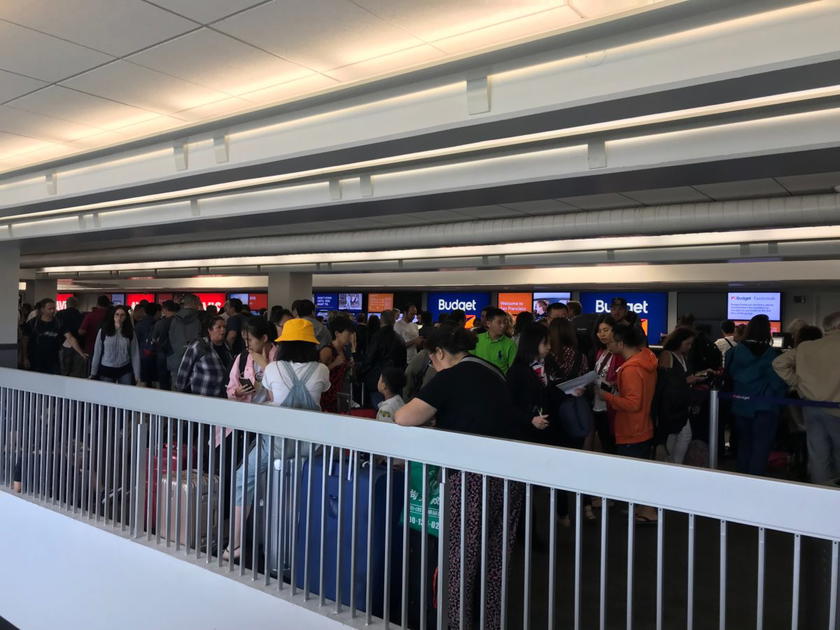
I actually know people who have gone so far as to sign up for the loyalty program while they’ve been waiting in a line like that, waltzed over to the priority area, and were out the door in fifteen minutes.
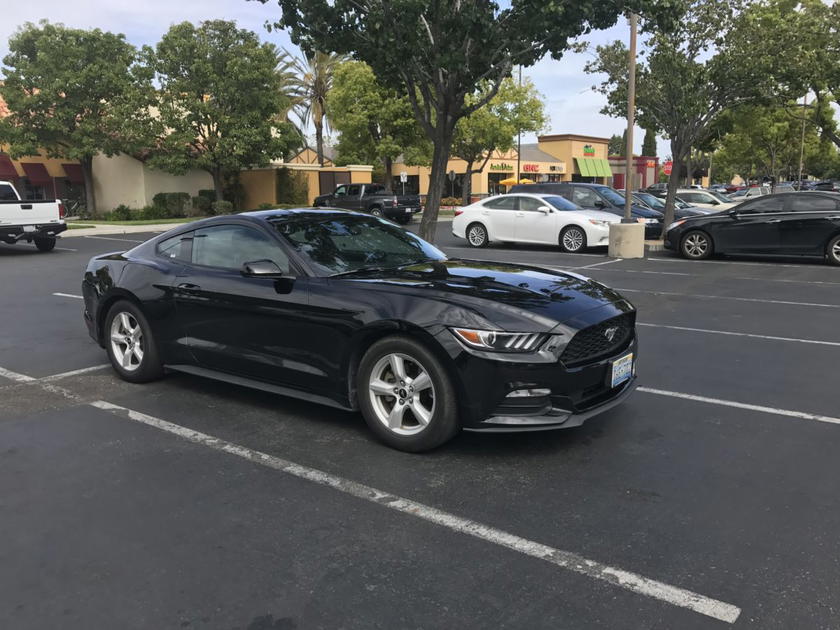
Furthermore, if you are signed up for a program with Hertz or National that allows you to choose your vehicle, you can often walk out with something much better than you signed up for. I get carsick just looking at an economy-sized rental car, so having the option to book a cheaper vehicle, and then choosing something nicer, is a great perk and a huge cost savings when I need a minivan (or a Mustang).
Just keep in mind the huge caveat that the quality of vehicles and availability of upgraded cars can vary by airport. For example, here is Infiniti City at the Hertz President’s Circle lane at SFO:

Whereas Houston’s IAH President’s Circle area is practical, but decidedly less glamorous:

And I was lucky just to get a car at Dallas’s DFW:

Your mileage will vary, so if you’re off to a new airport, be sure to research the rental car facility and its corresponding loyalty privileges.
Lock in a price – and then keep checking prices
This has been one of my favorite tricks for years. Unless they specify otherwise, rental car companies typically don’t require you to throw down a credit card until you are at the desk, and prices can often drop dramatically.
So I’ll typically jump on an existing rate, and then keep researching and booking new reservations whenever a better price comes up.
If I’m searching for rentals through Kayak, I can simply book a new reservation, and then cancel my previous reservation by scrolling to the bottom of the email and looking for the cancellation area. As long as the car is not prepaid, there is no cost to cancel.
If I’m renting through Hertz and I see cheaper rates show up, I can modify my reservation by clicking here:

Follow the prompts, and then make sure to uncheck the “I want the Rate Plan I originally reserved” box:

Just make sure you double-check the rates before clicking “submit,” so that you don’t accidentally “modify” yourself into a more expensive reservation!
I’ve already saved ~ $400 on my upcoming reservation this way, but I’m not giving up yet! Usually, if I’m within a week of the trip, I’ll look at the prepaid rates as well, which can save a huge chunk of change (although once you prepay, you are locked into the rate):

Remarkably, sometimes I can get a better rate simply by switching browsers. As I write this, I’m currently logged into my Hertz Gold Plus Rewards account on both Safari and Chrome. The above rate was quoted on my Chrome browser, but here is the best I can do on Safari, using the exact same search criteria:
If I do make a new reservation, I’ll make sure to cancel the old reservation, just to keep things clean (and because I don’t want that kind of karma following my rental car around).
That said, I have shown up to the counter with multiple reservations before. They’ll know what to do.
Pay with a credit card that offers collision coverage
While I’ve covered the topic of credit cards that offer primary collision coverage before, it’s a pretty complicated subject (and is probably designed to be as such), so here is a quick recap on the best cards for this:
- Many Chase cards offer primary collision coverage, which means that your car is covered against damages regardless of whether you carry your own auto insurance
- American Express cards offer secondary coverage, which means that you are covered in excess of anything that your auto insurance will pay. You can also pay a flat fee to upgrade to primary coverage
- Citi’s coverage is typically secondary in the U.S., and is primary when you are traveling internationally
It’s generally a good idea to have a copy of your guide to benefits with you, especially if you are traveling overseas. While it feels great to decline the coverage at the desk and to tell the rep that I’m “double-covered” through my credit card and through my auto insurance, it feels less great to have that same conversation over Google Translate.
Avoid cashless tolls (or at least have a plan for how to pay them)
As more and more toll roads move toward cashless tolls that are billed based on your license plate, rental car companies have found a way to charge “convenience fees” for processing said tolls. These range from nominal at best to borderline extortion, and you can read our complete roundup of rental car cashless toll policies here.
(And if you don’t feel like reading the whole article, I’ll boil it down for you. Silvercar is the best in this regard, Hertz, Alamo, National, Payless, and Enterprise are halfway decent, and most of the low-budget operators are really shady).
While there aren’t any great workarounds for this, you can avoid the bulk of these charges with a little bit of strategy and creative thinking. Start by:
- Buying your own transponder (Florida and the Northeast are prime contenders here)
- Registering your rental car and make the toll payment online (Southern California and the Bay Area have options for this)
- Carrying cash (which doesn’t do much for cashless tolls, but helps in places like Florida, where there are often several toll lanes)
- Selecting the “avoid tolls” option on your navigation app
And speaking of navigation apps…
Use navigation apps to avoid hefty refuel fees
One final way to lose money on rental cars is in your way back to the airport. While some airports have readily available refuel options on site (see: Denver, Pittsburgh), they’re often overpriced. At other airports, you would think that they don’t even offer rental cars, given how sparse the nearby gas stations are.
And don’t even get me started on Orlando’s MCO:
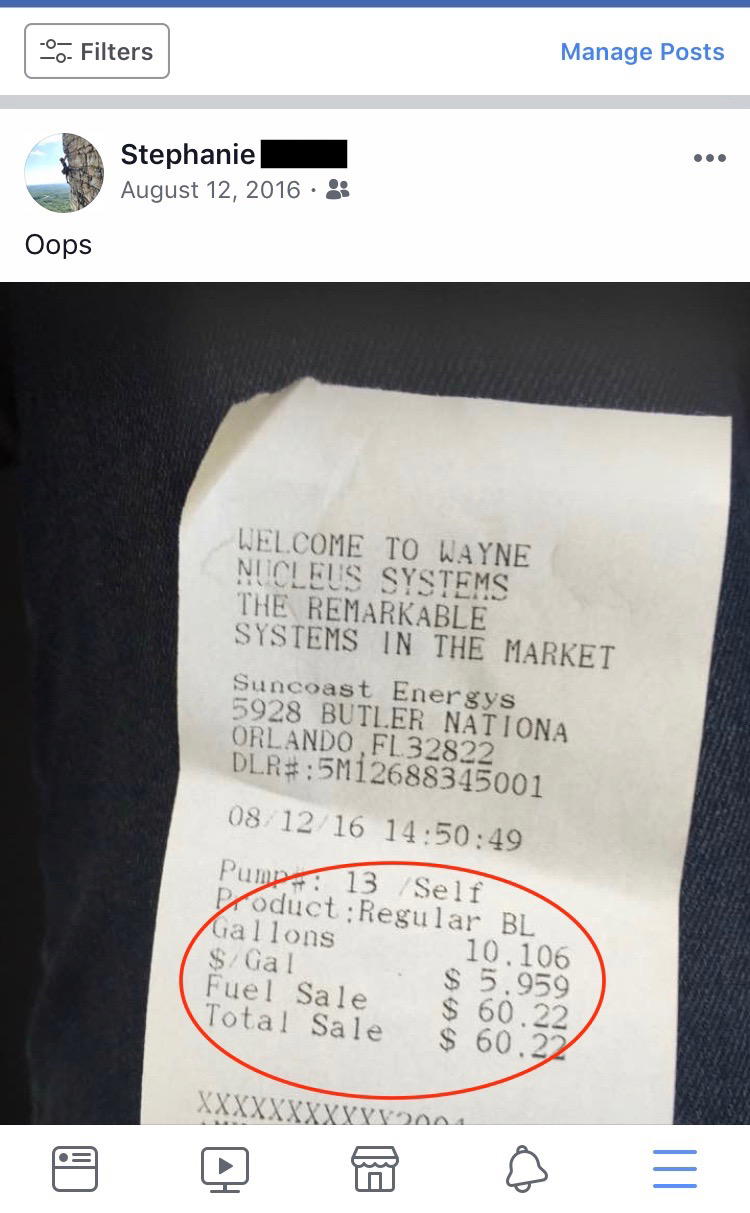
Fortunately, I was recently reminded of a feature on Google Maps that allows you to “search along route” for things like coffee shops, restaurants, and yes, gas stations. To use this feature, plug in your destination, and click on this lower area:

Then select the “search along route” option:

Click on (you guessed it) gas stations:

And you’ll be prompted with a variety of options that include prices and time needed for the detour:

Finally, when you click on the gas station of choice the “add stop” option will appear, which allows you to simply add the stop to your route:
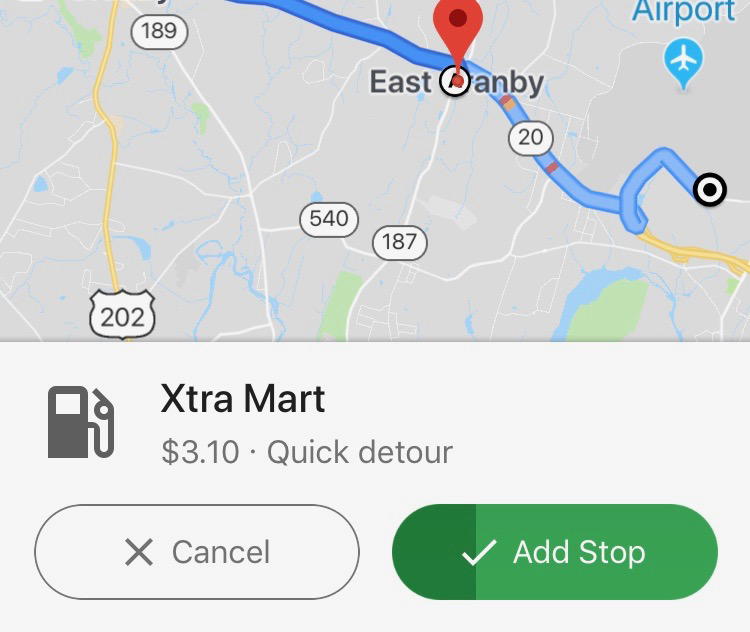
While I’m not as familiar with Apple Maps or Waze, they offer a similar navigation option as well, and in the little bit of toggling that I’ve done, I believe they’re actually even more intuitive.
Regardless of which app you use, it sure beats driving in circles around the rental car center looking for a place to fill up – or worse, paying the hefty refuel fees.
Bottom line
Whether you want to zip off in a Mustang or simply avoid the upsells, hopefully some of these tricks help you to avoid overpaying on your next rental car.
And whatever you do, don’t fill up at MCO’s Suncoast Energys gas station!
What are your favorite ways to save money on rental cars? Do you stick with loyalty programs or go for the cheapest option possible?


Membership is free and takes no more information than commenting as a guest. Earn status points for good contributions, and see fewer ads as your status grows.