
Last week we had a bit of a situation with some United awards. That’s not unusual in and of itself (each day is an adventure around here), but the way it was handled made it more confusing than it needed to be, so I wanted to share some of the details as a cautionary tale.
Without giving too many details, we were helping with a family trip between Europe and the US. Three passengers were flying out together, but were returning to two different cities, so we had to issue three “sets” of tickets. That’s always a little more complicated.
Award tickets don’t always “ticket” instantly
You’d think that once you’ve clicked “purchase” and given a credit card number you would be good to go. But sometimes it can take a few minutes (or even longer) for everything to be finalized.
In our case, the first two sets of tickets issued instantly — you can tell when a ticket has been completed on United.com when you see this message on the reservation header:
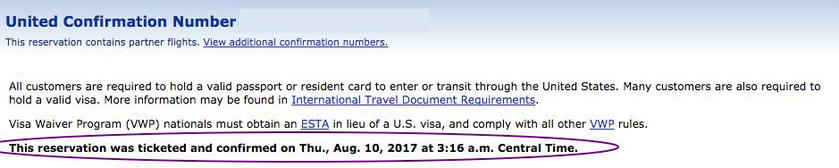
If this message is present, you can also scroll down to the section with “Payment Information” where you can view the full receipt:
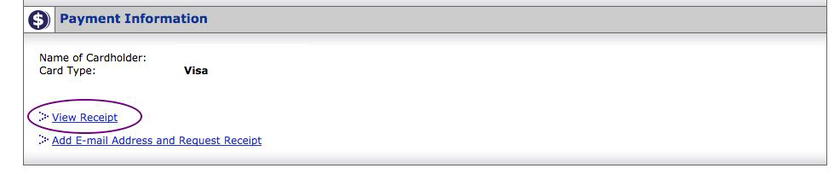
This will have the full names and eTicket numbers of all the passengers, along with the payment details, award costs, etc. It’s a good thing to download and save just in case there are ever issues with your award.
If you are flying an airline other than United, you’ll also see the option to view the partner confirmation numbers:
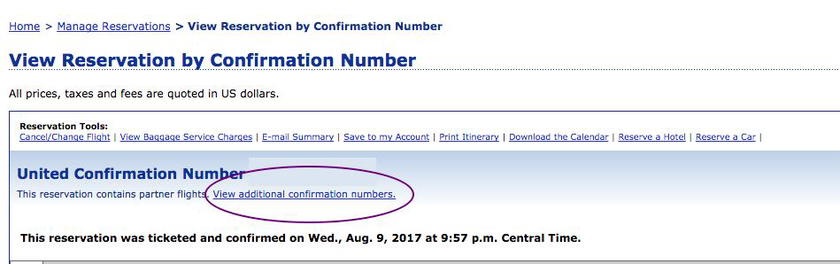
Not only will you need these to secure seat assignments with the partner airlines, but this provides you with a way to double-check. Things are better these days, but it isn’t unheard of for a partner reservation to not sync properly, so it’s always better to be proactive.
If your reservation is ticketed and confirmed, you are good to go.
Sometimes things get stuck in the queue
Despite what you might think, this doesn’t actually mean you have a ticket. You’ll want to go back into the “Manage Reservations” section of your account, and look for the above “ticketed and confirmed” messaging.
Some partners take longer to confirm, and it isn’t that unusual for things to take up to 24 hours to fully process. Not a big deal as long as it still says it’s processing.
Once you’ve paid for your United award, you’ll receive the following message:
Thank you for choosing United Airlines. Your purchase is confirmed. You will be promptly notified once the internal processing of your reservation has been finalized so that you can request additional receipts, export to Microsoft Outlook, check-in, cancel, or email or print your itinerary.
When you need to worry is when you see something like this:
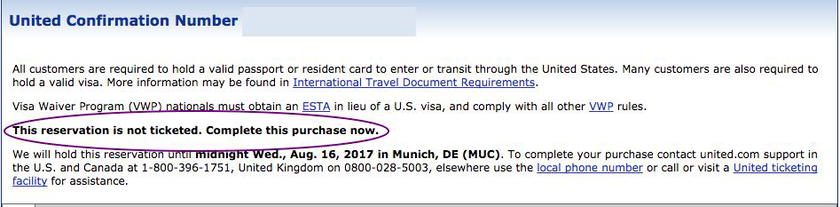
This could happen for multiple reasons — maybe there was a fraud alert on your credit card, or you were attempting to book phantom space. The important thing is to follow up and be proactive. No one ever cares as much about your travel as you do.
So what happened here?
While the third reservation was still in the ticketing queue, and unbeknownst to us, our clients decided to book some additional award tickets on their own.
They didn’t know that United doesn’t always issue tickets instantly, and the average consumer doesn’t seem to know how much award tickets should cost, so just thought we’d saved them even more miles than they’d anticipated, and that they had a surplus that they might as well use.
Here’s how the (now four) award tickets appeared in their account:
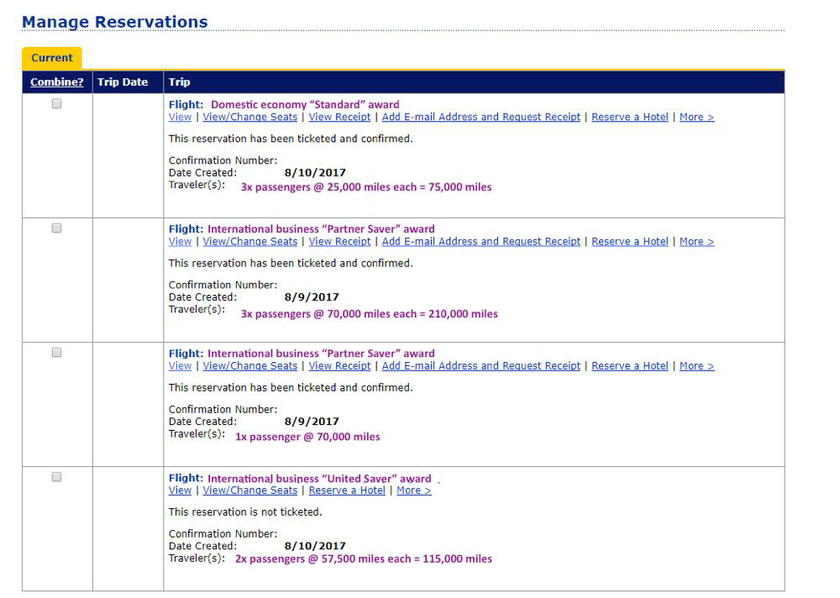
Due to the various system quirks, the domestic award tickets booked by the client were issued first, and the 75,000 miles were deducted from their account (I know, I know, but we don’t judge).
That meant that when the system tried to ticket the final international award there weren’t enough miles in the account.
United handled this poorly
Monday-morning quarterbacking is always easier, and once we looked at the details it was very obvious what had happened. United, however, couldn’t explain it.
The system email sent to the client didn’t say “Whoa! You don’t have enough miles!”, just that there were issues, and to call. The first agent the client spoke to said there were issues with the domestic tickets (not accurate), and that they needed 35,000 additional miles to issues the tickets (partially accurate).
The client transferred in points from Ultimate Rewards, and moved on with their day.
Then United called back (which is possibly the most surprising part), and said 40,000 more miles were needed in order to issue the international tickets.
Now, if you’re following along with the math, it makes perfect sense why a total of 75,000 miles were needed. That’s the full price of three domestic economy standard awards.
But this was completely perplexing to various agents at United, including a supervisor, and of course the client. They gave various explanations like the wrong number of miles being calculated (false), the partner changing the award price (false), and award availability changing (false), but no one ever came out and said “you tried to ticket 190,000 miles worth of awards at the exact same time with only 115,000 miles”.
To top it all off, after all the calls and transferring of points, the United agents didn’t even put the international award back in the ticketing queue. Fortunately for the passengers, we were able to go back through and make sure everything was properly issued. But if they’d relied on the word of the phone agents they could have found themselves without return flights.
Bottom line
I’m sometimes amazed that non miles-and-points geeks are ever able to use their miles to get anywhere.
It’s not the fault of the individual agents that they’re often poorly trained, but they made this way more complicated and stressful than it needed to be. That’s why it’s important to know how to spot when something is wrong with your reservations, and then take steps to resolve it. You have to be proactive.
Ultimately, instances like this one serve as great reminders to always check your reservations yourself to ensure they’re 100% solid, rather than relying on what you might be told over the phone.


Membership is free and takes no more information than commenting as a guest. Earn status points for good contributions, and see fewer ads as your status grows.