
It appears that American Airlines tried to get rid of their (superior) old award search tool once and for all, but there continues to be a workaround.
New vs. old AAdvantage award search tools
As many people may already know, since last year American has had two different AAdvantage award search tools. There’s the old one, which I love:

- It’s easy to switch between cabins
- It’s easy to select whether you want a nonstop flight or not
- It’s fast and highly responsive
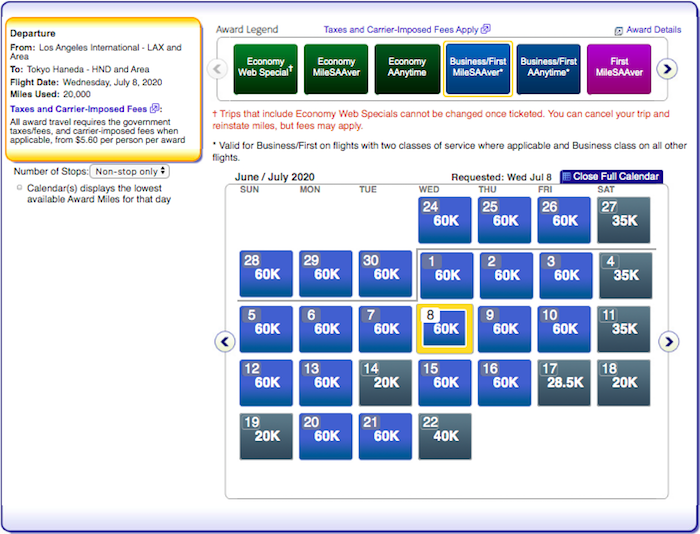
However, last year American got rid of this as the primary way of searching awards, as they introduced a new award search tool. The way I see it:
- This calendar has the benefit of displaying premium economy awards and also “web special” awards
- Otherwise I’ve found the award calendar to not be nearly as easy to use, unfortunately
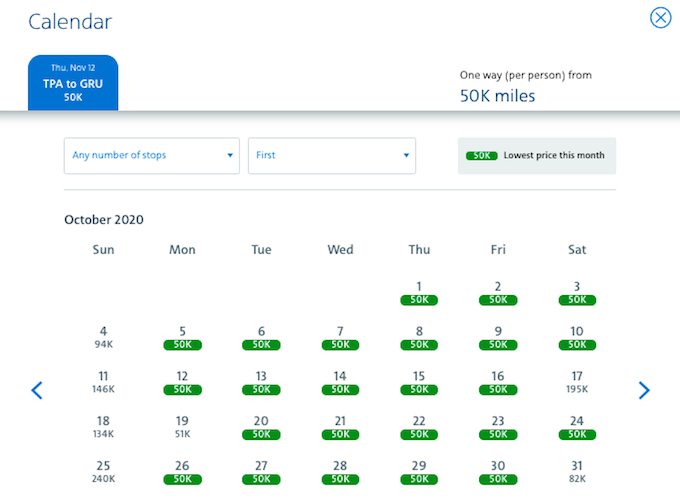
American has defaulted to the new award search tool, but up until now the workaround to getting the old search tool has been to go to aa.com, click on “Advanced / Multi-city options,” and then search for awards on the next page. When you did that, the old search tool would display results.
Well, yesterday American shut off that functionality, and now the new award search tool shows. As an American Airlines spokesperson describes this decision:
To create a more consistent experience for customers using aa.com, we’ve updated how flight results display when using the Advanced Search function or Award Map. Customers will now be directed to the new award booking path, which shows all available award options.
As a reminder, the legacy award tool did not display Premium Web Special awards or Premium Economy awards. The new one does.
There’s still one workaround
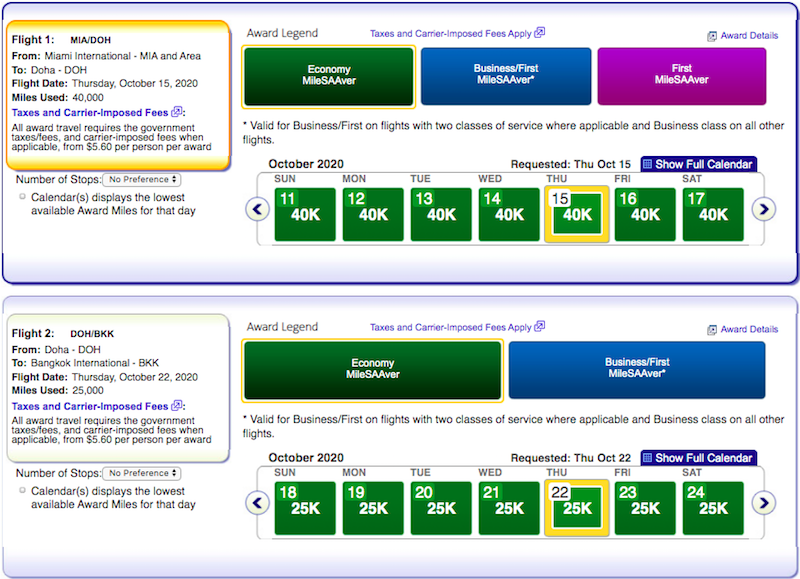
As noted by View from the Wing, there continues to be one workaround to see the old award search took. As before, go to aa.com and click on “Advanced / Multi-city options.”
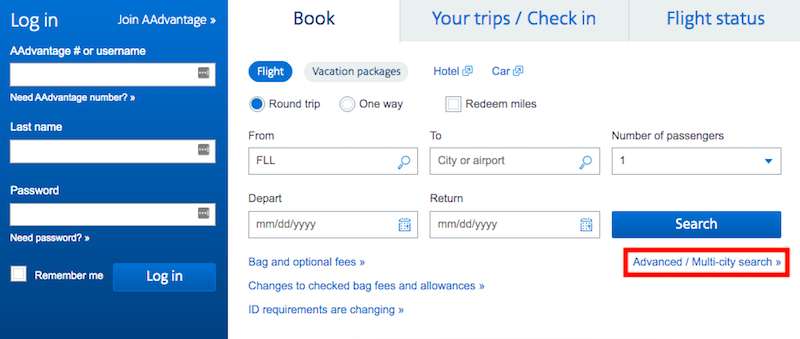
While doing a round trip or one way award search will no longer show the old calendar, selecting the multi city feature will still show the old calendar.
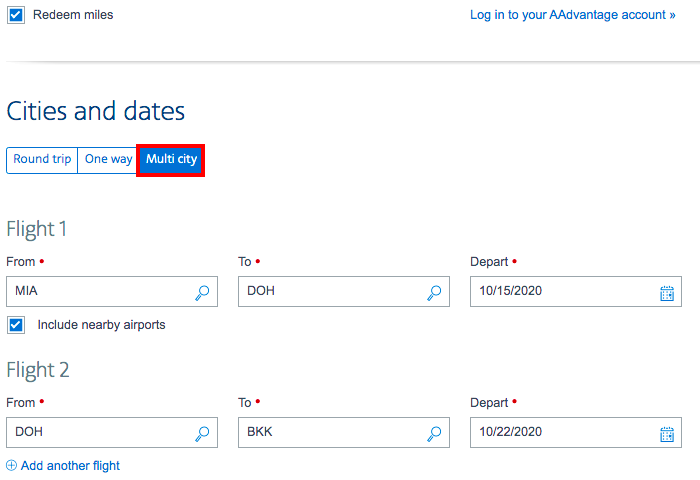
Even if you need to just search availability for a one way, just add on an extra leg later, and that will allow you to use the old search tool.
Bottom line
American seems to be trying to kill off the old AAdvantage award search tool. I guess I get that they want to create a consistent experience, but it’s still sad that the old superior tool is being replaced by the new inferior tool.
While American has now shut off the old search tool when doing a standard search, if you do a multi-city award search you’ll still find it, so not all hope is lost… for now.


Membership is free and takes no more information than commenting as a guest. Earn status points for good contributions, and see fewer ads as your status grows.