
Air Canada’s Aeroplan program has just rolled out a fantastic improvement to its online self-service options. It’s now possible to change Aeroplan awards online, which I’d consider to be a majorly positive development for those of us who frequently use the program for redemptions.
For now this is being marketed as a beta test, though as far as I can tell, this functionality has been pretty widely rolled out.
How to change Aeroplan award tickets online
Up until now, it has only been possible to cancel and redeposit Aeroplan awards online, but it hasn’t been possible to change them. That has finally changed. Below I’ll talk more about why that matters, but let’s start by discussing how it works.
If you log into an Aeroplan award reservation, you’ll now see a “Change flight” button at the top of your itinerary (you must also be logged into the Aeroplan account out of which an award was ticketed).
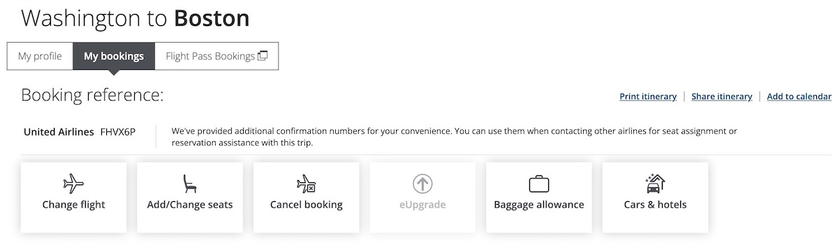
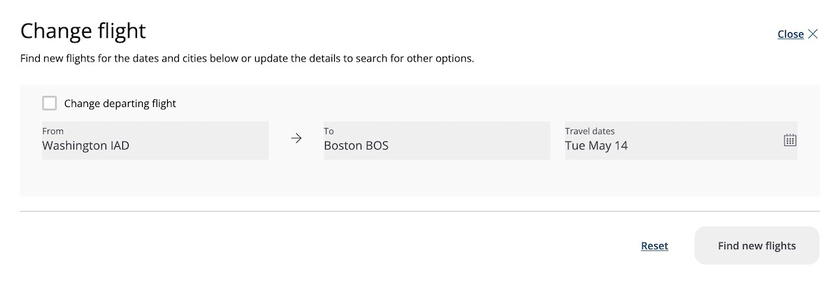
If you click that, you’ll be brought to a page that allows you to change your itinerary. You can enter a new origin and destination, a new date, etc. This means changes aren’t just limited to the same flight on a different date, but rather you can change the award type altogether.
Yes, your domestic United economy award can now be converted into a transatlantic Lufthansa first class award online. You can even change the return portion of a roundtrip after departure of the outbound flight.
For example, I ticketed a Washington to Boston economy award on United, so when I clicked “Change flight,” the same itinerary first auto-populated.
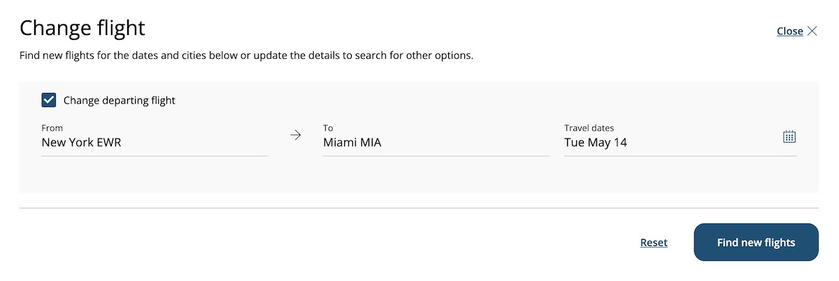
I then changed the route to be from Newark to Miami, so that’s a completely different market.
The results page showed the new award options that are available.
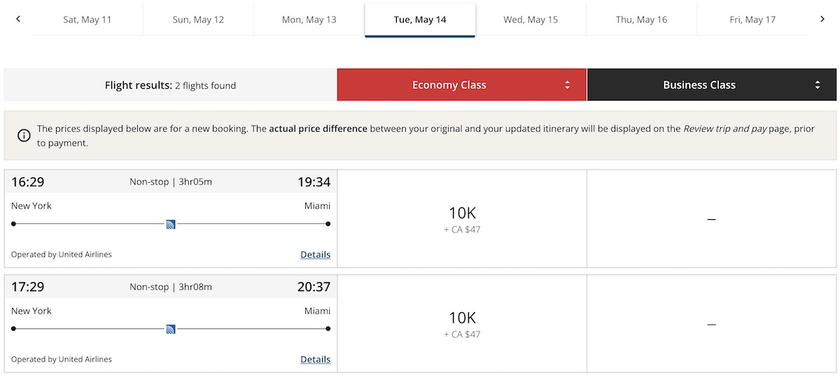
When I selected the flight I wanted, I was asked to just pay the difference in Aeroplan points. I believe I should have also been billed the standard Aeroplan change fee, but for whatever reason, that didn’t show in this case (I suspect that’s a glitch, because within 24 hours of booking, it’s only cancelations that are supposed to be free with Aeroplan, and not changes).
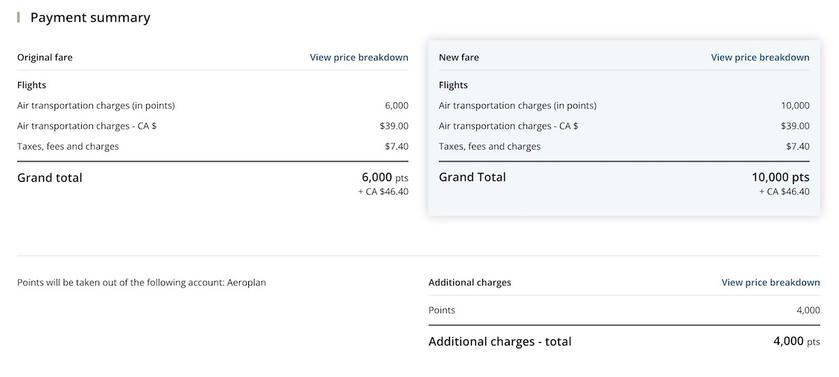
Most kinds of awards should now be changeable online. This is purely speculation on my part, but I imagine that complex itineraries, or itineraries with stopovers, still need to be changed via the call center (after all, the “Change flight” option doesn’t show a stopover option).
Why this Aeroplan change matters
Air Canada Aeroplan is a valuable frequent flyer program given its generous routing rules, the ability to have a stopover for 5,000 points one-way, and the huge array of airline partners that the program has.
However, one pain point of the program has been that call center hold times are often quite long, and the only way to change an award has been to call. When it comes to Aeroplan’s change and cancelation fees for awards, Aeroplan charges up to 100 CAD for changes, and up to 150 CAD for cancellations.
Historically if I needed to change an Aeroplan award, I’d just cancel the award and spend the extra 50 CAD, rather than dealing with the hassle of potentially being on hold for a long time, and the time it takes to make the change by phone.
With Aeroplan changes now easily being possible online, that should save me money, and make changes hassle-free. Furthermore, with more people hopefully using this self-service feature, it should help with reducing hold times at Aeroplan.
Bottom line
Air Canada Aeroplan has introduced online award ticket changes, which is a great development. It’s now possible to change most types of award tickets online, allowing you to avoid being on hold with Aeroplan. Well done, Aeroplan, and hopefully this helps reduce call center hold times.
What do you make of Aeroplan rolling out online award ticket changes?




Membership is free and takes no more information than commenting as a guest. Earn status points for good contributions, and see fewer ads as your status grows.