
Whether we’re new to the game or living in airports full-time, we all make mistakes from time to time. And while I’ve largely been able to keep it together ever since my disastrous China Eastern non-journey from a year ago, apparently I was due for a travel mishap.
This time, this mishap came in the form of an iPad that was left in a seatback pocket.

How it happened
This probably isn’t the first time in the history of air travel that someone has left an iPad behind, and I sure wish there was a better story to go with it. But honestly, I was tired, it was a long week of work, and I’d just spent two hours trying to drive forty miles from western Maryland to Washington’s DCA.
So when we landed at Detroit’s DTW, my mind wasn’t on the contents of my seatback pocket. Rather, I was thinking about how on earth I was going to get my luggage from fifteen rows back while running almost a half mile to the opposite end of the A-concourse, where my next flight was currently boarding.

It wasn’t until I sat down on my connecting flight and opened up my laptop bag that I realized that it was missing. Oh crap.
I immediately got up and alerted the flight attendants, to see if they could call down to the gate. I knew exactly where the plane was, and hoped that with the right set of phone calls, a miracle would strike.
The problem was, I had already boarded, so of course I couldn’t leave the plane. And neither could they.
To their credit, the flight attendants tried calling down to the gate, to no avail. Our gate agent came down the jet bridge to talk to me, and offered calling down to the gate agent from my previous flight, but he got no response. Finally, after multiple attempts to call down, he offered to walk down himself.
But of course he couldn’t do that until after the plane took off. And while I could offer him my phone number, Delta policy doesn’t allow gate agents to call passengers directly.
So while the crew gets an “A” for effort (if any of you are reading this – thank you!!!), I knew that as soon as the boarding door closed, I would be subject to the online world of Delta’s lost item claims.
What I learned
This (sadly) isn’t my first rodeo with Delta’s lost items, and as much as I like to talk to human beings whenever possible, this is one area where the online form is the way to go. Apparently, all of Delta’s lost items eventually go to a centralized location after 24 hours of holding, and the web form is basically a necessity.
Unfortunately, ever since the advent of their new website, many of the tried-and-true links are nowhere to be found. So the first thing that I had to learn was…
1. Where to go to fill out the form
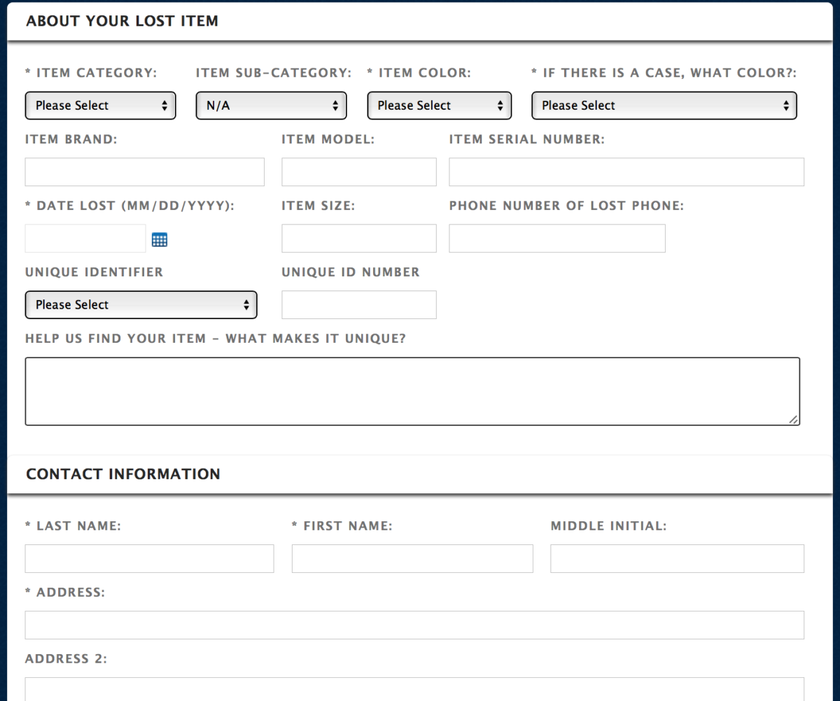
The agent at Delta’s lost items desk did provide a few helpful tidbits, the most helpful of which by far was this link. It takes you straight to the landing page for lost items, which looks something like this:
I knew I needed to fill out the form right away, because my phone agent had warned me of another very specific piece of advice:
2. The sooner you fill out the form, the more likely you are to get your item back
Our time together on the phone was short, but she made it clear, in no uncertain terms, that the best way to get a lost item back was to fill out the form right away. Apparently, the last items in are the first ones out, so if you don’t want your item to disappear into a black hole, it’s best to strike while the iron is hot.
(Diamond Medallion desk this was not, but she made this much pretty darn clear.)
In addition to the item description, there is a space on the form for contact details and flight information:
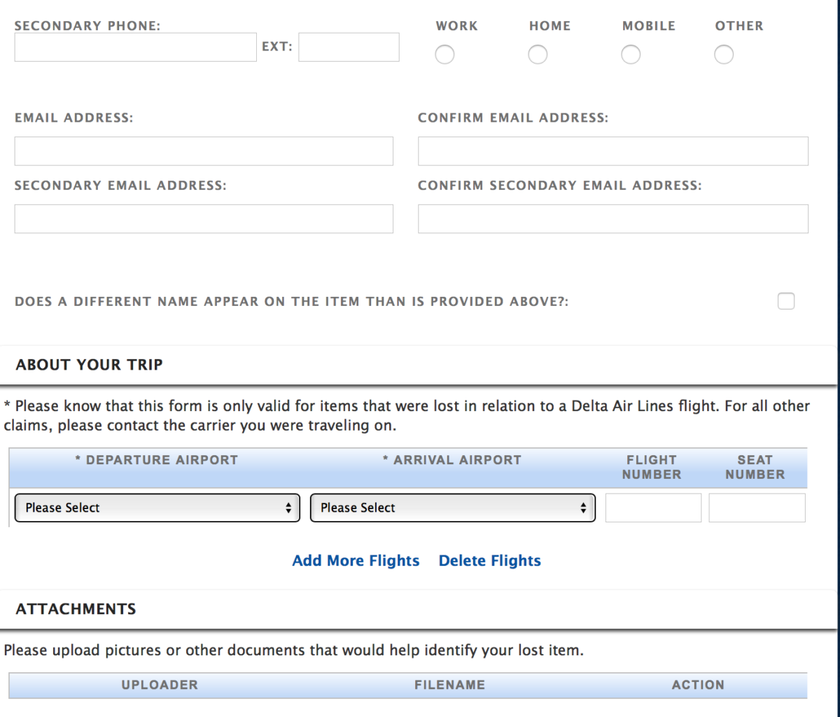
All-in-all, the form was really easy to fill out. It wasn’t until after I sent everything in that I did some further research, and realized that I might have missed a crucial component, which brought me to my next learning:
3. Have something on your device that differentiates it (or better yet, a serial number!)
It had never been more clear to me than in that moment that I have the world’s most nondescript iPad. The case is gray, the background is generic, and the size is the same as most of the world’s other iPads. I wasn’t about to provide login details for any specific apps, and I found myself wondering how I could possible describe the thing, knowing that a clear description could be the make-or-break in ultimately getting it back.
Maybe you’re more on top of it than I am, but I don’t exactly keep track of the serial numbers of my electronic devices (and half the time I forget that they even have serial numbers).
And then it occurred to me that the answer might live with Verizon, where I learned that…
4. Your mobile phone provider may have key details, like serial numbers
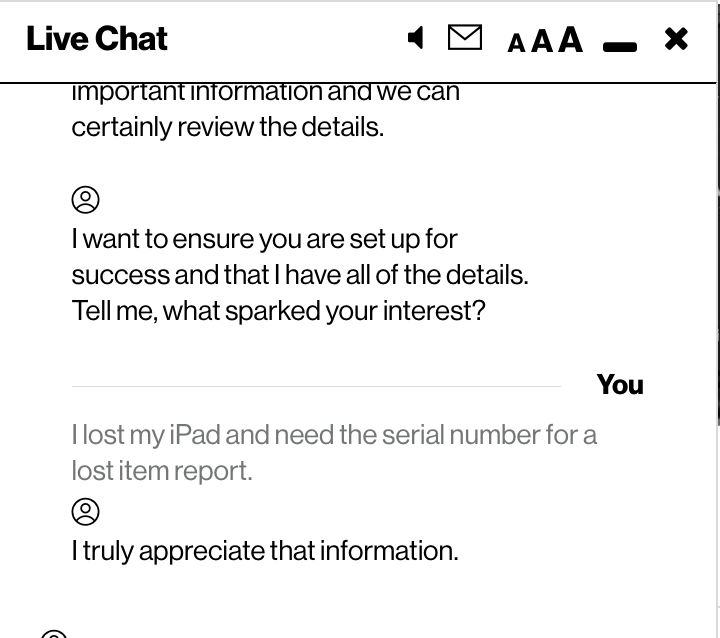
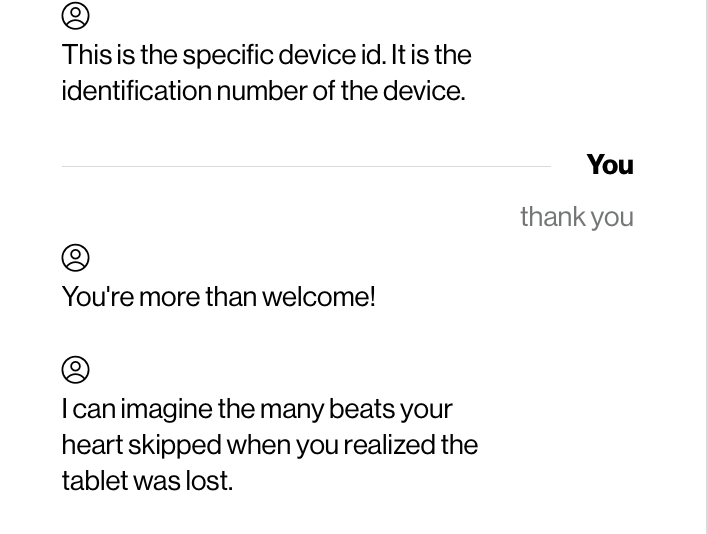
I knew that this was my best shot, and immediately logged into my Verizon account, where I pulled up their live chat support. Within about five minutes, I had a serial number in hand.
And no, I still wasn’t convinced that this would be enough to get my iPad back. But on the plus side, my live chat led to a couple of gems like this:
…and this:
Of course, I had already filled out my online form, and was concerned that I would be out of luck. But I went back to the confirmation email that Delta sent, and realized quickly that…
5. You can update a lost item claim even after you’ve filed it
This part was actually the easiest – Delta’s original lost item email provides a link that allows you to update your claim, as needed. I added the serial number – and a description of the background picture, just for good measure – and hoped that my additional information would be enough to track the iPad down.
The whole updated took all of 90 seconds to complete.
And then I waited.
The final outcome
Six days later (and three days after the requisite “No luck yet, but we’re still looking” email) I received another email with the following text:
We are happy to tell you that we have located an item that closely matches the description of your reported lost item. We have, to the best of our ability, verified that the item matched to your lost report is indeed your item. You will need to click on this link within 45 days and provide the following information:
- Verify the shipping address for your item.
- Choose a Shipping Service Level.
- Provide payment information
After we receive this information, your item will be shipped, you will receive tracking information by email, and we will close the report. We cannot hold these items in perpetuity, so if we do not receive a reply within 45 days, the item will be salvaged and the report closed. We are grateful for your business and we hope to welcome you onboard Delta again soon.
Since this was 100% my fault, I did have to pay for the shipping back to my house, and they do require you to fill out a separate form. In other words, you can’t just use the contact information that they have on file, and you have to fill everything out within 45 days.
Still, I was reunited with my iPad (and its beat-up case) less than a week later!
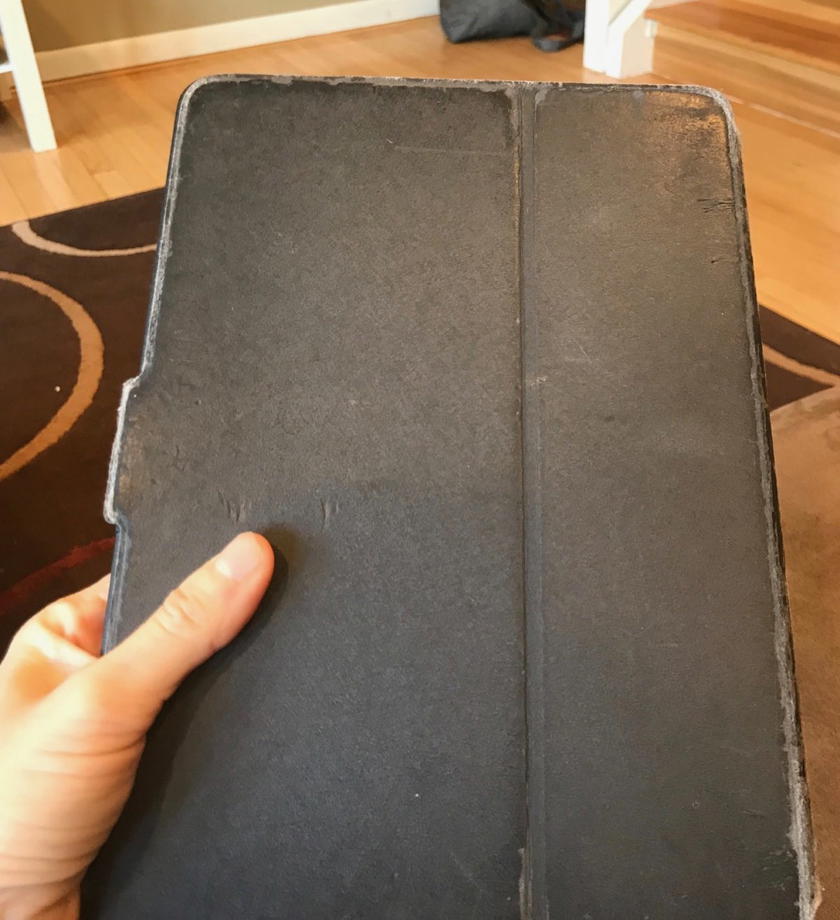
If only the shipping costs coded as “travel”…;)
Key Learnings
Aside from the obvious “don’t forget your stuff,” I do think there were a couple of key factors that ultimately led to my success here, and they are worth recapping. So here’s what I would do in the event that you (or a loved one) leaves an item behind on a Delta flight:
- Bookmark this link, so that you don’t have to go on a wild goose chase on the website.
- Fill out the form as soon as possible.
- Keep your serial numbers for electronic devices somewhere on file.
- Put some sort of differentiator (sticker, address, etc.) on small items that you may be more likely to lose.
- If you don’t have a serial number, turn to your mobile phone provider for help.
- Be ready with payment and shipping information in the event that your item is found.
And, most importantly, check your seatback pocket every time.
Bottom line
First off, to whomever found the lost iPad in the seatback of 12C two weeks ago, wherever you are, thank you!
I know that there was a lot of luck involved here, and that my iPad found itself in the hands of the right people, which is far from a guarantee. But I do think that Delta has a solid system in place here. This is the second time that I’ve had something of value returned to me, which tells me that something behind the scenes is working.
And ultimately – and I know I’ll get some flak for this – it’s reasons like these why I keep going back to Delta. Sure, their redemptions might be laughable and their new boarding process baffling, but when bad things happen, they seem to know how to fix them.
More importantly, they actually seem to care.
So while the policies may not always be as customer-friendly as we all would like, to me, service comes down to what the actual, personal, on-the-ground and in-the-air experience looks and feels like, week after week.
And in this case, they hit it out of the park.
Have you ever had to file for a lost item? How did it turn out?


Membership is free and takes no more information than commenting as a guest. Earn status points for good contributions, and see fewer ads as your status grows.