
Frequent travelers to the United States are probably familiar with Global Entry, which allows enrolled members to get expedited immigration at US airports. However, applying for Global Entry is a bit of a process, and there’s a cost to participate.
If you don’t want Global Entry (or aren’t eligible), your next best option is Mobile Passport Control. This is sort of a hidden program that doesn’t get talked about enough, given that it can significantly cut down your wait times at US immigration. In this post, I’d like to talk about how this works, as I’ve used it a couple of times now (when traveling internationally with our younger son, who doesn’t yet have Global Entry).
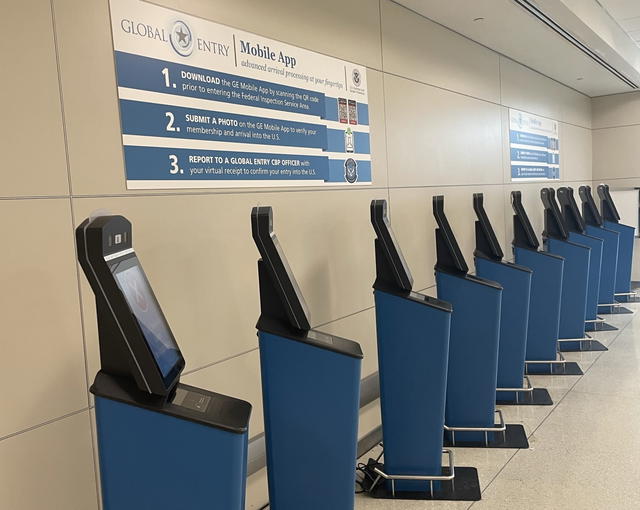
How Mobile Passport Control works
Mobile Passport Control (MPC) is a free app that allows travelers to submit their travel document, photo, and customs declaration information, before they arrive at the immigration checkpoint at a US airport.
Travelers just have to download the app, which is available for Apple and Android. The idea is that the app streamlines the traveler’s entry process to the United States by reducing passport control inspection times and overall wait times.
Those who use MPC can access a separate immigration screening checkpoint. Really that’s the biggest advantage — because not many people use this program (as of now), the wait times are generally much shorter than the standard wait times.
There are some important things to be aware of, as you’d expect:
- MPC is available to US passport holders and permanent residents, as well as Canadian passport holders
- MPC is available in 63 locations, including at 37 US international airports, 15 Preclearance locations, four land borders, four seaports, and three departure locations
- There’s no pre-approval required to use MPC; you just have to complete a customs declaration through the app every time you enter the United States, and then you’ll be given a QR code that you show the immigration officer
- Those who use MPC don’t have to complete a paper immigration form, or use a kiosk where they make their declaration; however, they still have to talk to an immigration officer (like other passengers), but in theory the process should be faster, and you shouldn’t be asked as many questions
In the interest of being thorough, here are the current airports participating in Mobile Passport Control:
- Abu Dhabi Zayed International Airport (AUH)
- Anchorage International Airport (ANC)
- Atlanta Hartsfield-Jackson International Airport (ATL)
- Aruba Queen Beatrix International Airport (AUA)
- Bermuda L.F. Wade International Airport (BDA)
- Baltimore/Washington International Thurgood Marshall Airport (BWI)
- Billy Bishop Toronto City Airport (YTZ)
- Boston Logan International Airport (BOS)
- Calgary International Airport (YYC)
- Cleveland Hopkins International Airport (CLE)
- Charlotte Douglas International Airport (CLT)
- Chicago O’Hare International Airport (ORD)
- Cyril E. King – St. Thomas (STT)
- Dallas/Fort Worth International Airport (DFW)
- Denver International Airport (DEN)
- Detroit Metropolitan Airport (DTW)
- Dulles International Airport (IAD)
- Dublin Airport (DUB)
- Edmonton International Airport (YEG)
- Fairbanks International Airport (FAI)
- Fairbanks International Airport (FAI)
- Fort Lauderdale-Hollywood International Airport (FLL)
- Halifax Stanfield International Airport (YHZ)
- Henry E. Rohlsen – St. Croix (STX)
- Honolulu Daniel K. Inouye International Airport (HNL)
- Houston George Bush Intercontinental Airport (IAH)
- Houston William P. Hobby International Airport (HOU)
- John F. Kennedy International Airport (JFK)
- Kansas City International Airport (MCI)
- Las Vegas Harry Reid International Airport (LAS)
- Los Angeles International Airport (LAX)
- Miami International Airport (MIA)
- Minneapolis-Saint Paul International Airport (MSP)
- Montreal Trudeau International Airport (YUL)
- Nassau Lynden Pindling International Airport (NAS)
- Newark Liberty International Airport (EWR)
- Oakland International Airport (OAK)
- Orlando International Airport (MCO)
- Ottawa International Airport (YOW)
- Philadelphia International Airport (PHL)
- Phoenix Sky Harbor International Airport (PHX)
- Pittsburgh International Airport (PIT)
- Portland International Airport (PDX)
- Sacramento International Airport (SMF)
- Salt Lake City International Airport (SLC)
- San Diego International Airport (SAN)
- San Francisco International Airport (SFO)
- San Jose International Airport (SJC)
- San Juan Airport (SJU)
- Seattle-Tacoma International Airport (SEA)
- Shannon Airport (SNN)
- Tampa International Airport (TPA)
- Ted Stevens International Airport (ANC)
- Toronto Pearson International Airport (YYZ)
- Vancouver International Airport (YVR)
- Winnipeg James A Richardson International Airport (YWG)
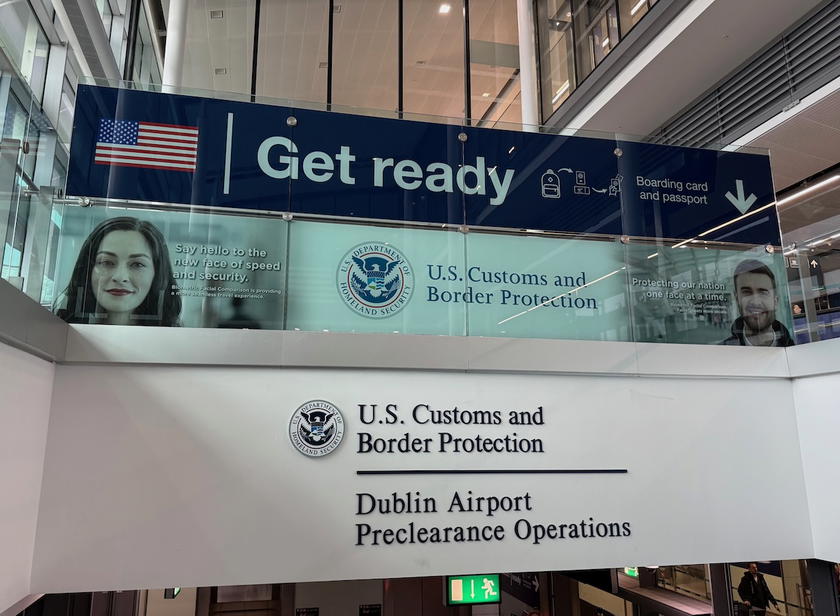
Mobile Passport Control app: step-by-step guide
The Mobile Passport Control app couldn’t be much easier to use. I’d recommend downloading the app prior to boarding your flight to the United States, and completing the basic requirements. Then you have to submit your customs declaration after you land in the United States (within four hours of when you intend to clear immigration).
Once you download the app, there are several pages explaining how the app works, plus you have to agree to a disclaimer statement.
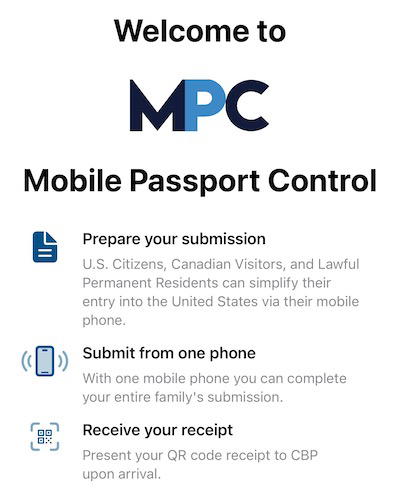
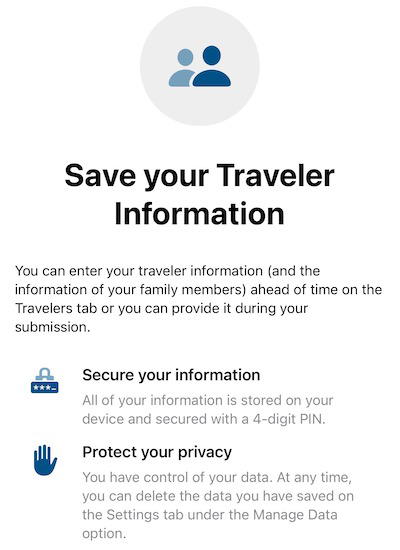
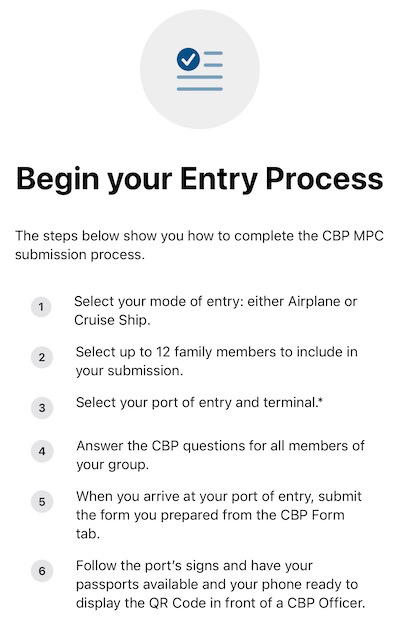
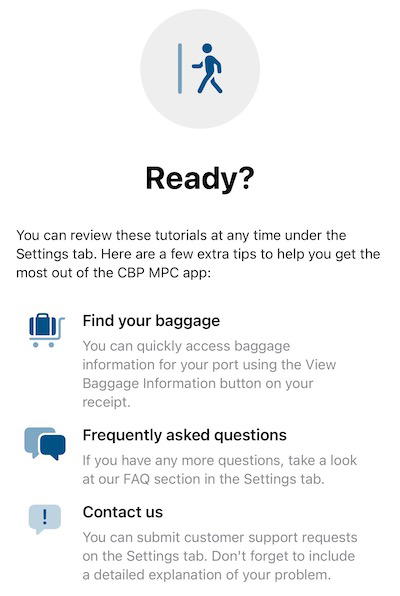
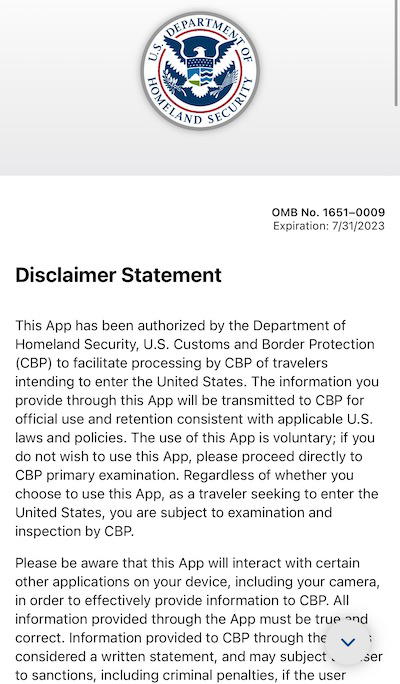
After that you can go through steps required for a particular entry to the country. Note that you can use one app to submit your application for multiple people in the same family. Furthermore, you can save the passport details in the app for multiple trips, eliminating the need to submit all of this information each time (though you do need to make a customs declaration each time).
To start the process, you’ll have to state which CBP port you’ll be arriving at, and they all show on a dropdown menu.
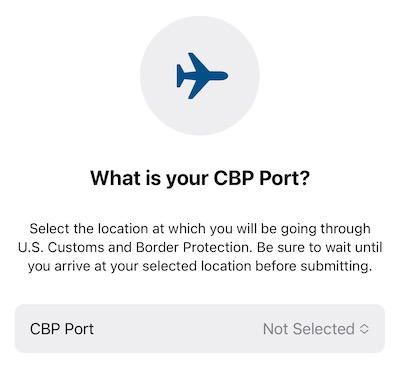
At that point you’ll have to select the travelers who will be entering the country. If you’ve already saved people to your profile, they’ll show on that page. Otherwise you can start from scratch, which just requires scanning the document, and then all the information will be auto-populated.
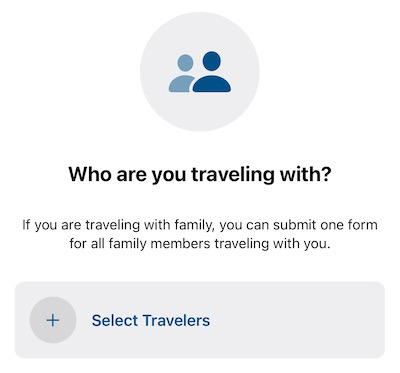
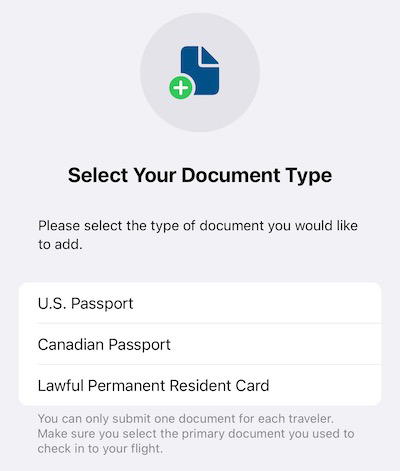
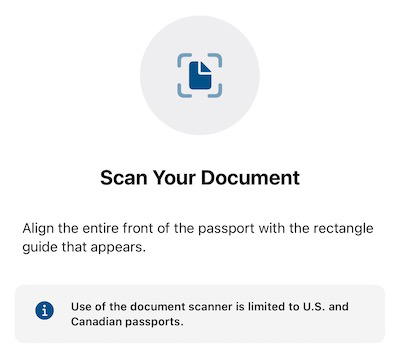
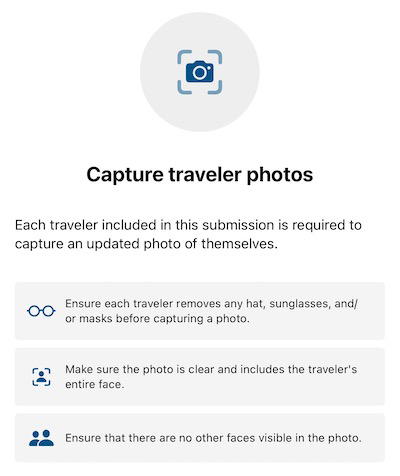
You’ll then need to capture traveler photos. This doesn’t need to be a passport-quality photo — you just have to follow some very basic guidelines, like removing hats and sunglasses, and making sure only one person’s face is visible.
The above can all be saved to your profile. However, what you do need to complete with each trip is answering six standard CBP declaration questions.
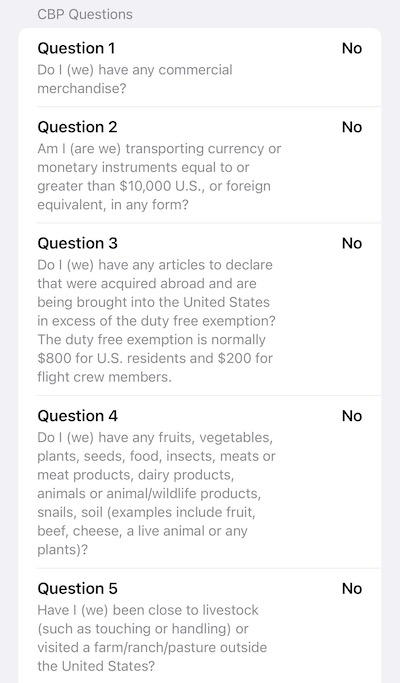
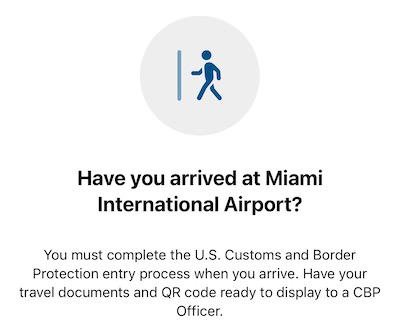
You’ll only want to submit this when you arrive at your point of entry in the United States. The app asks you to submit this once you’ve arrived at the airport, though in reality you have up to four hours to go through immigration from the time that your application is submitted.
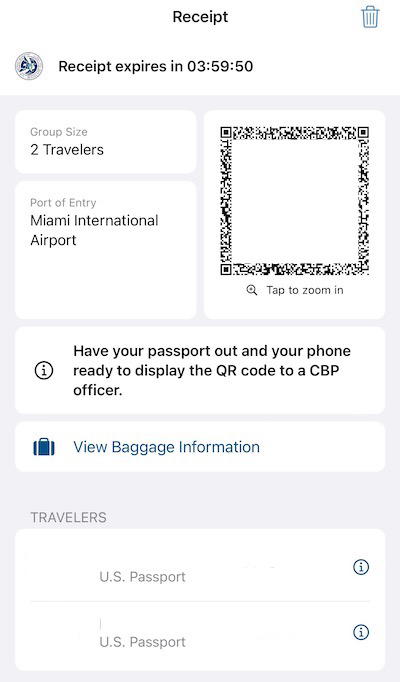
Once you submit your document, you’ll be given a receipt with a QR code, which you’ll need to scan when you see an immigration officer.
How Mobile Passport Control works at the airport
Once you land at your US point of entry and arrive in the immigration hall, look for the Mobile Passport Control signage. This will bring you to an area separate from the standard US immigration line.
You still need to queue to see an immigration officer, and when you get to the officer, you’ll see a scanning device where you should scan your QR code. The benefit is that this line is usually much shorter, and also that you generally won’t be asked as many questions (since you’ve already answered some questions via the app).
Both times I’ve gone through the MPC lane, the wait was less than five minutes, while the general immigration line looked much longer. The main benefit of MPC isn’t even the time savings from getting some of the work done in advance through the app, but rather just having access to a shorter line.
Is Mobile Passport Control a Global Entry alternative?
Mobile Passport Control isn’t as good as Global Entry, plain and simple. With Global Entry there’s almost never a wait, you just have to look at the camera, an officer acknowledges you, and then you’re usually sent on your way. The Mobile Passport Control experience isn’t as seamless. However, it’s the next best thing.
There’s no enrollment cost, using the app takes maybe a few minutes to set up, and then with each trip it just takes a minute or so to answer the declaration questions. Getting access to a special immigration line for that is awesome, as it could potentially save you a significant amount of time.
Of course like many things in life, I imagine that as this app becomes more popular and well known, it will also become less useful. After all, when everyone gets access to a special lane, no one gets access to a special lane. 😉
| Criteria | Mobile Passport Control (MPC) | Global Entry (GE) |
|---|---|---|
| Cost | Free | $120 for 5-year membership |
| Application | No enrollment application | Enrollment application required |
| Background check | No background check | Background check |
| Fingerprint requirement | No fingerprint to enroll | Fingerprinting required to enroll |
| App used | Must download and use the MPC app | Can use GE mobile app or GE portal |
| Talk to officer | Must talk to a CBP officer in customs | Not always required to talk with a CBP officer in customs |
| Trusted Traveler Program | Not a Trusted Traveler Program | Is a Trusted Traveler Program |
| Passport requirement | Passport should be available to present to a CBP officer | Passport should be available to present to a CBP officer |
| Photo requirement | Must take confirmation photo for final verification (in addition to app self-photo) | Not required to take confirmation photo (only mobile app or portal self-photo) |
| Availability | Available to U.S. citizens, U.S. lawful permanent residents, Canadian B1/B2 citizen visitors and returning Visa Waiver Program travelers with approved ESTA | See GE eligibility requirements. Eligibility also depends on applicant vetting |
| TSA PreCheck | Not included; costs $85 or less for a 5-year membership | Included with GE membership |
Bottom line
Mobile Passport Control is an awesome free app that can save you time at US immigration. The app is easy to use, and allows you to submit your documents and customs declaration prior to speaking to an immigration officer. Most valuable of all, those with MPC get access to a special lane at immigration, which is typically much shorter than the standard one.
While I’d still recommend Global Entry, those who don’t have it should use MPC if they’re eligible.
Have you ever used Mobile Passport Control before? If so, what was your experience like?


Membership is free and takes no more information than commenting as a guest. Earn status points for good contributions, and see fewer ads as your status grows.