

Google Flights is probably the single most useful resource for researching and tracking flight prices. Admittedly this isn’t exactly cutting edge, as Google Flights has been around for years, and hopefully most OMAAT readers already use it.
However, I figured I’d share the basics of why I find Google Flights to be valuable, and how I go about using it. As is probably the case for many people, it’s one of the tools that I find most useful for travel planning.
Why you should be using Google Flights
Plain and simple, Google Flights should be the first website you visit when you’re starting the process of booking an airline ticket with cash. Google Flights is great because it lets you compare fares across a wide variety of dates, allows fare tracking, and gives you all kinds of options to customize your search, which you won’t find when searching through an online travel agency or airline website.
Note that Google Flights is more of an aggregator of information than anything else. Typically when Google Flights shows you fares, you’ll get a link to either the website of an airline or to an online travel agency to book, as most fares can’t be booked directly with Google Flights. In 99% of cases I recommend booking directly with the airline, as that simplifies flight changes, schedule changes, etc.
Google Flights is best option for comparing airfare
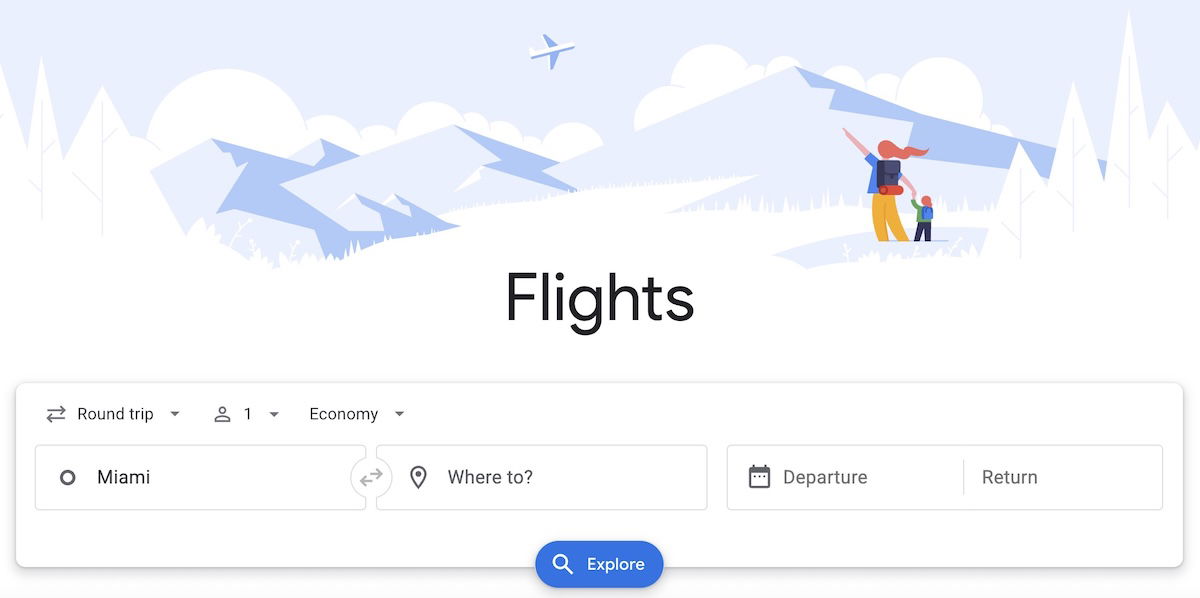
When you go to Google Flights, it doesn’t look that different than most online travel agencies. You can enter your origin, destination, travel date, whether you’re traveling one-way or roundtrip, the number of passengers, and the class of service you want to travel in.
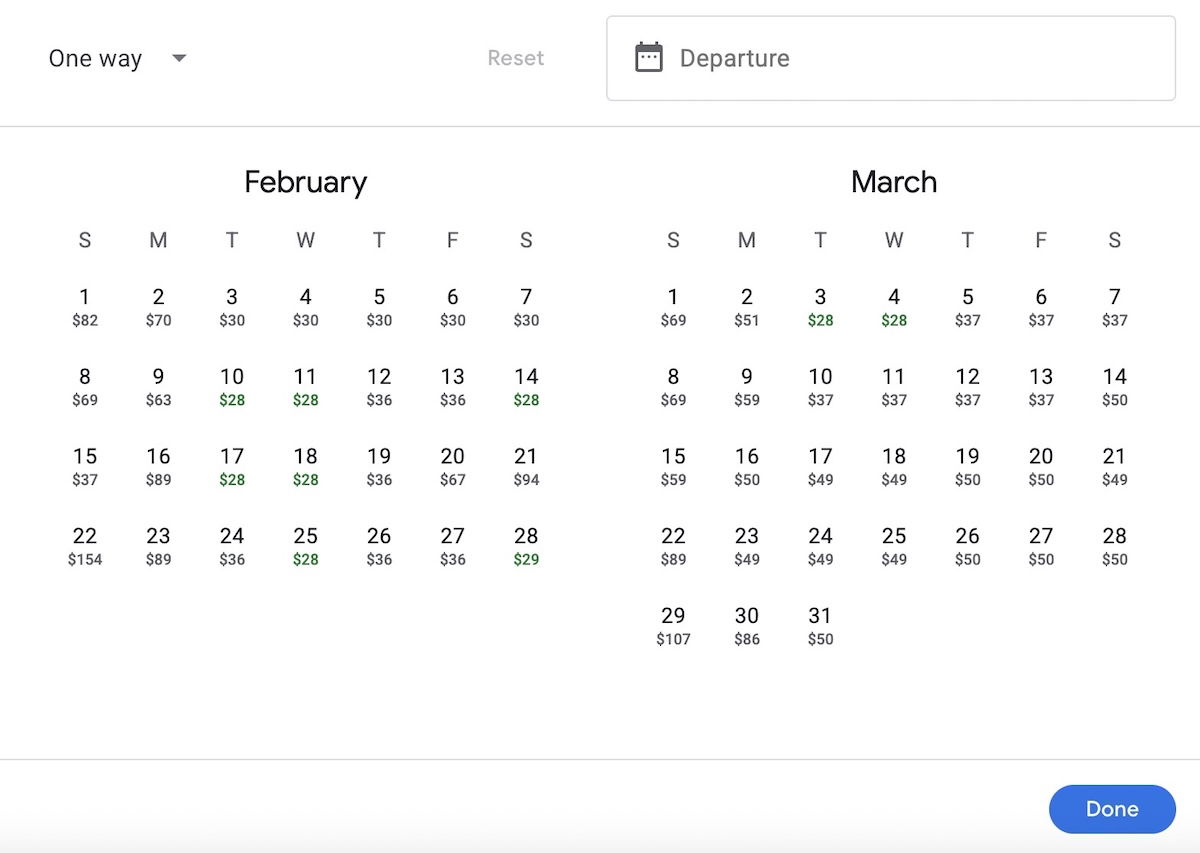
The first thing that makes Google Flights awesome is that when you get to the results page, you’ll immediately see a pricing calendar that shows you options for two months at a time. You can search an entire year of pricing in a given market in less than a minute.
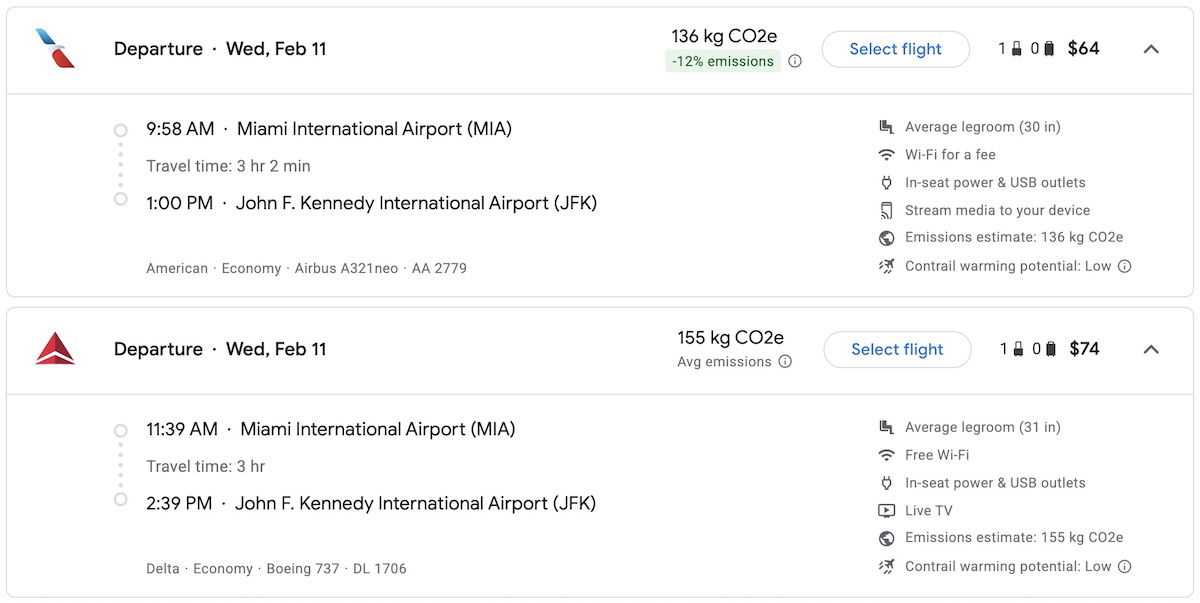
While Google Flights will show tons of options, you’ll see that “best flights” are first shown, which is based on price, convenience, and overall value. I appreciate just how much information Google Flights shows with each flight option. If a fare doesn’t include a carry-on, you’ll see that restriction listed, and you can even sort to exclude basic economy fares.
Beyond that, you’ll see seat pitch on the plane, whether there’s Wi-Fi, whether there’s in seat power and USB outlets, whether there are televisions, etc. Of course keep in mind that in some cases this might not be accurate, but more often than not it is.
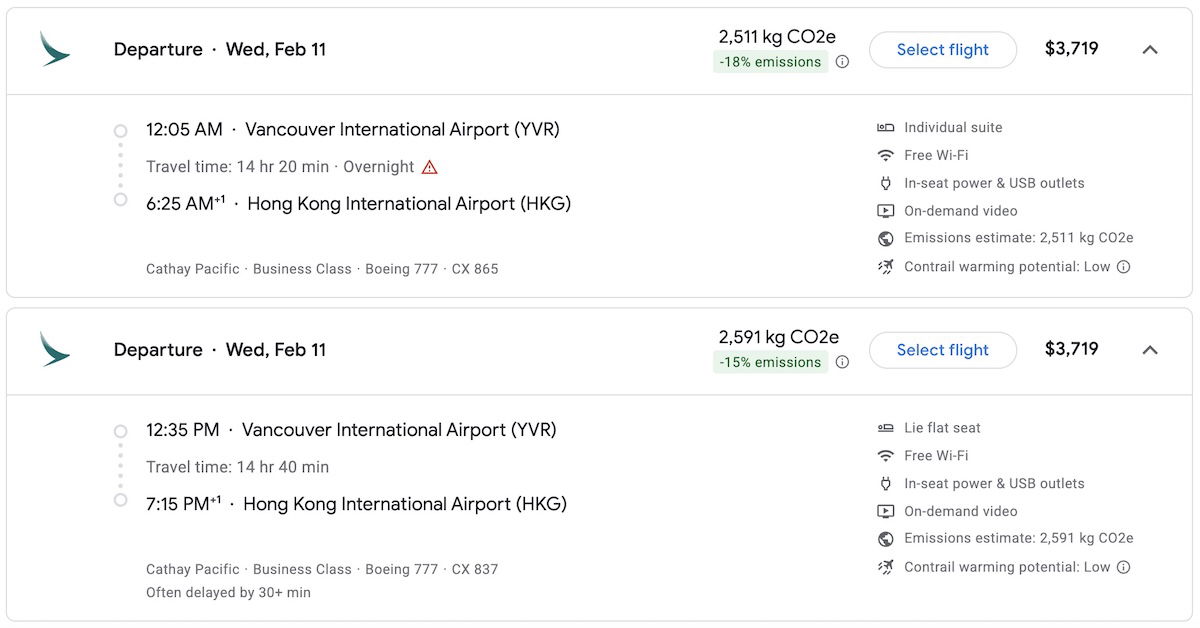
In some cases this information is really useful. For example, if you’re curious if your Cathay Pacific flight will feature the new Aria Suite product, Google Flights shows flights with the Aria Suite as featuring an “individual suite,” while flights without the Aria Suite are shown as featuring a “lie flat seat.”
It gets much better than that, though. Once you execute a search, you’ll see all kinds of filters. You can choose based on the number of stops, the airlines or even alliance, whether a fare includes bags, the price, the flight times, the connecting airports, or the duration. You can also filter by cabin type, including the choice of whether you want to include basic economy fares or not.

These filters will also be applied to the calendar feature, which is one of my favorite features of Google Flights. In other words, if you want to find the cheapest nonstop flight on a given airline at a particular time of day throughout the year, you can easily do that with Google Flights.
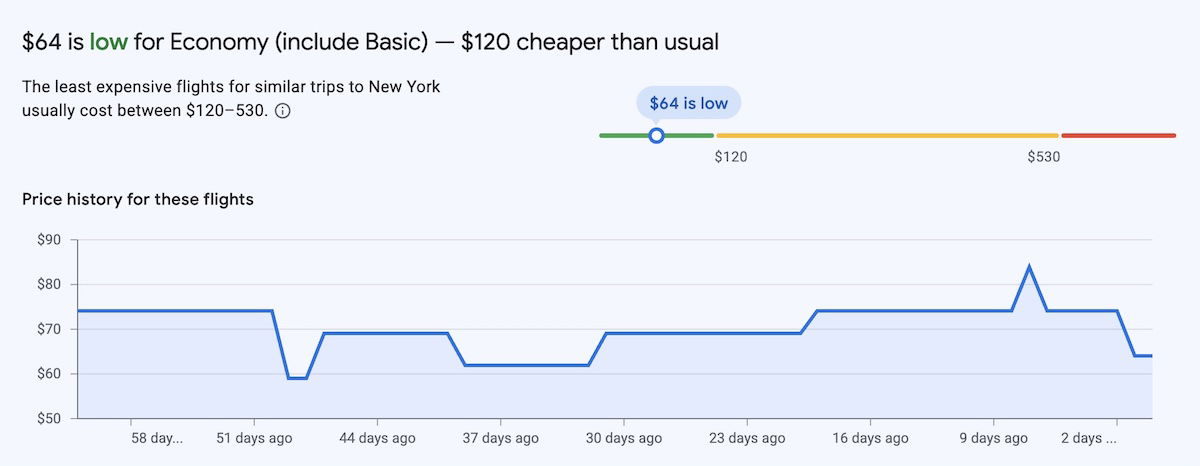
When you select a flight, Google Flights will tell you if your fare is typical, cheap, or expensive, based on historical data. You can make of that what you will, since obviously there are a lot of factors that go into airline pricing. In other words, just because a fare is marked as expensive, doesn’t necessarily mean it’s going to get any cheaper.
Using Google Flights with flexible destinations
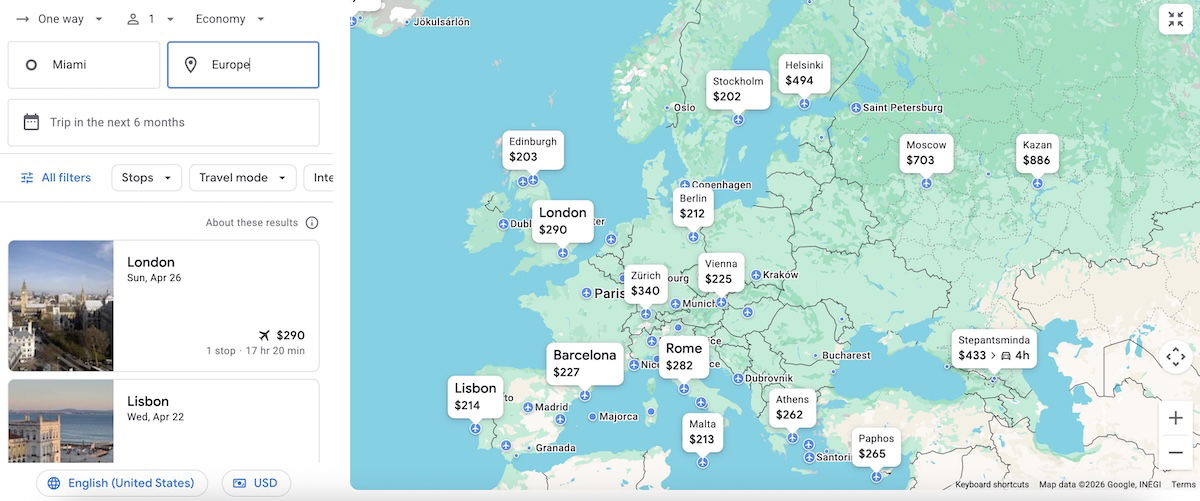
Do you just want to travel somewhere, but don’t know where? Google Flights can help with that too. Google Flights lets you search airfare from a specific origin, to an entire country, or even continent.
For example, you could enter Miami as your origin, and the entire country of Germany, or the entire continent of Europe, as your destination. You’ll then be presented with a map that shows you all the possibilities.
If you have a better sense of where you’re looking to go, but want to choose between a few airports, Google Flights can help with that too. For example, you can enter multiple origin and destination airports, assuming you have that flexibility and are curious to compare.

Google Flights lets you track flight prices
My single favorite feature of Google Flights is the ability to track the prices of flights:
- This is useful if you want to book a specific flight, but want to wait for the price to (hopefully) drop
- This is useful if you’ve already booked your ticket, but are flying with an airline that doesn’t have change fees; that way you could reprice your flight, and get a voucher for the difference
Sometimes airlines will have great fares way in advance, while other times they won’t. For situations where you can’t find a good fare in advance, there’s something to be said for tracking the fare.
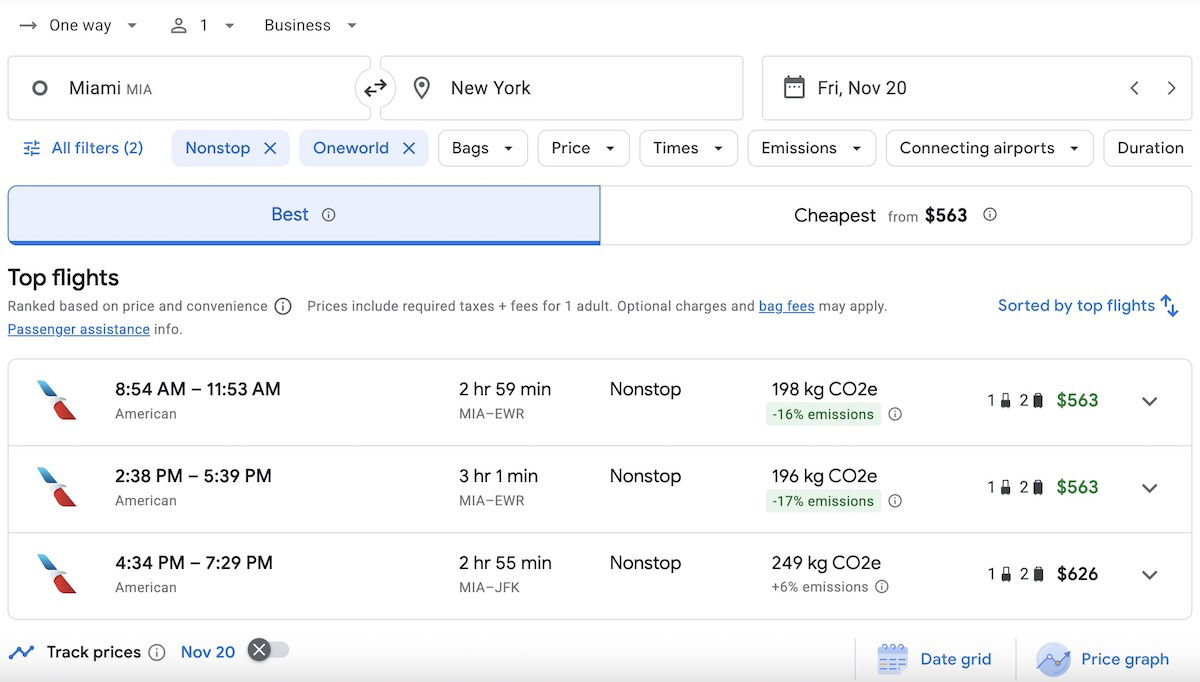
For example, say you’re looking at a particular flight from Miami to New York on American many months in advance, and the first class fare is currently more than you want to say. If you were interested in keeping an eye on one of these flights, just click the little “Track prices” button, and you’ll receive an email if the price of the flight changes.
You can request price tracking for one particular flight, or for an entire day of availability between two city pairs, based on your parameters. You can set as many alerts as you’d like.
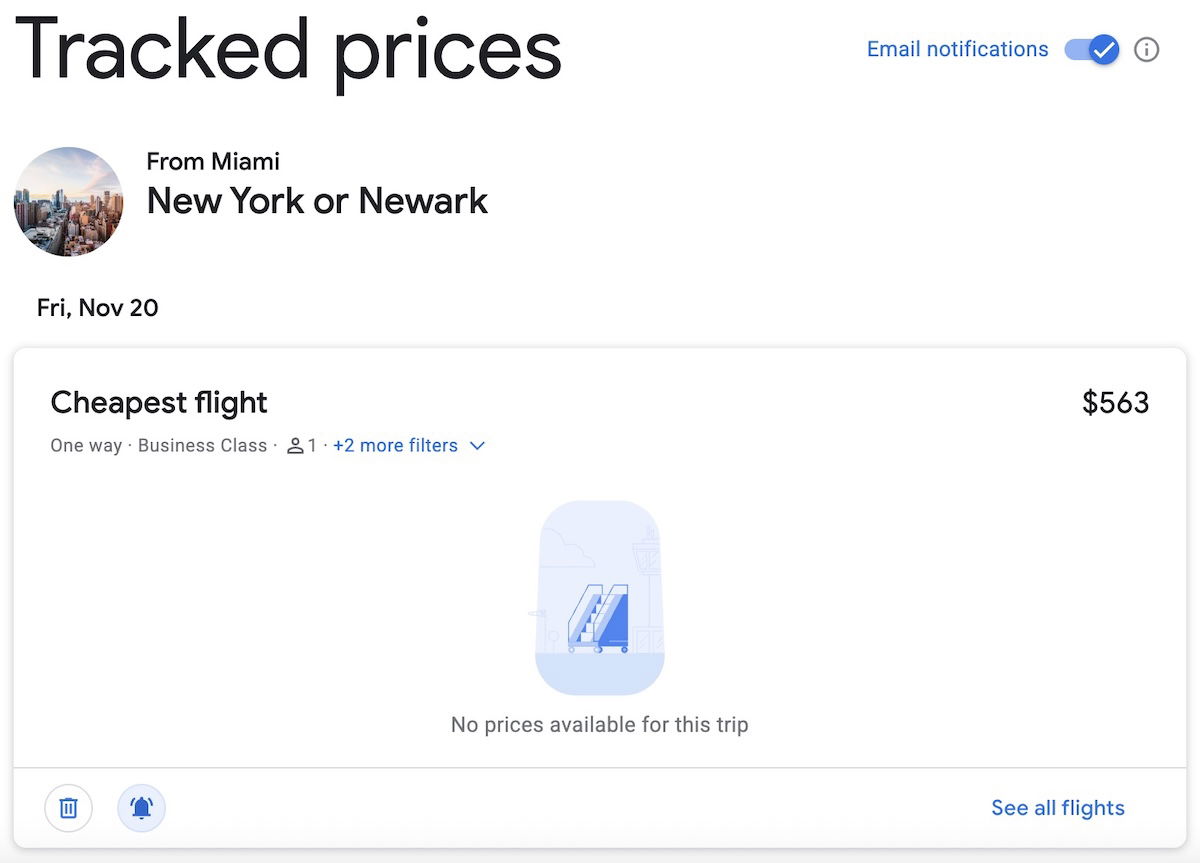
There’s then a dashboard connected to your Google account, which will also keep track of the historical price changes.
I use the Google Flights price tracking feature constantly, and it saves me a lot of money on flights.
Bottom line
Google Flights is the single most useful resource for booking airline tickets with cash. The website makes it easy to compare the price of airline tickets across months, and customize your search based on endless features, from airline, to departure time, to connecting airport. It can even be useful if you don’t know where you want to go, but want to keep your options open.
Google Flights also provides all kinds of useful details about flight amenities, from legroom, to the availability of Wi-Fi, to the type of business class seat you’ll get.
My single favorite feature of Google Flights, though, is the price tracking capability. This allows you to track how airfare changes for a particular itinerary over time. This can be useful whether you want to wait until a fare drops to book, or if you want to reprice an existing ticket, and get a voucher.
If you use Google Flights, what has your experience been like? Any important features I’m missing?




I find with points getting harder to find with airlines blocking partner availability or charging dynamic pricing I find myself buying a lot more trans Atlanta business class flights with cash. Google flights quickly can show a map of fares for my dates and I use that to compare with point options. I often find flights with cash in J for .5 - 1 cent per points so use cash instead of points. Only problem...
I find with points getting harder to find with airlines blocking partner availability or charging dynamic pricing I find myself buying a lot more trans Atlanta business class flights with cash. Google flights quickly can show a map of fares for my dates and I use that to compare with point options. I often find flights with cash in J for .5 - 1 cent per points so use cash instead of points. Only problem with cash is busi ess class change and cancelation fees are high compared to points on many of the flights I find.
Google flights is horrible when using cities with multiple airports, instead of airport codes. Try searching for round-trip leaving NYC, then select an EWR outbound flight and now you are locked to EWR for your return. Instead you have to select multi-city and spell out all the airports. Frustrating AF that google hasn't been able to figure this out (and that people are still praising google in spite of this major flaw.)
Surprisingly, Expedia actually has some good tools for research etc too.
Ben, this is a fine "User Guide 101," but you completely missed the architectural reality of why Google Flights dominates: the QPX pricing engine and its Low Fare Cache.
The instant calendar and "Explore" map aren't actually searching flights in real-time—that would be computationally impossible and prohibitively expensive in terms of GDS query fees. Instead, they query a massive, pre-computed graph of billions of fare constructions that Google solves for daily. This is a computer...
Ben, this is a fine "User Guide 101," but you completely missed the architectural reality of why Google Flights dominates: the QPX pricing engine and its Low Fare Cache.
The instant calendar and "Explore" map aren't actually searching flights in real-time—that would be computationally impossible and prohibitively expensive in terms of GDS query fees. Instead, they query a massive, pre-computed graph of billions of fare constructions that Google solves for daily. This is a computer science marvel, but it explains the one flaw you didn't mention: Cache Coherency. When a price jumps the moment you click "Select," it’s not a conspiracy; it’s the latency between Google's cached solution and the airline's live Passenger Service System (PSS) rejecting the inventory query.
More importantly, you missed the single greatest "under the hood" lever: Point of Sale (POS) Injection. By manually manipulating the &gl= (Country) parameter in the URL, you aren't just changing the currency display. You are forcing the QPX engine to price the itinerary against fare tariffs filed specifically for that local market. I routinely save 15-20% on international itineraries by forcing the POS to the origin country (e.g., gl=VN or gl=BR), essentially bypassing the higher-yield fare buckets airlines file for US-based IP addresses. It is the only tool that allows for this level of specific fare construction without a GDS terminal.
Thanks for that info! So that is why Google Flights will say the price changes a lot of times when you click on the actual flight you want. Even when you refresh the page it'll show the old price and then the new price with a follow up click.
Helped a ton!
@NickW, that's good info, thanks! Is there a difference between manipulating the url to enter the origin country code and selecting the location at the bottom of the Google Flights page (Location drop-down)?
@Ricky Technically, they trigger the exact same parameter (SaleCountry), but the difference is persistence. The UI dropdown is "sticky" (it sets a browser cookie). If you change your location to "Egypt" to check a fare and forget to switch it back, your future searches for domestic US flights might default to local tax displays or restrict you to local payment methods, which can trigger fraud alerts with your bank. The &gl= URL hack is superior...
@Ricky Technically, they trigger the exact same parameter (SaleCountry), but the difference is persistence. The UI dropdown is "sticky" (it sets a browser cookie). If you change your location to "Egypt" to check a fare and forget to switch it back, your future searches for domestic US flights might default to local tax displays or restrict you to local payment methods, which can trigger fraud alerts with your bank. The &gl= URL hack is superior because it is ephemeral—it forces the Point of Sale for that specific tab only without polluting your long-term browser preferences.
Also, a critical distinction for the gallery: Do not confuse the Currency dropdown with the Location dropdown. Changing Currency just applies a forex calculator to the US price. It does not re-price the ticket. Changing Location forces the engine to actually re-query the fare filing system for that specific market's inventory buckets. If you aren't changing the Location specifically, you aren't actually accessing the local fares.
For some reason, when I try altering the &gl= thing at the end of the url (for example, changing it from from US to IN when searching for a SEA-BOM round-trip), I only get almost the exact same amount displayed in another currency, with a few cents off here and there likely due to rounding. What am I doing wrong?
What about skyscanner? They generally show cheaper flights vs google.
That's a common observation, but it usually comes down to inventory quality assurance, not actual airline pricing.
Skyscanner (and Momondo) act as "meta-scrapers" that pull data from hundreds of obscure Online Travel Agencies (OTAs), some of which are essentially just a laptop in a basement. They often display "cached" fares—prices that existed 4 hours ago but are effectively gone—or "ghost inventory" that errors out when you actually try to pay. They cast a wider net,...
That's a common observation, but it usually comes down to inventory quality assurance, not actual airline pricing.
Skyscanner (and Momondo) act as "meta-scrapers" that pull data from hundreds of obscure Online Travel Agencies (OTAs), some of which are essentially just a laptop in a basement. They often display "cached" fares—prices that existed 4 hours ago but are effectively gone—or "ghost inventory" that errors out when you actually try to pay. They cast a wider net, capturing high-risk/high-reward booking channels that Google deliberately filters out.
Google Flights (built on the ITA Matrix engine) prioritizes computable reliability. If a fare construction cannot be validated against a current GDS filing or a direct airline API with a high probability of successful ticketing, Google won't show it. You aren't seeing "more expensive" flights on Google; you are seeing "actually bookable" flights versus Skyscanner's theoretical ones.
If you have a high tolerance for risk and customer service nightmares, Skyscanner wins on raw numbers. If you want to know what you can actually buy right now without a "fare no longer available" error, Google wins.
I love Google Flights, but haven't figured out how to track flights by only selected airlines?
You have to filter it each time, it resets to "All Airlines" every time you change something :(
Between Adolf Trump, Musk, Bozo and Google, they are attempting a takeover of the world economy and everyone’s personal data too boot.
When stupid idiots were created you were first in line.
Mark, but surely you must remember that you raced to the front of the queue, elbowing the aforementioned numpties out of your way and slamming the door firmly closed in my face. I benefited from the new issue of brain cells whereas you missed out …. Yes?
Mark, but surely you must remember that you raced to the front of the queue, elbowing the aforementioned numpties out of your way and slamming the door firmly closed in my face. I benefited from the new issue of brain cells whereas you missed out …. Yes?
It’s just a shame how Google has dumbed down ITA matrix since they acquired it, to basically force me over to Google Flights. ITA used to be far more powerful tool than GF is now
I appreciate all this but there’s a hole in the market for finding flights. If anyone knows a way please advise me. A sweet spot I prefer and use frequently is flying to Europe in business on redeyes and back in premium economy on day flights. This is often cost effective. The only way I’ve found to do it is by clicking thru on each airline website, you can’t search for them there either typically.
Amen!!
I’m the other wayaround!
Y on the shorter flights NYC to CDG/BCN/LHR. J on the daytime return flight (1h longer).