
Delta has just rolled out a functionality that a lot of SkyMiles Medallion members will be happy about.
How Delta Comfort+ Upgrades Work
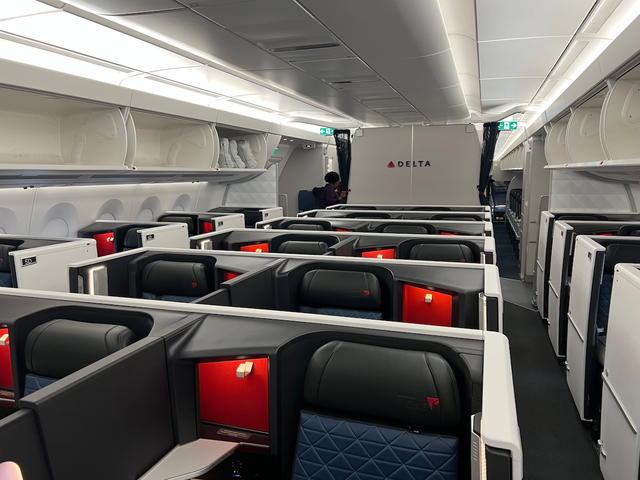
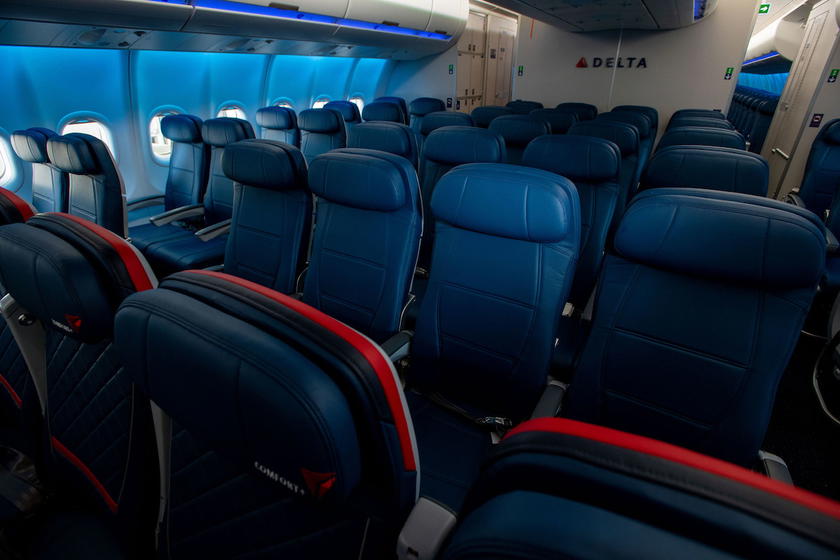
Comfort+ is Delta’s extra legroom economy section, which comes with more legroom and free drinks. They treat this as a separate class of service, meaning that you can pay to book yourself into a Comfort+ seat at the time of booking — this isn’t just an “upgrade” option.
SkyMiles Medallion members receive complimentary upgrades to Comfort+, but they can’t select these seats at the time they book. Rather Medallion members can select those seats after booking, at their upgrade window on a space available basis:
- Diamond Medallion & Platinum Medallion members can select Comfort+ seats after booking
- Gold Medallion members can select Comfort+ seats starting 72 hours before departure
- Silver Medallion members can select Comfort+ seats starting 24 hours before departure
The Cursed Middle Seat Upgrade
One point of frustration among SkyMiles members has been upgrades to middle seats in Comfort+. In other words, you may have a decent window or aisle seat in “regular” economy, and then your upgrade to Comfort+ clears, only to find that you’re now in a middle seat.
Many people would have preferred to opt out of that. While you can sometimes cancel your upgrade and/or Delta has been testing the functionality to opt out of middle seat upgrades, they haven’t implemented it on a widespread basis until now.
A New Way To Set Delta Upgrade Preferences
That brings us to today’s news. Thanks to a new feature, Delta now lets you select your Comfort+ seat preference, either through Delta’s app or website.
In other words, you can now elect to only receive an upgrade to Comfort+ if your preferred type of seat is available, including an aisle, window, or middle (hopefully that’s not your preference).

Here’s how the new system works:
- Find your reservation in “My Trips” at delta.com or in the Delta app
- Request a Delta Comfort+ upgrade and check the “Upgrade Preferences” box
- Then, check both boxes for “Request upgrade” and “Only upgrade if my Seat Preferences are available”
- Select your preference: aisle, middle or window (you can select multiple)
- If you would like to apply your seat preferences to all segments in your trip, click “Apply to All Segments of the Trip”
- Confirm your seat preference; once your preference is set, you will be upgraded to Comfort+ only if your selected seat preferences are available
Here are a couple of screenshots showing the process:
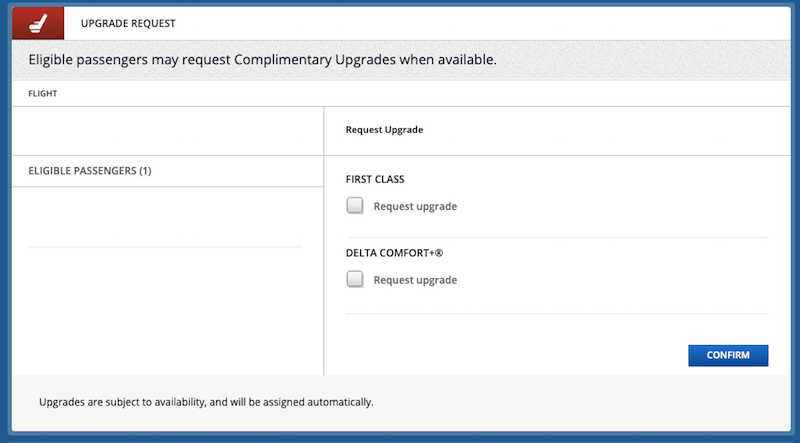
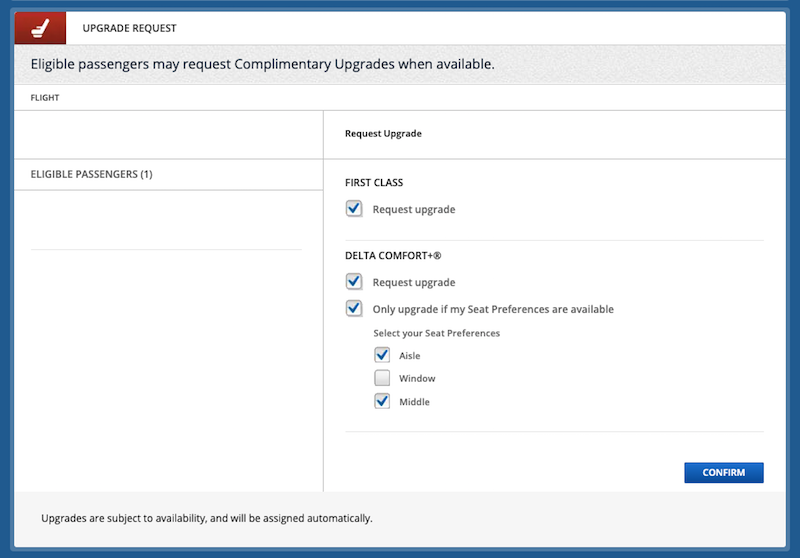
For now this is only available when traveling alone on a Delta operated flight. Furthermore, seat preferences can’t be updated or changed once checked in for a flight.
The Functionality I’d Like To See Added
The one thing I’d like to see them still add is to be able to set your upgrade preferences in your account by default. In other words, you need to go into each reservation at the moment and do this, though I feel like this should also be an option that you can save to your account.
For example, Diamond Medallion and Platinum Medallion members get upgraded shortly after booking, so if you want to be upgraded based on your seat preference only then you’ll want to have Comfort+ upgrades disabled by default, and then you’ll want to manually request them after booking.
Bottom Line
This is an awesome change for Medallion members in the Delta SkyMiles program. Many people didn’t want an “upgrade” from a good aisle or window seat to a middle seat in Comfort+, so it’s nice to see that functionality is now live across the board.
I’d still love to see them add the option to set preferences in your profile, rather than having to do it with each reservation.
What do you make of this update to Comfort+ upgrades?




Membership is free and takes no more information than commenting as a guest. Earn status points for good contributions, and see fewer ads as your status grows.