
In late May I wrote about how Bose is introducing all new headphones this summer. We just saw the introduction of the new Bose Noise Cancelling Headphones 700, which I’ve been excited to try out.
I just bought a pair, and have been using them for several days now. In this post I wanted to share my thoughts on them. For what it’s worth, previously I used the QuietComfort 35 Headphones, which I thought were great. So in the meantime I’ve given my QC35s to Ford, and I’m using the new 700s.

So, what do I make of these headphones?
Bose Noise Cancelling Headphones 700 Review
In this post I want to look at various aspects of the headphones — the design, the noise cancelation, the call quality, and some other features.
Before I get too deep into this post, note that I’m not really a tech guy. I like using gadgets that make my life easier, though I also appreciate simplicity. So consider this a review from someone who is 29-going-on-69 when it comes to technology (no offense to our high tech 69 year old readers!).
$399 Price Tag
The Bose Noise Cancelling Headphones 700 cost $399. That’s obviously pricey for headphones, but in line with what you’ll find for many high end headphones.
As a point of comparison, the previous generation QuietComfort 35 Headphones retail for $349.
Sleek Design & Aesthetics
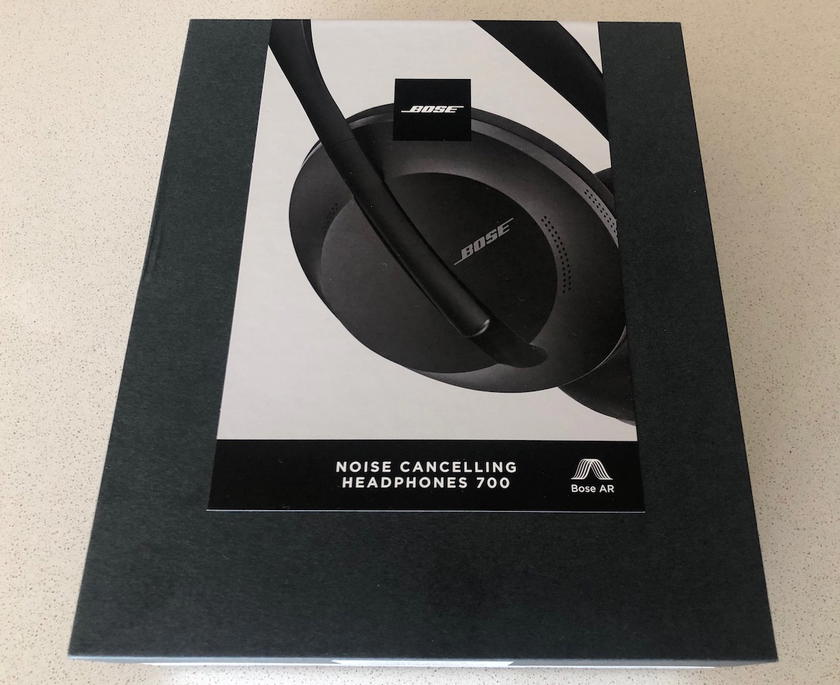
Perhaps this is an odd thing to even talk about, but the new Bose headphones have really nice packaging. They come in a sturdy box that feels pretty fancy when you open it.
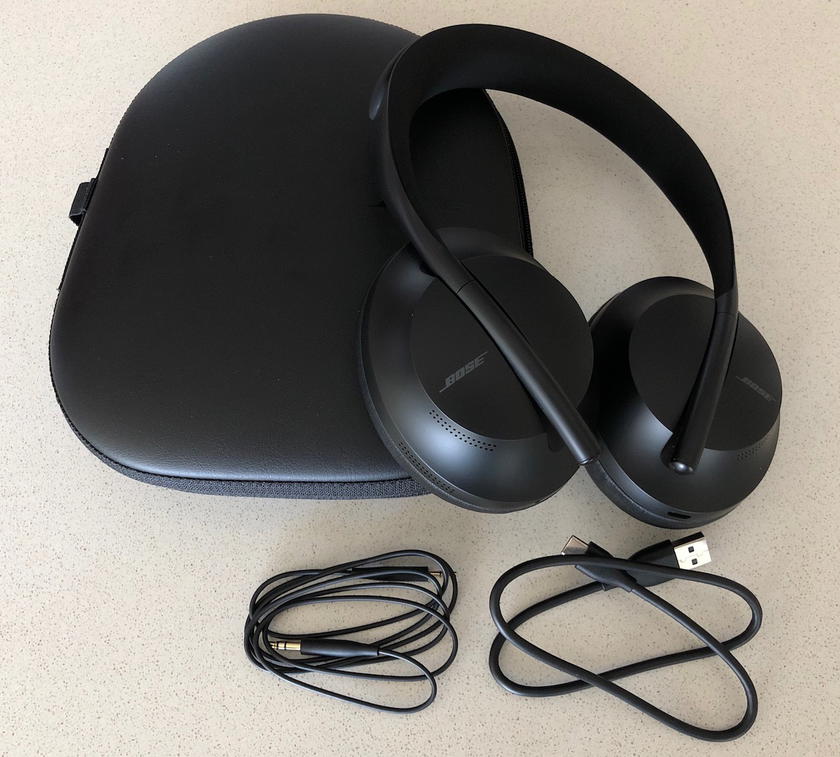
The headphones come with a case, USB charging cable, and audio cable.
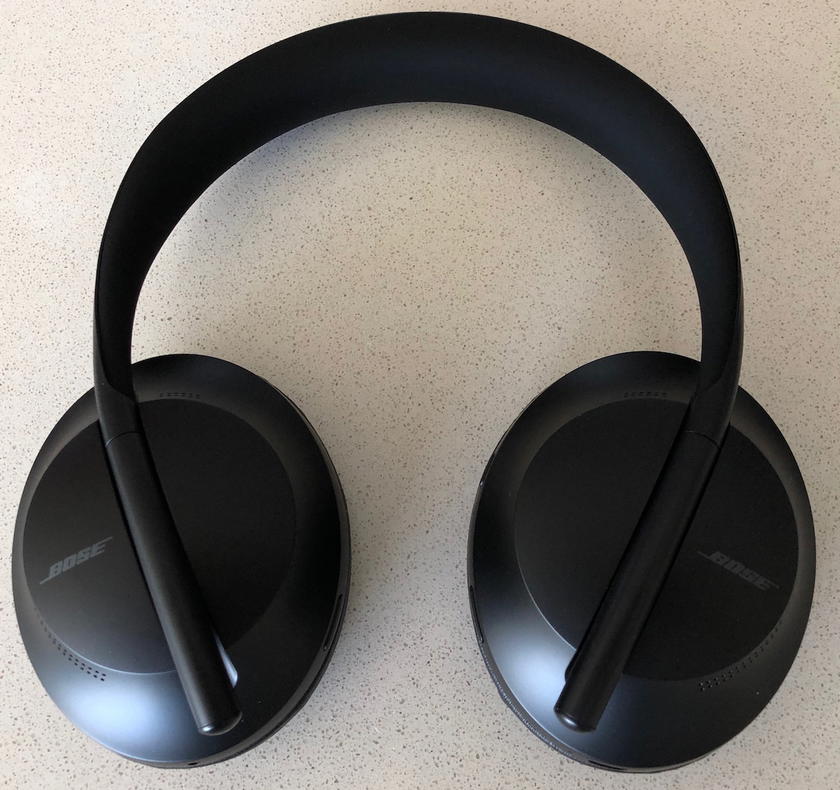
The headphones themselves are sleek-looking, in my opinion. I bought a black pair of headphones, but they also come in silver, if you prefer that.
While I love the way the headphones look, I don’t love the process for “extending” the length of the thing that goes around your head. For those of us with big heads, you have to pull on the ear cup and it slides further down the piece that connects the two ear cups.
Maybe it’s just because my headphones are still new, but it doesn’t slide very easily, and I always feel like I’m about to break it (though I’m sure I’m not). So maybe it just takes some getting used to.
Up To 20 Hours Of Battery Life
The headphones have up to 20 hours of battery life. This matches the battery life on previous generation headphones. While I can’t guarantee that’s actually how much life you’ll get out of them, this is an area in which I’ve been impressed.
I also like that rather than indicating the percentage of battery remaining, it instead tells you how many hours of battery life you have remaining.
The headphones also have an auto-off function, so that they automatically turn off after a certain amount of time where they don’t detect movement. This can be anywhere from five minutes to three hours.
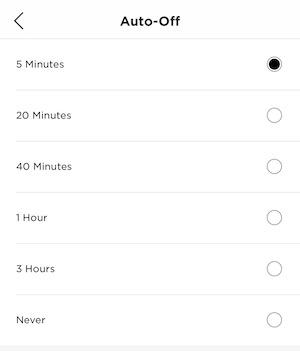
This is a handy feature, because I know with my old headphones I’d sometimes accidentally forget to turn them off, and then would find them dead when I needed them.
Get The Bose Music App
Most of the headphone features can most practically be controlled from the Bose Music app. You just download the free app and pair your headphones, and then you can control all functions with your phone, ranging from how much noise cancellation you want, to what music you want to listen to.
Incredible Sound Quality
Simply put, the qualify of sound on these headphones is incredible. That being said, I also thought sound quality was excellent on the old headphones, so I’m not sure the sound quality as such is that much better.
Variable Noise Cancellation
The Bose 700 Headphones offer variable noise cancellation, which is a new concept for Bose. You’d think that you’d always just want the maximum amount of noise blocked, but sometimes that isn’t the case.
The difference between setting it to one and ten is huge.
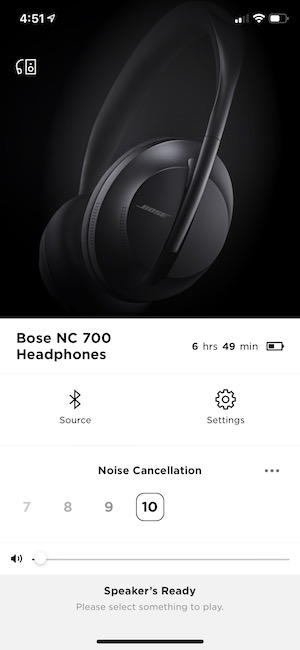
On one hand this may seem like something that’s cool to have but doesn’t have many practical uses, but I actually do appreciate this.
For example, when taking phone calls on the headphones, I far prefer to have no noise cancellation. Maybe it’s just me, but I always find it really weird to talk while the noise cancelling feature is on.
So, it the noise cancellation with setting 10 better than it is on previous generation Bose headphones? Bose advertises that it’s “slightly better.” I can’t say I notice a difference in that regard, but the old headphones were already great in that regard.
Excellent Call Quality
This is an area in which these headphones are awesome. The phone call quality on these is truly exceptional. I tried both ends of this — both making a call with them on, and calling someone who was wearing them, to see how it sounded when receiving a call.
For example, I asked my mom to put these on while she was sitting down near a loud TV, and on the other end I couldn’t even hear the TV.
So the improvement in call quality is huge. I’d now use these headphones to make phone calls, while I never used my old headphones for that.
A Bunch Of Fancy Control Features
The headphones have three buttons, but those don’t even control all of the functions:
- The left earcup has a button that controls the level of noise cancellation you want, and you can choose between zero, five, and ten; best I can tell, if you want anything in between you’ll have to go through the app
- The right earcup has two buttons; the bottom button is for Google Assistant, while the top button is to pair with a bluetooth device or turn the headphones on
I don’t love how easy the three buttons are to hit, though. While trying to use some of the features I’ll outline below, I found myself sometimes accidentally hitting the bluetooth/off button.
There are some other features that sound awesome in theory, but are sort of clunky, in my opinion. You can also change some settings simply by “swiping” on your right ear cup (think of it as Tinder for your music):
- If you want to play or pause audio, you can just double tap anywhere on the right ear cup
- If you want to increase or decrease the volume of your audio, just swipe up or down on your right ear cup
- If you want to skip a song or go back, you can swipe forwards or backwards
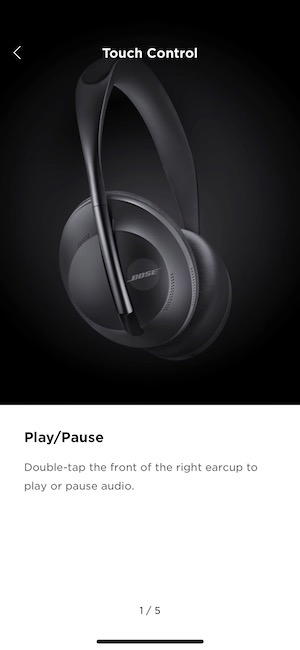
This sounds cool and I guess it’s useful, though the logistics aren’t as smooth as I would have hoped, necessarily. In other words, I’m finding myself having to swipe a bit more than I’d like to achieve the results I want. Of course you can also just use the controls in the app instead.
Are The Bose 700 Headphones Worth It?
I have to be honest — when I first got the Bose Noise Cancelling Headphones 700 I was kind of annoyed. There was a lot to learn, and I felt like they were too complicated to use. There were too many buttons and other features.
But as I’ve started to use the headphones more, I really like them. I guess to summarize my take on them:
- The noise cancellation is excellent, though personally I can’t say I notice a huge difference compared to previous generations of these headphones
- The call quality is spectacular, both in terms of audio quality and mic quality; you can make a call in a loud place, and it will sound crystal clear on the other end
- Using the Bose Music app there are some other potentially cool features, like the ability to control how much noise cancellation you want
I really do like my Bose Noise Cancelling Headphones 700 headphones, and they grew on me quickly. If you’re in the market for new headphones and aren’t too put off by the price tag, I think they’re an excellent choice.
However, I also really liked the previous generation QuietComfort 35 Headphones. Personally I’m not sure it’s worth upgrading from the 35s to the 700s, unless you’re someone who really values making calls through your headphones, in which case these are a huge upgrade.
For me these headphones will be a nice complement to the Bose SoundSport Wireless Headphones
If you have the new Bose Headphones 700, what has your experience like? Does anyone plan on picking them up?


Membership is free and takes no more information than commenting as a guest. Earn status points for good contributions, and see fewer ads as your status grows.