
Overbooked flights happen all the time on all three of the legacy carriers. Most of the time these issues resolve themselves naturally and passengers are never the wiser. Some folks will cancel their ticket, no-show, or switch to a different flight. Sadly, others will misconnect. In all of these cases, nothing needs to be done as the problem will solve itself.
Sometimes, however, the oversold situation persists and there are literally more passengers in the gate area than the flight can accommodate. When this happens, the agent solicits volunteers willing to take a later flight in exchange for compensation. In rare cases where they get no takers, they may have to involuntarily deny boarding (IDB) to someone.
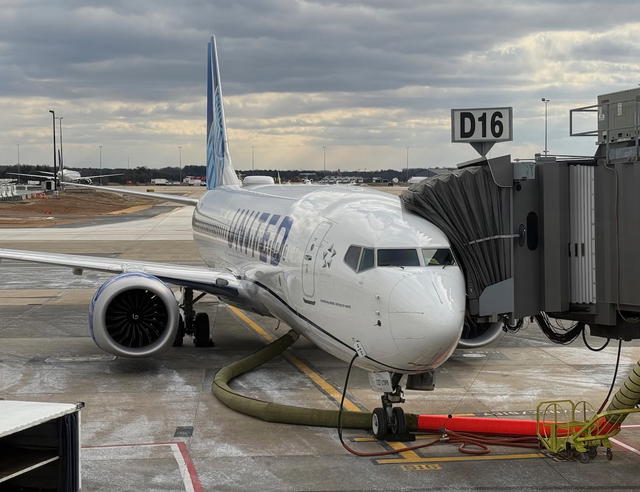
Once in a blue moon, all of this will break down and they’ll try to deny someone boarding who has already boarded. As ridiculous as that sounds, it’s exactly what happened to Dr. Dao on his United flight from Chicago to Louisville. We all know how how that ended.
As a result of that incident, there is a lot of interest right now in knowing whether a flight is overbooked or not, particularly for those who are flying United. It’s not that anyone should worry about getting the Dao treatment — I’m fairly certain that will never happen again — but it can be helpful to know if a flight is likely to need volunteers or whether you should be concerned about the slight possibility of being denied boarding.
And it turns out, United makes quite a bit of data publicly available.
The United app is really good
If you’re flying United, you should really have the United app installed on your phone.
United has arguably the best app of any of the legacy airlines, both for the amount of information it conveys and for the number of tasks you can do with it. But rather than fully review the app, I’m just going to focus on using it to tell whether your flight is possibly overbooked.
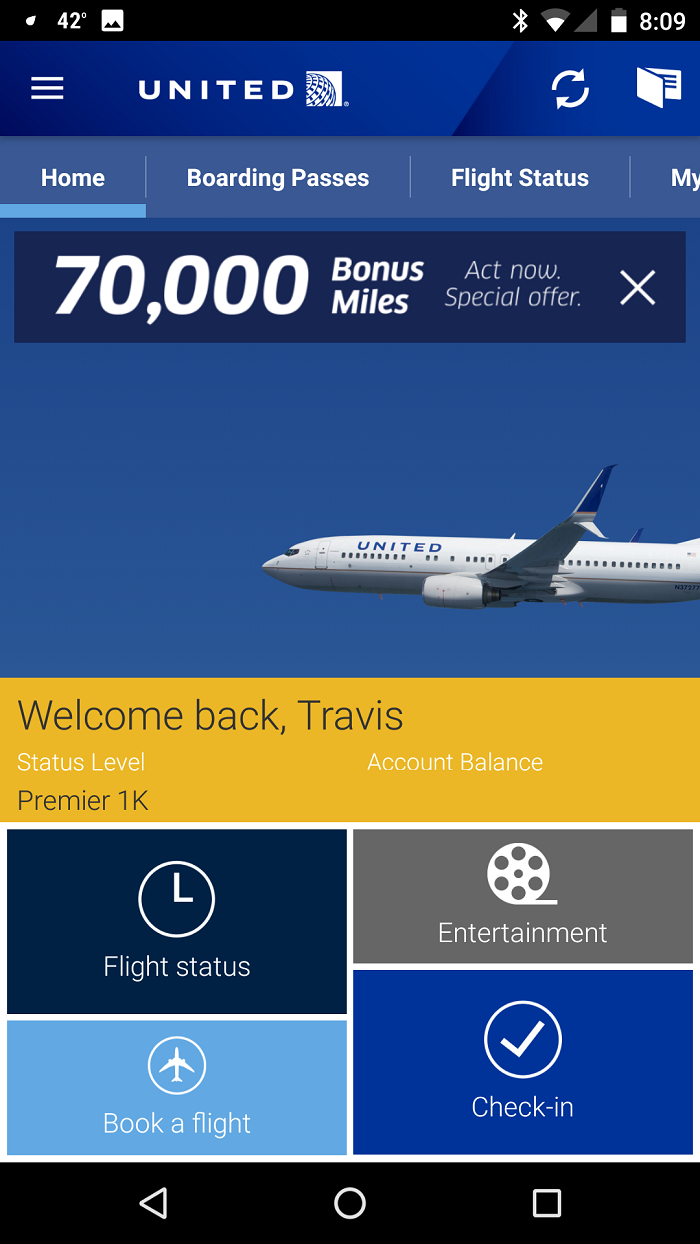
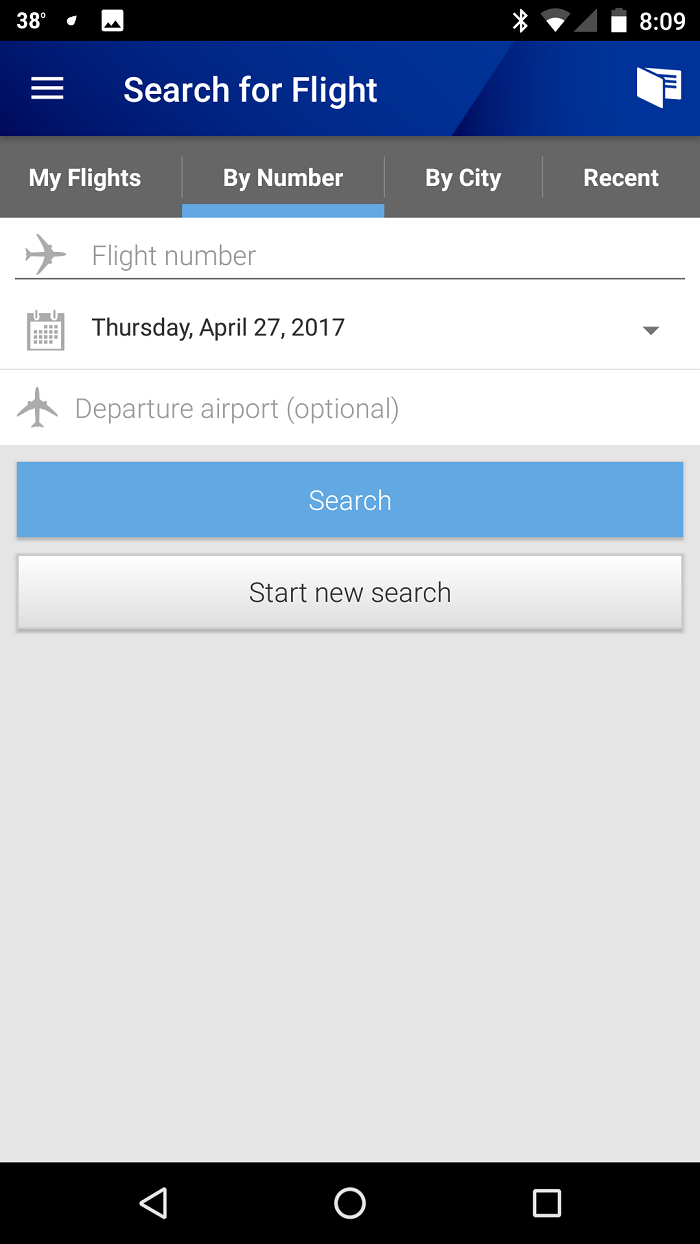
To check the status of your flight, you’ll first want to search for it, either by city pair, or flight number. Or if you’re logged into your account, it might appear in the My Flights area.
Note that you can view flights up to two days in advance (or in the past), and anyone can do this whether you are flying or not.
Once you have the flight, you’ll want to go over to the standby tab. This shows a list of the people who are hoping to get on your flight but are not yet confirmed on it. As such, their presence doesn’t really impact you.
But at the top of that screen, you’ll see that it shows the booking status of each of the cabins. For First, Economy, and possibly Business, it’ll show Full or Available depending on whether the cabin is booked to capacity or not. This is intended to help the standby passengers estimate their chances of getting on the flight, but you can use it as a quick check of whether the plane is full.
Here’s a flight from Chicago to Denver for Thursday April 27.
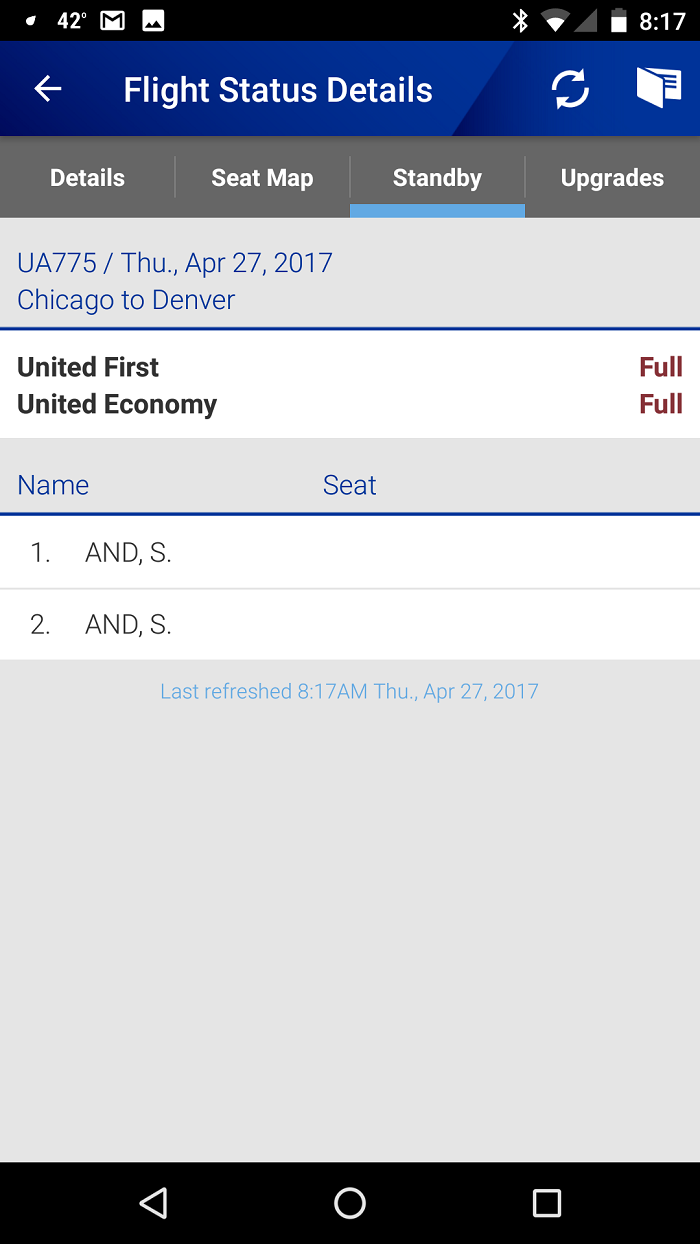
If all of the cabins show Full, then you can be pretty well assured the plane is at least booked to capacity. It might be booked even, meaning there are exactly as many confirmed passengers as there are seats, or it might be overbooked — you can’t really tell.
What if only one cabin shows as full?
The standby screen shows the booking status of each cabin on the plane, and each one is basically independent. For example, the economy cabin can show full while the first class cabin might show as available. In this case, the economy cabin is booked to capacity (or oversold) while there is still space in first.
Here’s a flight from Denver to Colorado Springs which is full in economy but has space in first.
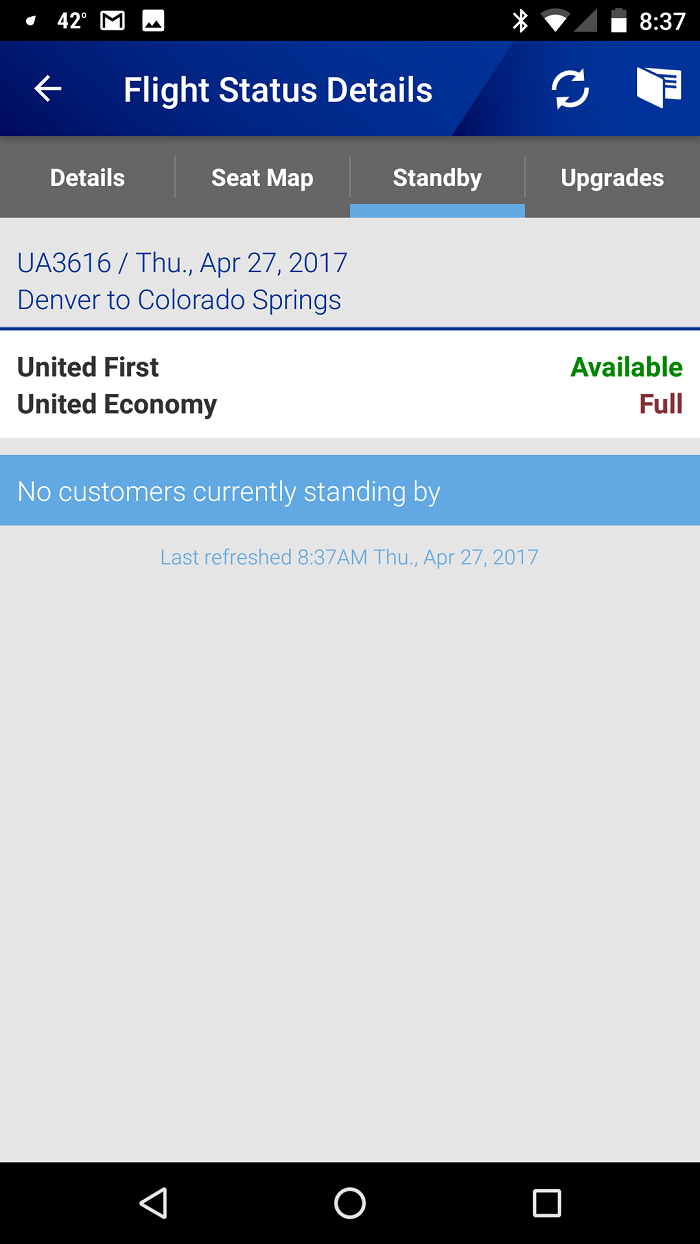
Since we don’t know the exact booking status of either of the cabins, we can’t say whether the entire plane is booked to capacity. That’s because the economy cabin could be overbooked by one, while there is one seat available in first.
Even though economy is technically overbooked, the situation will naturally resolve itself when United upgrades a passenger from economy to first. If economy was overbooked by two, however, and first only had space for one, there might be an issue.
What does the seat map for a flight tell us?
The seat map can also be an imperfect, yet still useful, indicator of the booking status. And the app shows a live, real-time view of the seat map, exactly as the United agents see it, which is really cool.
The key to understanding the seat map is to realize that it is probably underestimating the load of the flight. That’s because there are often some passengers who are confirmed on the flight but don’t yet have seat assignments. So even if there are empty seats showing, it doesn’t necessarily mean that the flight still has space.
Here’s the seat map for the Chicago to Denver flight that I searched for above. I couldn’t fit the entire seat map on the screen at once, so this is just the Economy Plus section — regular economy was completely full.
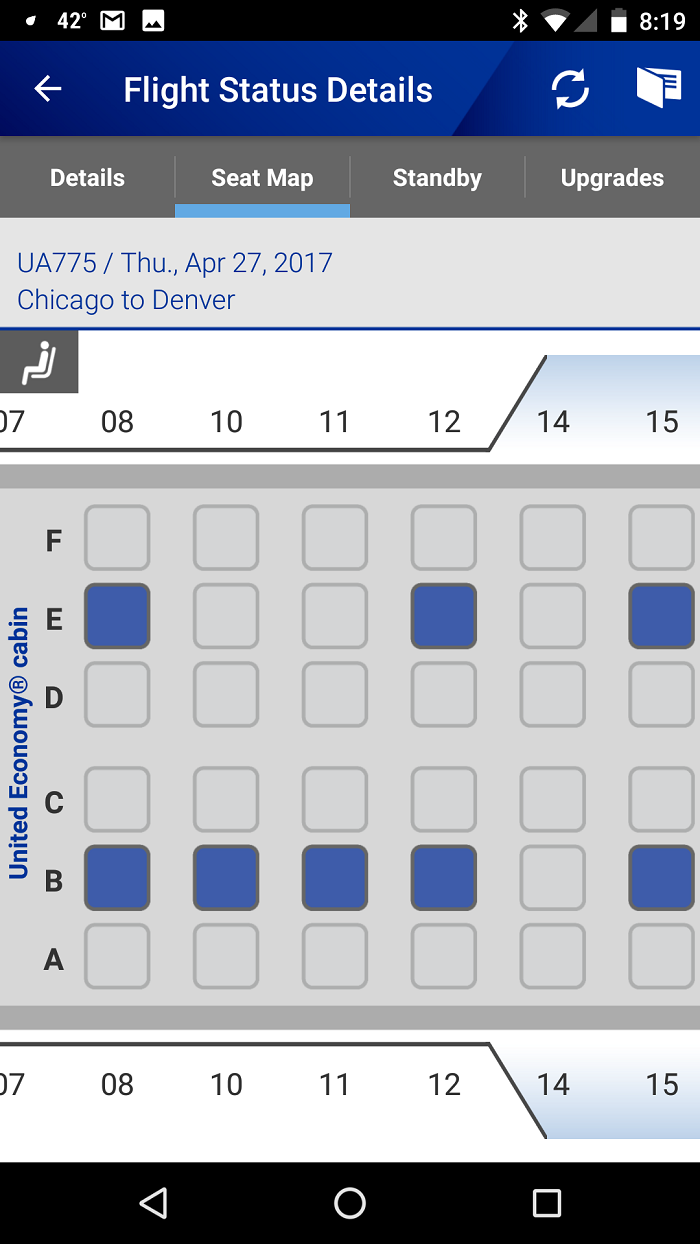
On the other hand, if the seat map shows every seat occupied, you can be fairly sure that just about every seat really is occupied.
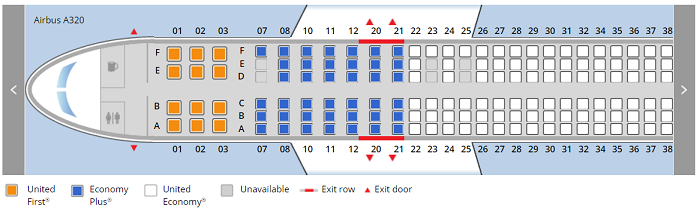
There are some exceptions to this, however. On pretty much all flights, United blocks a couple seats at the front of economy for special needs passengers. On narrowbody mainline aircraft, that is almost always the aisle and middle seats on the left hand side of the first row of economy, which happens to be the bulkhead. These don’t get released until 24 hours prior to departure which means they’ll show as occupied even though they probably aren’t yet. Within 24 hours, anyone can select them.
Here’s the seat map for a flight from San Francisco to Los Angeles in January 2018 from the United website. Seats 7D and 7E show as available, but are most likely just blocked and will become available at check-in.
Another reason that the seat map isn’t the best indicator of the load is because United treats Economy Plus as a separate cabin for seat selection purposes.
Premium members from the Gold level on up — Gold, Platinum, 1K, and Global Services — can select an Economy Plus seat at any time. But Silvers can only select them at check-in, and of course general members have to pay for them. As a result, United tends to overfill the regular economy section, knowing that Silvers will move up to Economy Plus within 24 hours, thus freeing up seats. And then if there are still not enough regular economy seats available, they’ll hand out economy plus seats to anyone.
So it’s not uncommon to see a flight where the standby screen shows full in both the economy and first cabins, yet there are a ton of Economy Plus seats available. In this case, the regular economy section is overfilled — note how I’m not calling it overbooked, because for booking purposes, there’s just one economy cabin — and United is expecting a lot of passengers to move to Economy Plus, either at check-in if they are Silvers, or at the gate when the agent starts handing out free Economy Plus seats to those who still don’t have a seat assignment.
Bottom Line
The United app is really a fantastic tool and makes a lot of data publicly available. If you understand what you are looking at, you can often infer a lot about the booking status of your flight. No, it won’t tell you for sure if a flight is oversold, but you can get a pretty good idea as to whether it is booked to capacity or not. To tell if it’s really oversold, you have to ask a United agent as only they can see that information.
Finally, everything I’ve explained here is specific to United.
So while some of the general concepts may apply to other airlines, the details may be much different. And, in my experience, very few airlines make as much data available to the public as United.
Do you use the United app to determine the booking status of your flight?




Membership is free and takes no more information than commenting as a guest. Earn status points for good contributions, and see fewer ads as your status grows.