
If you don’t yet have a Postmates account you can receive up to $100 in delivery credit using promotion code BS100. Simply enter it after you download the app on your “Account” page, under the “Enter Promo Code” section.


Even though I’m fairly young and work online, I tend to be a pretty late adapter when it comes to new technology. I’m not sure why, exactly, but I’ve just never been very good with tech. But when I catch on to technology I become sort of obsessed.
My latest obsession is on demand food delivery service. Living in hotels, I get sort of tired of the dining options at times:
- Room service is overpriced and rarely the same quality of food you’d get outside the hotel
- Some cities are very compact, so it’s easy to leave your hotel and find something great nearby; in more suburban areas or sprawling cities, that’s not quite as easy
- Sometimes you don’t want to get out of your pajamas and just feel like “eating in,” no matter how great of a food city you’re in
With that in mind, I figured I’d share my food discoveries over the past week:
Recapping UberEATS
Last week I shared my experience using UberEATS, which is essentially Uber’s on-demand food delivery service. I’ve been using Uber for years, though this was my first time using a third party food delivery service.
There are quite a few delivery services out there, so what makes UberEATS different?
- They have limited hours and only have a handful of things on their menu, and the drivers already have the food in their cars; this means that when you order, the food is delivered in a matter of minutes
- Other food delivery services let you place a customized order 24/7, and then it takes a reasonable amount of time (30-45 minutes) to get your food, as they order it for you, pick it up, and drop it off at your place
- The cool thing is that Uber referral credits can be used towards UberEATS; if you’re referred to Uber you get a “free ride,” and that can be applied towards UberEATS, which can get you a free lunch or dinner (or at least close to it)
How did I just discover Postmates?!?
In the last post I mentioned Postmates in passing, though hadn’t actually used it before. I guess the best way to describe Postmates is as the Uber of food delivery (which might sound a bit backwards, since Uber has its own food delivery service!).
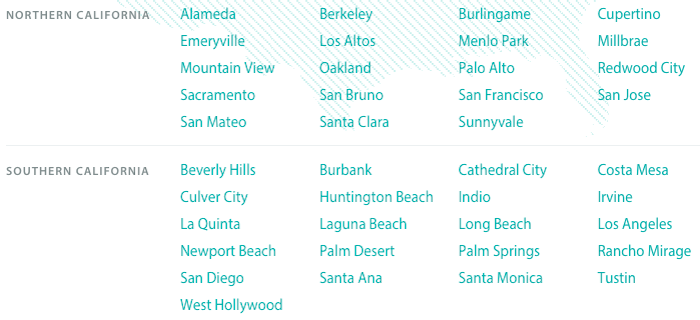
Postmates is available 24/7/365 in over 100 markets. For example, here are the cities in which they operate in California alone:
Their app is easy to use. Here’s how Postmates works in general:
Step 1: select which restaurant you want food from
There are tons of of options, as you can have delivery from virtually any restaurant in the city. Restaurants are sorted by location, type of cuisine, etc. Or you can just enter the name in the app. From Nobu to Pinkberry to Starbucks to Chick-Fil-A, they’ll get you just about anything from anywhere. Heck, they’ll even run to the liquor store for you or pick up your dry cleaning.
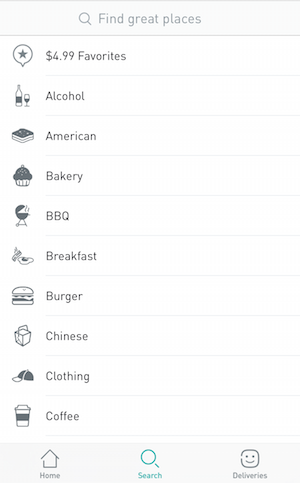
For example, last night I was in LA and felt like Thai food. There were several options.
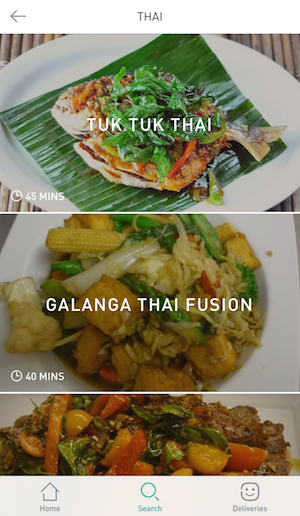
Step 2: share the specifics of your order
This is where the app is fantastic, as any supported restaurant displays their entire menu through the app, and they really make it easy to customize the order.
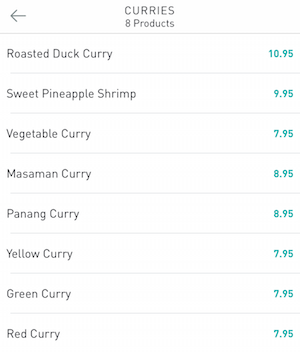
For example, I chose to order from Galanga Thai Fusion. Below are the curries I could choose from.
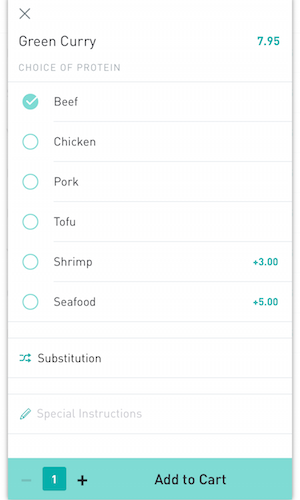
Then on the next screen I should specify what type of meat I wanted.
And then on the next screen I could specify what I wanted to do if my exact order wasn’t available.
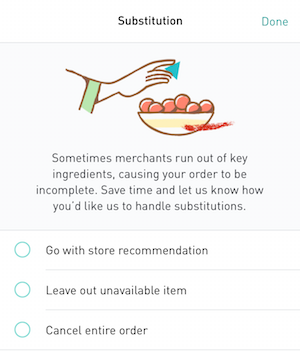
So they really do make the process idiot proof. Heck, I usually struggle getting my order right when ordering directly from a restaurant, let alone when a third party is involved. But Postmates makes it easy.
Step 3: confirm your order
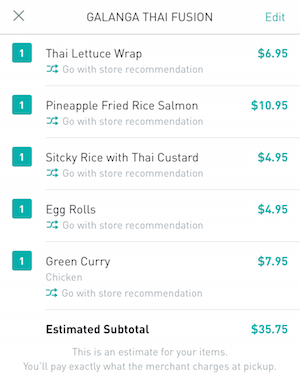
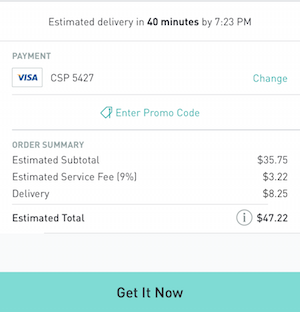
In the next step the entire order is summarized, and then an estimate is given about how long it will take, as well as the cost (more on that below).
Step 4: track your order
So what happens once you place your order?
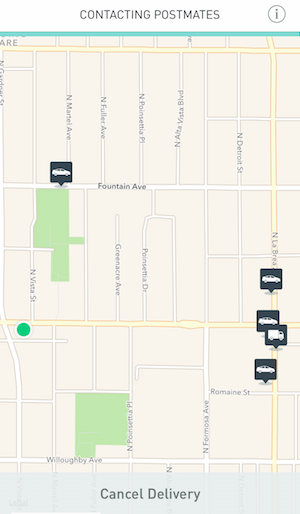
- Within seconds you’re connected to a driver who confirms your order, and then through the app you can track their progress as they drive to the restaurant, pick up the order, and drive to you
- They’ll call or text you as they get near to arrange pick-up details
- All payment is handled through the app, and there’s a feedback/rating system, so service from drivers tends to be excellent
Step 5: enjoy the food
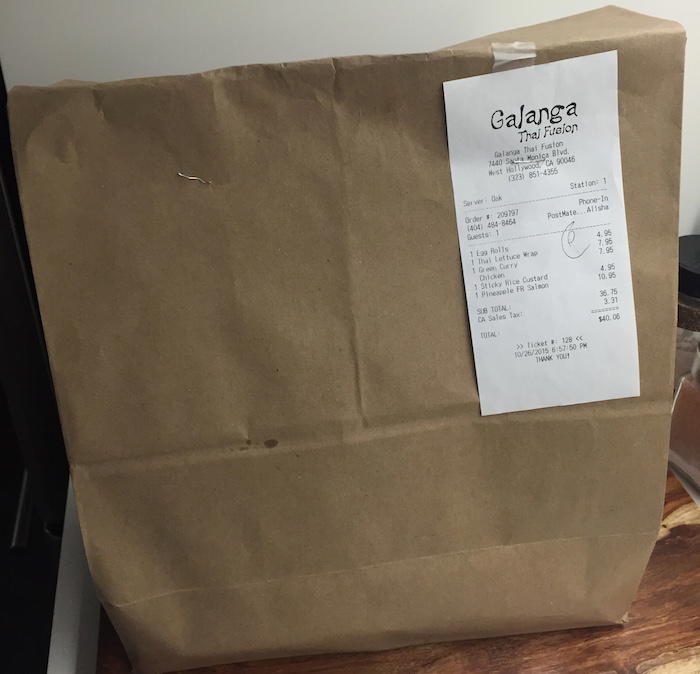
Arguably the best step of all. 😉
How much does Postmates cost?
So what’s the charge for using Postmates? Obviously you’ll pay whatever the normal restaurant prices are, and then Postmates charges the following fees:
- A delivery fee which varies based on the distance of the restaurant from where you want the delivery to (in general it’s about $5 — last night it was a bit more expensive for me, since the restaurant was a bit further away)
- 9% service fee
- You have the option of tipping the driver through the app after the order is complete (the app suggests anywhere from 10-20% as a tip amount)
While that’s not cheap, this really is a value add service, as they’ll literally pick up anything from anywhere for you. Generally speaking I tip when I carry out (I realize servers in the US live on tips, and that includes those working takeout), so to me that’s a cost I pay regardless.
So the additional cost is the delivery fee (usually ~$5) plus a 9% service fee. If you order a $25 meal, that’s ~$7.25.
Under what circumstances is that worthwhile?
- If you don’t have a car and are in an area without easy public transportation (like LA), that’s much cheaper than taking an Uber to pick up food
- Unless the restaurant is nearby, realistically you can expect it to take 20-30 minutes to pick up food between driving there, waiting on the order, and bringing it back; if you value your time a reasonable amount, that may be worth the cost of using Postmates
$10 off your first Postmates order
Postmates also has a referral program, which I didn’t realize until after I placed my first order last night. Oops. If you use someone’s referral code to sign up for Postmates, you’ll receive a $100 delivery credit.
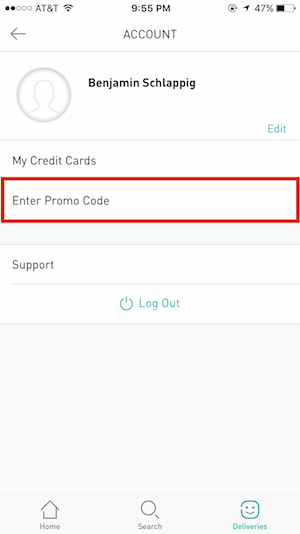
My referral code is BS100, so once you download the app, simply click on the “Account” button at the top right, and click “Enter Promo Code.” There you can enter BS100 (or any other referral code) to get $100 in delivery credit. This is for new users only, so you’ll want to do this before you place your first order.
Bottom line
Postmates is a service that can make sense for everyone. But as someone who lives in hotels, this sort of completely replaces the need for room service, in my opinion. Postmates’ delivery fee is in line with (if not lower) than what you’d pay through room service, and you get reasonably priced “good” food, rather than the usual markup charged by hotel restaurants.
Hotel room service has been notoriously unprofitable for as long as I can remember, and now that I use Postmates, they can basically get rid of it as far as I’m concerned.
Have you used Postmates? If so, what was your experience like? Are there any other food delivery services I should know about?
As a reminder, if you don’t yet have a Postmates account you can receive a $100 discount on delivery costs using promotion code BS100. Simply enter it after you download the app on your “Account” page, under the “Enter Promo Code” section.


Membership is free and takes no more information than commenting as a guest. Earn status points for good contributions, and see fewer ads as your status grows.