
Yesterday afternoon I received a text from AT&T advertising an update to their iPhone Wi-Fi Calling feature. They’ve expanded it to include some international calls.
With Wi-Fi Calling enabled on an iPhone 6, 6 Plus, 6S or 6S Plus, you can now make and receive calls while traveling abroad without incurring additional long distance charges as long as you have a Wi-Fi connection. Here’s the text from AT&T:
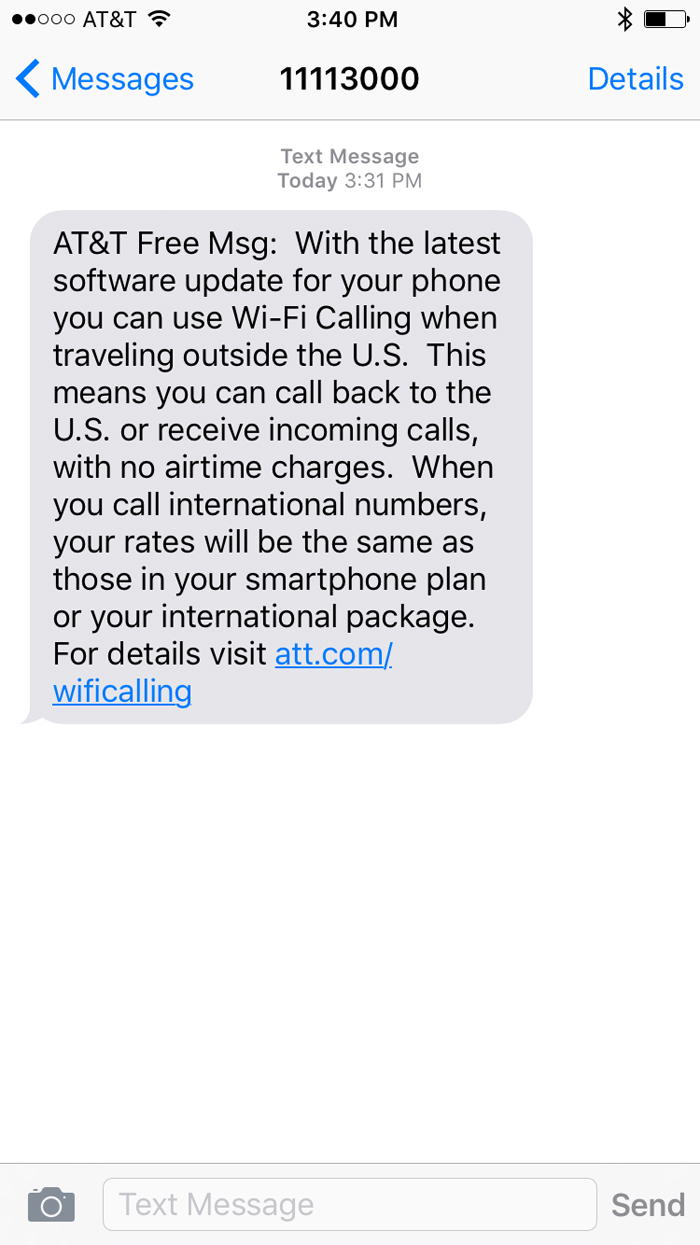
An important distinction here is the fact calls must be to or from a U.S. numbers to avoid any additional airtime charges.
The way I initially read the language about incoming calls, it appeared they could come from any number.
I tried chatting with AT&T last night to clarify the incoming call situation. They were not very informed about the feature and thought it had something to do with “facebook massager calling.”
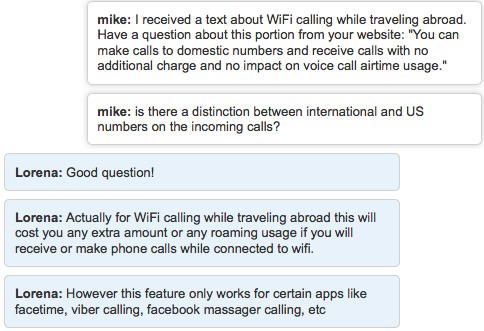
But, a few reports I’ve read about this feature have said incoming calls must also be from a U.S. number to avoid airtime charges. And a call to AT&T confirmed this (although I didn’t have much confidence in the phone rep I spoke with).
It’s also worth pointing out the Wi-Fi calling feature doesn’t work in China, Cuba, India, Iran, Israel, North Korea, Pakistan, Saudi Arabia, Sudan, Syria, Turkey, the UAE and Vietnam.
Not a life-changing feature
This isn’t a huge deal for anyone who uses FaceTime, Skype or a similar app that allows free or cheap options to stay in touch using an internet connection.
I do, however, like the simplicity of placing calls from my usual phone number. I’ve had friends screen a Skype call from me because they didn’t recognize the number.
I can also see the upside to this for someone like my mom, who isn’t very technology savvy. The idea of teaching her how to use Skype seems like torture. She still calls me to tell me she liked something I posted on Facebook… if only there was a button for that!
How to activate Wi-Fi Calling
As mentioned above, you need to upgrade to iOS 9.3 before you can take advantage of this feature. After doing so, you’ll need to turn on Wi-Fi Calling.
To do that, just open the Settings app on your iPhone and scroll down to tap on “Phone.”
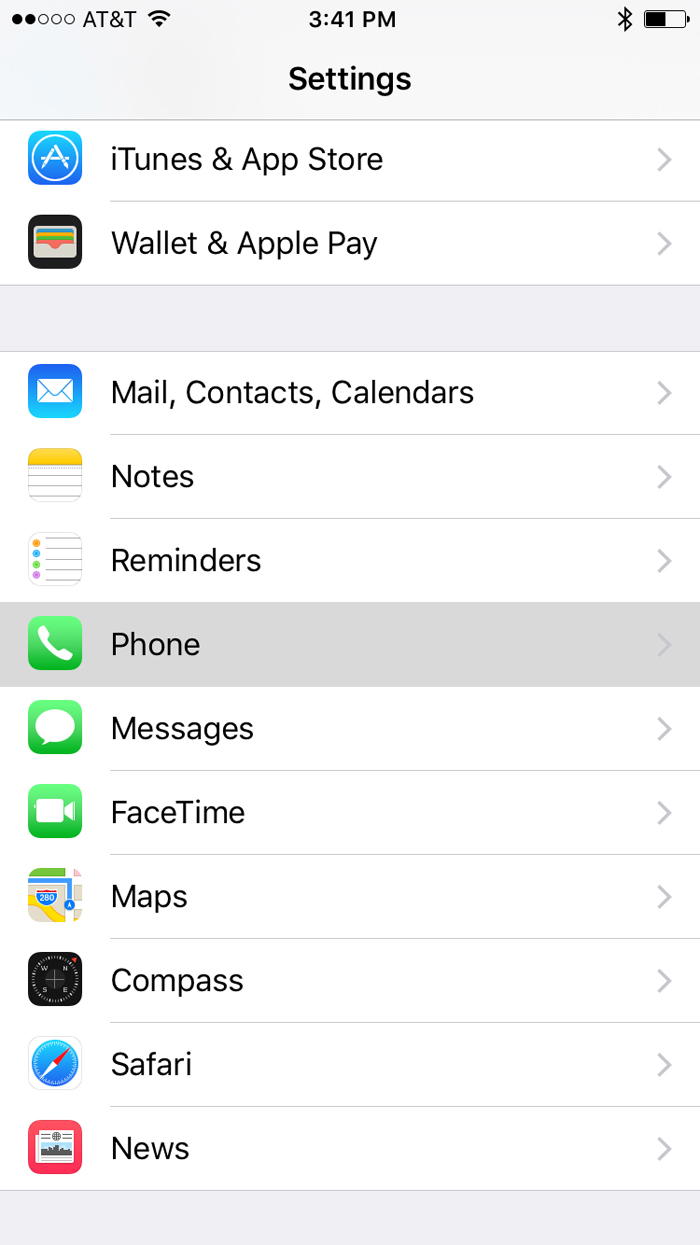
Then tap on “Wi-Fi Calling”
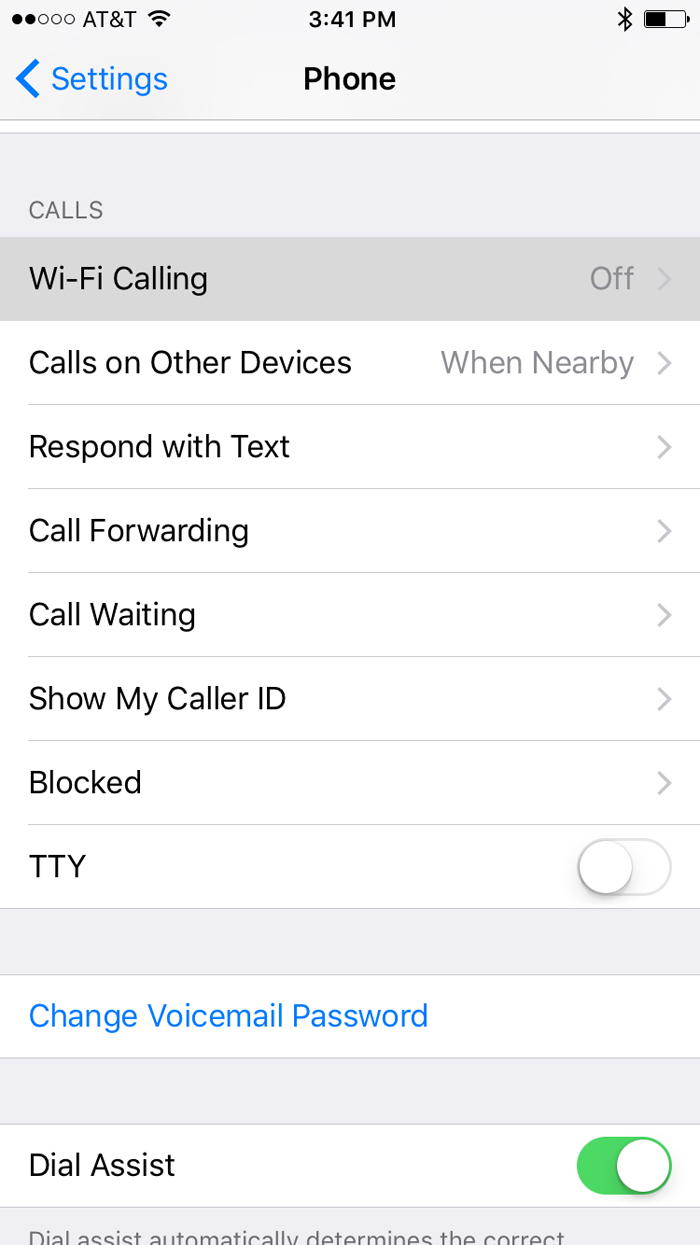
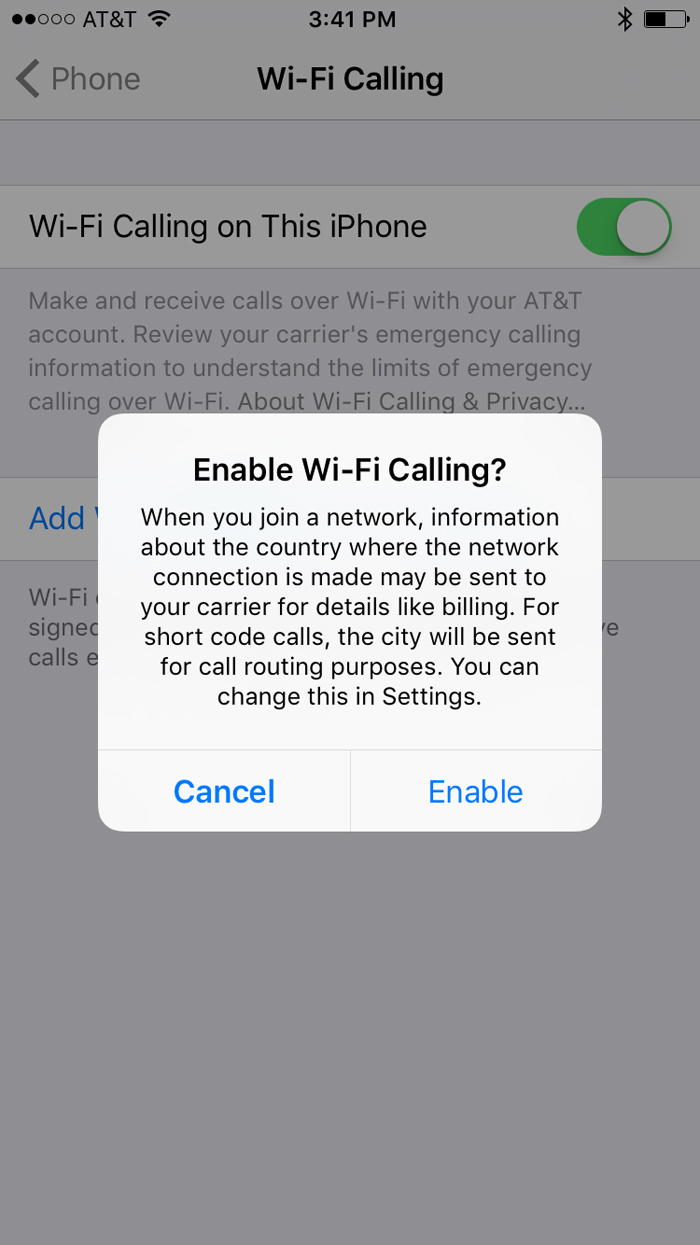
Tap the toggle button and when prompted, tap “Enable” to turn on Wi-Fi calling.
Bottom line
There are plenty of solutions for staying in touch while traveling abroad. And the limitation on calling or receiving calls from U.S. numbers isn’t ideal. But, I can definitely see AT&T’s expanded Wi-Fi Calling feature being useful in some situations. So I plan on using it (until I finally jump ship for T-Mobile).


Membership is free and takes no more information than commenting as a guest. Earn status points for good contributions, and see fewer ads as your status grows.