
Online shopping portals can be a great way to pick up additional points for purchases you’d make anyway. Most of the major airline and hotel programs have shopping portals, and many of them use the same company (Cartera), which essentially white labels the portals for each loyalty program.
Essentially these shopping portals are paid a commission by retailers for the customers they send their way, so of course they want to do everything they can to increase their volume of business. To do this, shopping portals often have promotions for bonus points, though beyond that we’ve seen some other creative additions on their part.

For example, some online shopping portals now offer bonus miles for in-store shopping purchases. The catch is that the process isn’t ideal — you have to specifically register for the store at which you’re going to shop before you go, which isn’t great for spur of the moment shopping.
There’s another really useful addition we’re seeing to some shopping portals.
The AAdvantage eShopping Portal now offers a Chrome extension that lets you earn bonus miles with the push of a button. All you have to do is install the extension, and then you’ll be alerted when you’re on a site where you can earn bonus miles. This allows you to activate mileage earning with one click, see and compare mileage earning offers in your search results, and easily view your earnings.
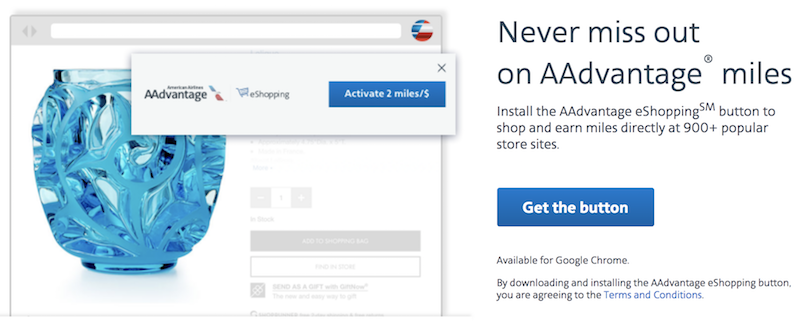
In general I do everything in my power to avoid cluttering my web browser, given that I’m on it all day and want as few distractions as possible. I have very few extensions installed. However, I installed this and am really digging it.
It’s not at all intrusive, and there’s just a pop-up at the top of my browser when I’m on a website where I could earn bonus miles. That’s a case where I appreciate a pop-up, since sometimes I forget to go through a portal when shopping online.
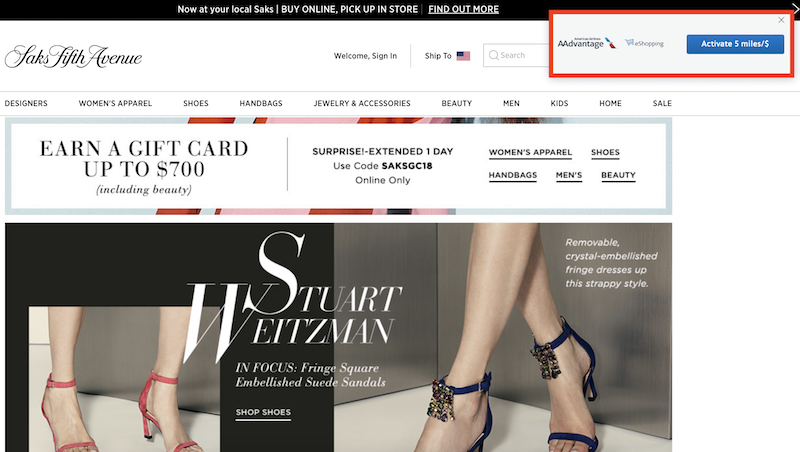
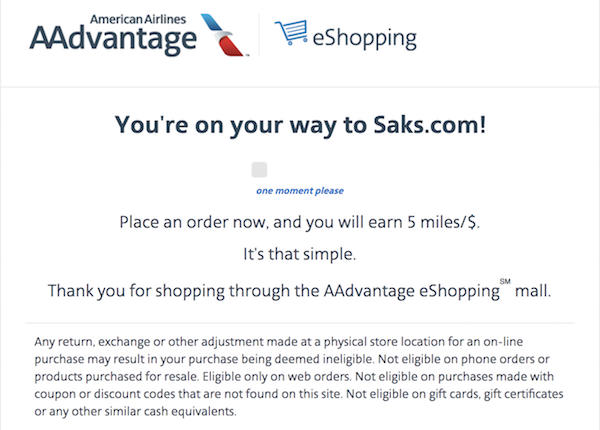
Once you get to that page you just have to click “Activate Offer,” and then it will refresh the page for you so that you’re logged in with your AAdvantage account information, and will then earn bonus miles.
Now, just because you have this installed doesn’t mean you should automatically choose to earn American miles for a purchase. Personally I’m viewing this as a good reminder that I’m on a site where I should earn bonus miles. Then I go to evreward.com and enter the URL of the site I’m on to compare the earnings rates across programs.
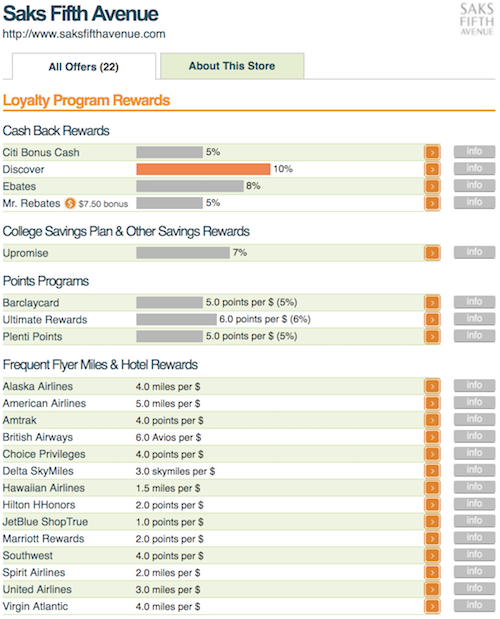
There I see that I could instead choose to earn six Chase Ultimate Rewards points. Not only is that one more point per dollar than I’d earn with American AAdvantage, but I also value Ultimate Rewards points more.
Bottom line
While I usually avoid installing browser extensions, I’m really digging the AAdvantage eShopping Chrome extension. It’s great to get a reminder to always earn bonus miles when shopping online, and the process of activating the portal is easy. Just make sure you still “comparison shop” various portals, because in many cases you can earn more bonus miles with another portal. For what it’s worth, Alaska and Southwest have similar extensions.
What do you make of these shopping portal browser extensions? Are they worth installing, or not worth the information you’re giving them?




Membership is free and takes no more information than commenting as a guest. Earn status points for good contributions, and see fewer ads as your status grows.