
Collectively I’d like to think that OMAAT readers know just about everything, so I’m wondering if anyone might be able to help with a solution to my problem…
My one annoyance with using the iPhone camera
I review airlines and hotels in great detail, though I take a pretty low-tech approach to doing so. For as long as I can remember, I’ve just been using my iPhone to take pictures for the blog, and I find that it does the trick.

I’m not a professional photographer, and for me, the iPhone strikes the right balance between portability, ease of use, and quality of pictures. The reality is that when I board a flight, I often have only a matter of seconds to take pictures, and my goal is also to fly under the radar as much as possible, and not arouse suspicion among airline crews about what I’m doing.
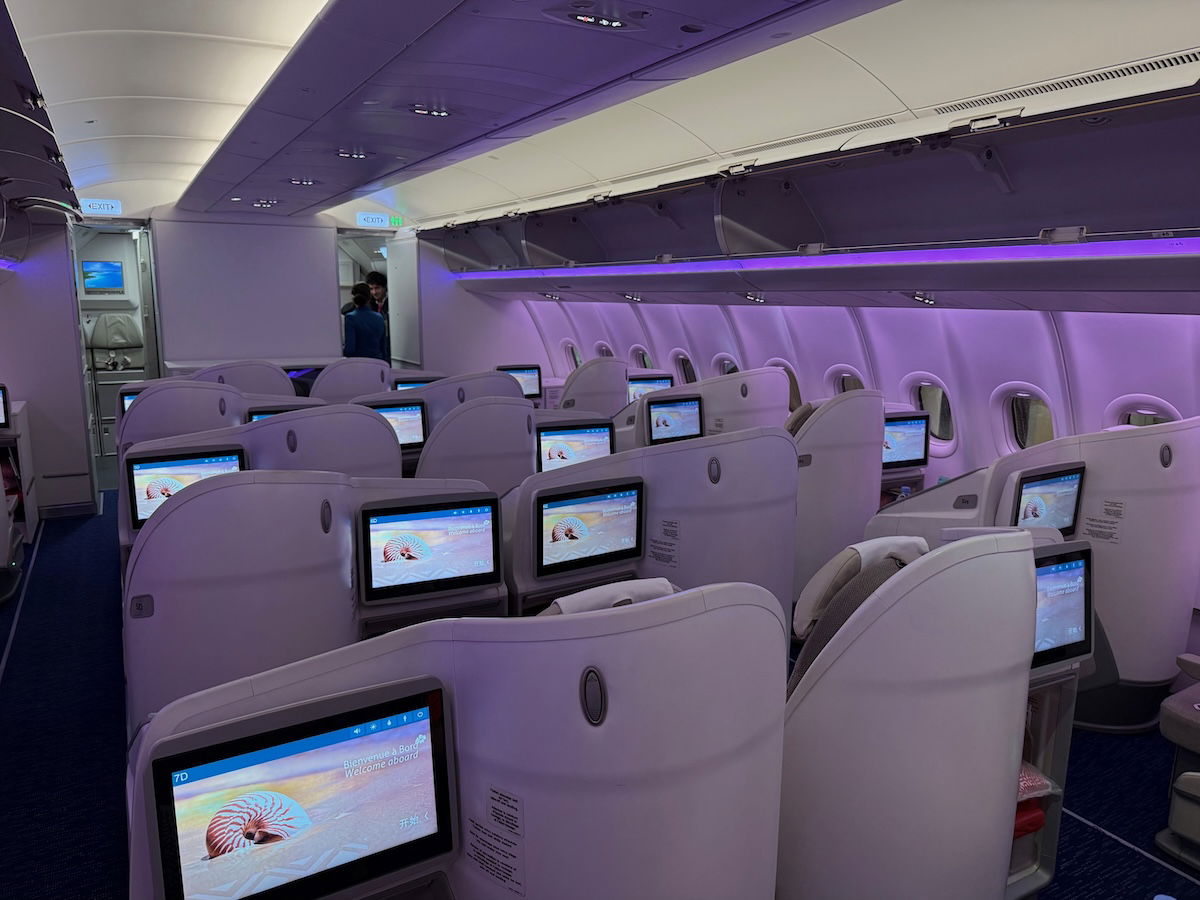
The iPhone camera has become really good nowadays, and the quality evolution is impressive… for the most part. As the iPhone’s features have in theory improved in recent years, there’s one aspect of the camera that I find is getting worse.
Specifically, when I use the camera to take a picture of text (like a business class menu or a hotel restaurant menu), I find the text is increasingly blurry. I guess part of the issue is that the iPhone has gotten so good and high resolution that it has a hard time deciding where to focus when taking a picture of a page, and that gets tricky with text.
For what it’s worth, I have an iPhone 17 Pro Max, and before that, I had an iPhone 16 Pro Max, and both have had exactly the same issue (so this problem wasn’t isolated to one phone). For those who have no clue what I’m talking about, below is an example of a picture of an Etihad wine list, and how it’s much blurrier than I feel like it should be.
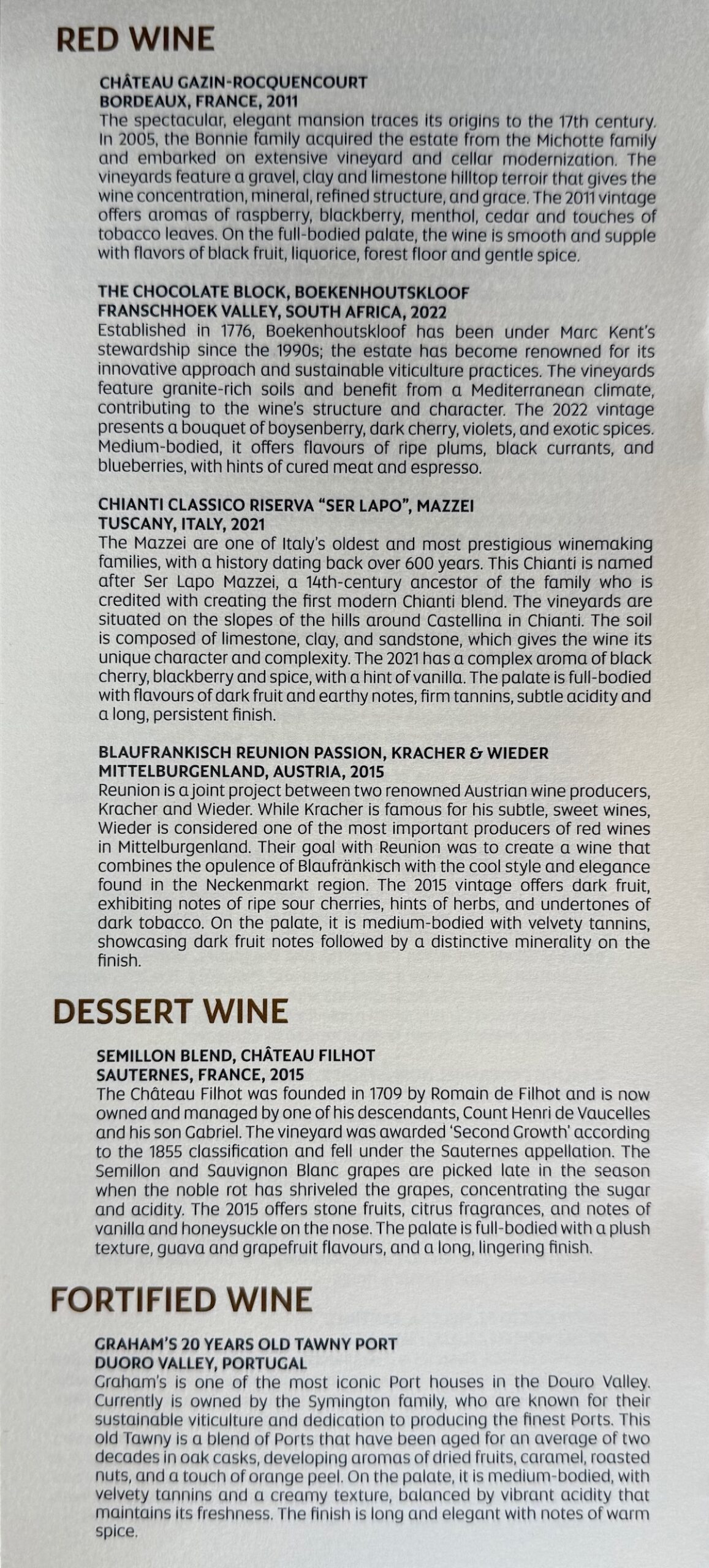
It’s kind of funny, taking pictures of menus with text is probably the single biggest thing that frustrates me about the photography aspect of flights, because it feels like taking a picture of a piece of paper should be super easy, but it always gives me issues (and I usually end up taking like 20 pictures of the same page, and then picking the best one). I do this stuff for a living, and I should be able to do better than posting blurry text.
Some people might be thinking “well wait, has something actually changed?” I know that seven years ago when I was taking pictures with previous generation iPhones, I thought that text was significantly clearer, and less blurry.
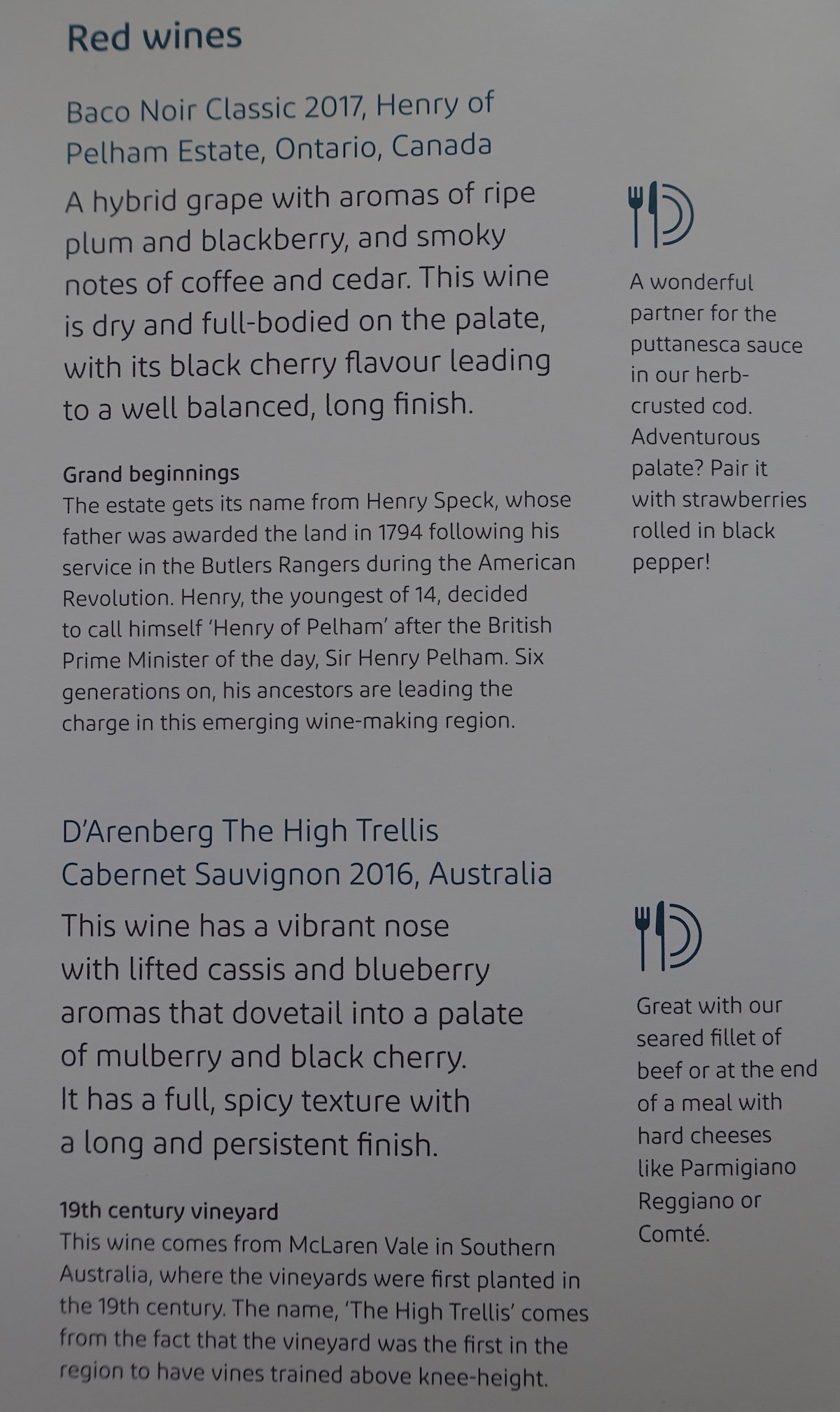
Is there some obvious solution I’m missing?
I’ve tried Googling this question, but there’s oddly little discussion about this online (maybe I’m just describing my problem poorly?). It’s confusing, because I can’t imagine I’m the only person who uses the iPhone camera to sometimes take pictures of text.
Is there something obvious I’m missing, or something I’m doing wrong? I’ve read it makes sense to take pictures from further away (since it’s partly a focus issue), and then cropping the picture, so that’s what I’ve been doing lately. Even so, the quality is still pretty bad. Is there some setting I have to change? Do I just need to carry another camera or an old iPhone specifically to take pictures of menus and stuff?
Sorry, I know this is an arbitrary question, but it’s something I’ve been dealing with for quite a long time now, and I figure I should ask and see if there’s a solution. With some upcoming travel, I figure this is as good of a time as any to ask.
I should mention that I appreciate that an increasing number of airlines and hotels publish their menus online, which is ideal. In those situations, I can just screenshot the menus there, and don’t have to worry about taking pictures.
Some people might suggest that I get a scanner, or something, but that’s not really practical. For example, when I’m at a hotel restaurant, I’m not going to bring a scanner to breakfast, and I’m also not going to “steal” the menu (often in a nice binder) and take it home.
Bottom line
I feel like my iPhone serves me well for my travel pictures… except for taking pictures of text, like menus on airlines or at hotel restaurants. I’m sorry for the total newb question here, but I feel like I should be able to do better that this with ease, yet oddly searching this problem online isn’t returning many good results.
Anyone have any insights about my iPhone camera problem?




Do you have live photos turned on? Might be making a difference...
Have you tried doing it with the 2x lens? I think sometimes it's a problem with the wider angle of the new standard 1x lens.
Have you tried comparing it to the scanning feature in the Notes app? I wonder if it helps reduce the blurriness of those captures since it's in "text" mode.
in general, almost all lenses are softer in the corners of the image, but it may be especially noticeable if you're photographing a menu with the lens 6-12 inches away from the center. The top and bottom of the menu will always be a little further away from the lens than the center of the menu, and the lens will usually focus on the center so you lose some image quality/focus in the corners. Try...
in general, almost all lenses are softer in the corners of the image, but it may be especially noticeable if you're photographing a menu with the lens 6-12 inches away from the center. The top and bottom of the menu will always be a little further away from the lens than the center of the menu, and the lens will usually focus on the center so you lose some image quality/focus in the corners. Try using the 2x lens from a bit further away and see if the depth of field helps out more for the top and bottom/corners. Keep the lens centered over the menu too. You can easily try this at home.
Let's see if someone can give a better answer.
People destroyed by "Apple thinks you're dumb so we designed it to be simple" still keeps feeding wrong information here.
AeroB13a, it's your time to prove the iPhone superiority (if that's actually a thing).
You know, where is Aero? It’s been quiet here lately. Hope he/she/it is having a nice holiday. Darlingk.
I'm not sure if this would work, but I wonder if scanning the item as a PDF via the Notes App might work better, since that functionality is still using the camera but is intended for text scanning and so may have different settings.
Rather than pointing camera downwards, take the picture of the menu straight on by hoisting it upright. Additionally, as you are framing the picture, tap the middle to sharpen the focus.
I switched to the Google Pixel (and Google Fi) and will never look back. Much better camera (and phone in general) and having everything automatically integrated with Google makes everything so much easier. Also, for how much you travel (especially internationally), Fi is by far the best provider I've had. Have never needed a sim/e-sim since switching, and that includes some really off-the-beaten-path places.
My wife's iPhone's camera constantly has issues, and the quality...
I switched to the Google Pixel (and Google Fi) and will never look back. Much better camera (and phone in general) and having everything automatically integrated with Google makes everything so much easier. Also, for how much you travel (especially internationally), Fi is by far the best provider I've had. Have never needed a sim/e-sim since switching, and that includes some really off-the-beaten-path places.
My wife's iPhone's camera constantly has issues, and the quality of my pictures vs hers is not even comparable, especially if Zoomed in or like you pointed out - focusing on text. Can't recommend it enough.
It's definitely an issue – I suggest holding your phone higher and using the 2x lens, which will yield better quality than cropping.
Settings > Camera > Macro Control, make sure it’s on, and it becomes a toggle on the camera app, looks like a flower. It switches to the wide angle lens and then crops.
Alternative; just zoom to 2x and hold the paper further away from the lens.
So the person above you suggest to turn OFF macro mode to fix the problem.
You gotta love how Apple UX dumb down a whole generation.
When you move your iphone too close to an object it switches to macro photo mode. You can see an icon appear in the lower left that looks like a flower. Tap the flower and it will turn off.
It’s a terrible mode especially for text. I always turn it off when I see it.
So the person below you suggest to turn ON macro mode to fix the problem.
You gotta love how Apple UX dumb down a whole generation.
@ Ben -- You're just getting older. The pictures are the same, but your vision is getting worse. JK...
Time for some bifocals!
As others have said, definitely the scanner in notes or preview. The phone is trying to make a composite across 3 lenses most of the time to come up with the best photograph in the camera app. With documents its aim to deliver the sharpest text. You could try other camera apps that give you more control and try and isolate data from one lens or other but I’d try the scan function first.
I wonder if you could use a scanning app like Adobe acrobat on your phone to get better quality when photographing text without needing different hardware. Photographing text seems like a less common use case for standard camera app, so I imagine you might be better off using an app that's designed more specifically for that.
Macro mode is your problem! It uses the 0.5x lens, which has much worse low light performance than the main 1.0x lens. I agree with the suggestions to move farther away (at least 1 ft) and use the 1x or 2x mode for better low light text performance. Dim the lights in your house at night and test it with a magazine to get a feel for the right distance.
For what it’s worth,...
Macro mode is your problem! It uses the 0.5x lens, which has much worse low light performance than the main 1.0x lens. I agree with the suggestions to move farther away (at least 1 ft) and use the 1x or 2x mode for better low light text performance. Dim the lights in your house at night and test it with a magazine to get a feel for the right distance.
For what it’s worth, I’m not sure there’s a way to disable the feature by default, but you can go into camera settings and make sure that “macro control” is on so you can see when it activates automatically (a flower icon appears in bottom left) and back up a bit until the flower goes away.
Not sure if this was mentioned, but I tap and hold on the text for a second, which seems to lock the focus and exposure. The camera will stop hunting for other things to focus on. It usually works for me with menus and other texts.
The image shown has a quality problem, but the problem isn't blur and might actually be caused by digital sharpening. Mostly it looks noisy; patches that should be uniformly white, when zoomed in on, have high-frequency noise in them, and similar noise is present around the edges of text.
Each lens has a minimum focal distance. Inside of that, it's gonna get blurry. The reason why person A suggests macro and person B says macro is terrible probably is because the macro uses the lower-resolution Wide-Angle lens and crops for additional resolution loss. In addition, you'll get more of the wide-angle distortion that cell phone cameras excel at already. But macro has a lower minimum focal distance.
You can use an optical or...
Each lens has a minimum focal distance. Inside of that, it's gonna get blurry. The reason why person A suggests macro and person B says macro is terrible probably is because the macro uses the lower-resolution Wide-Angle lens and crops for additional resolution loss. In addition, you'll get more of the wide-angle distortion that cell phone cameras excel at already. But macro has a lower minimum focal distance.
You can use an optical or cropped telephoto, but then you'll need a shorter exposure time to compensate for camera movement, and that usually involves increasing the sensitivity and noise. Plus, with an optical telephoto, your minimum focal length will increase, while with a cropped one, you're again trading resolution.
In short, practice photographing a page at different distances to find the optimal distance and method. When photographing on a plane, remember that light matters too. These cameras are not great at low-light photography.
Mobile phones have a whole lot of software to make your pictures better than they have any right to be, but they can't change the underlying physics. That means get the best lens, the steadiest shot, ample light, and focus. Good luck
If you want to definitively pin down whether it’s hardware or software, consider testing Halide’s Process Zero mode with RAW capture at each of your lens stops (0.5x, 1.0x, 2.0x for example) and in shutter priority (pick something sensibly fast) and with Macro mode on/off; if you still see blur in all photos, then the issue is the phone hardware; otherwise, the issue is either introduced by Apple’s camera app, and/or you’ll observe hardware distortion...
If you want to definitively pin down whether it’s hardware or software, consider testing Halide’s Process Zero mode with RAW capture at each of your lens stops (0.5x, 1.0x, 2.0x for example) and in shutter priority (pick something sensibly fast) and with Macro mode on/off; if you still see blur in all photos, then the issue is the phone hardware; otherwise, the issue is either introduced by Apple’s camera app, and/or you’ll observe hardware distortion introduced by the phone only at certain combinations of lens and macro mode. I suspect the built-in camera app is secretly taking photos with multiple lenses to try and post-process in detail to low-light photos or somesuch, which is why testing with a third-party app’s “disable all smart processing and just record sensor to raw file” may be revealing.
open the Notes app >
click on three dots on top right >
start a new note >
click on the paperclip icon on the bottom tray (sometimes you have to touch the screen to see it) >
click on scan document
you get a PDF good quality image of the text you want
Thanks for the tip but I'm sorry to say your standards of good quality must be very different from mine.
Not sure how Iphone or camera phone works, but in low light situation, the camera will slow down the shutter speed to get more light in to "illuminate" the photo, but that also means that movent, as minor as it is will blur the photo. If you are taking photo in dark lit areas, maybe use a mode the will assist with low light shooting. As for the softness around the edges those are usually...
Not sure how Iphone or camera phone works, but in low light situation, the camera will slow down the shutter speed to get more light in to "illuminate" the photo, but that also means that movent, as minor as it is will blur the photo. If you are taking photo in dark lit areas, maybe use a mode the will assist with low light shooting. As for the softness around the edges those are usually normal across most lenses. You should rather keep the subject in the center and crop it.
On my samsung, the macro/no macro auto is generally spot on. Sometimes on dim light photos, it gets blurry ( i do not have steady hands), so i put in night mode and its fine.
Good points but the problem described herein is independent of light and shutter speed.
Yeah this problem started with the iPhone 15 series which juiced up the resolution (megapixels) of iPhone photos.
As others mention, various apps can mitigate the problem to varying degrees. What you're ultimately seeing is the laws of physics in action. The solution is to "revert back" to iPhone 13 series and older cameras which have their own tradeoffs.
For "normal" photos (e.g. portraits and landscapes - i.e., not of text) the blurriness isn't...
Yeah this problem started with the iPhone 15 series which juiced up the resolution (megapixels) of iPhone photos.
As others mention, various apps can mitigate the problem to varying degrees. What you're ultimately seeing is the laws of physics in action. The solution is to "revert back" to iPhone 13 series and older cameras which have their own tradeoffs.
For "normal" photos (e.g. portraits and landscapes - i.e., not of text) the blurriness isn't noticeable and the higher megapixel count is well worth it. Apple clearly made a business decision to trade off text sharpness.
Realistically I am not sure if their decision was wrong. Despite the blurriness, we can still read the text. AI systems (e.g., check deposit) still work effectively. QR codes scan as well as they did before.
The blurriness is ultimately just a nuisance with no practical consequence.
Use 2x instead of 1x. I also do this when taking pictures of text at museums. I don’t have any problems.
Not a panacea, unfortunately. One reason: on iPhone 2x is often just a digital zoom of the 1x lens.
Adobe Scan app. Flawless every time.
Turn on the multi-pseudo-lens option under “Fusion Camera” in camera settings and take the snapshots at 1.2x/28mm or even 1.5x/35mm.
Most people equate taking this type of shot with filling the entire viewfinder with the piece of paper, but iPhone main cameras have slowly been getting wider over the years, and there’s no reason to perpetually inch the phone closer to the menu just because.
Absolutely what one comment wrote, x1 zoom will always be blurry at image edges, especially at close range and 2D picture (such as a menu as opposed to a landscape).
Go for a x2 or x3 zoom at shoot from a greater distance, lens compression will do its magic and guaranteed no more issues!
I think you’re taking pictures too close to the paper. Try holding the camera farther away from the page, and then cropping it afterwards. Because the main iPhone lens is wide-angle, the edges of the frame will be somewhat distorted compared to the center. You can see this in the example you showed, where the middle of the menu is noticeably less blurry than the top and bottom.
And since phone cameras are so...
I think you’re taking pictures too close to the paper. Try holding the camera farther away from the page, and then cropping it afterwards. Because the main iPhone lens is wide-angle, the edges of the frame will be somewhat distorted compared to the center. You can see this in the example you showed, where the middle of the menu is noticeably less blurry than the top and bottom.
And since phone cameras are so high resolution now, the image will still be sharp when cropped.
This is effectively what digital zoom is, and the common intuition is to hold your camera closer to the subject rather than using digital zoom to maximize original resolution. But this can make the image look worse given the fish-eye effect of wide angle lenses. If you have an iPhone Pro, you can avoid the fish-eye distortion by using the telephoto lens, although I find that generally much worse in low-light conditions (as airplane cabins often are) than using the main wide angle with a crop.
Carry a second, single lens Android phone just for taking pics of menus? I believe we all slated Lucky last year for travelling on business with a single phone anyway.
OneDrive, Google Drive, Adobe Scan (and definitely others) have document scanning features in them.
Give those a try at home and see if it's any easier.
“A bad workman always blames his tool”.
Are you used to shouldering a lot of blame? Because you come off sounding like a tool quite often.
What's happened is that the main camera's minimum focus distance has slowly been increasing over time as they increase the size of the sensor. It's a tradeoff -- the quality has been going up from it. But for this specific purpose of trying to focus on an unclose piece of paper, yeah it's gotten worse, and you're not imagining it. Best workaround is taking the photo from a farther distance and using 2x mode for an automatic high quality crop, as others suggested.
Get a proper point and shoot camera with big sensor like Sony RX100. They cost less than an iPhone and will last you a decade.
I can vouch for this. I still have my RX100m4 and it's doing fine.
Download scanner pro. Creates free pdfs
Your lighting on planes is also likely not ideal for a close up still image and the text doesn’t resolve well.
Taking clear pictures up close, especially of text, is very challenging from a technical perspective and requires a good camera and an excellent lens that's built for that purpose.
An phone camera isn't going to get the job done because there's a lot of compromises built into them and their priority isn't close-up text photography; as well, the manufacturers use software to try to overcome the mediocre equipment and lack of photography skills in the...
Taking clear pictures up close, especially of text, is very challenging from a technical perspective and requires a good camera and an excellent lens that's built for that purpose.
An phone camera isn't going to get the job done because there's a lot of compromises built into them and their priority isn't close-up text photography; as well, the manufacturers use software to try to overcome the mediocre equipment and lack of photography skills in the users.
It would be best to use a camera like an OM System Olympus TG-7 with multiple macro modes that can capture an image as close as one centimeter to the lens. It's also a tough camera which would seem a requirement for travel. And it's cheap, so no big deal if it's damaged or stolen.
Hi Ben, bit of a camera expert but most have said it. Manual mode or notes app (or adobe pdf scan app).
You are letting the auto features do the work, which is great most times but fails when you do low light close ups, my recommendation is manually adjusting if you want that shot to be good or readable, notes app.
Let us know how it goes!
For menus have you tried the scan function in the Apple notes app?
The solution is to scan text rather than take a picture of it. Many of the comments hint at that ("Get this app or that one"); the app itself is less important than the act of scanning. I speak from experience as a teacher of 35 years who used his phone (and iPad) to scan student work. I also had students do the same for their work, and the dicta was, "No photos. Use a...
The solution is to scan text rather than take a picture of it. Many of the comments hint at that ("Get this app or that one"); the app itself is less important than the act of scanning. I speak from experience as a teacher of 35 years who used his phone (and iPad) to scan student work. I also had students do the same for their work, and the dicta was, "No photos. Use a scanning app."
BTW, few people use scanners for anything but batch scanning anymore; the quality and ease of scans with your portable device is exponentially better than it was years ago.
The solution is to scan text rather than take a picture of it. Many of the comments hint at that ("Get this app or that one"); the app itself (most of which are free) is less important than the act of scanning. I speak from experience as a teacher of 35 years who used his phone (and iPad) to scan student work. I also had students daily do the same for their work, and the...
The solution is to scan text rather than take a picture of it. Many of the comments hint at that ("Get this app or that one"); the app itself (most of which are free) is less important than the act of scanning. I speak from experience as a teacher of 35 years who used his phone (and iPad) to scan student work. I also had students daily do the same for their work, and the dicta was, "No photos. Use a scanning app."
BTW, few people use scanners for anything but batch scanning anymore; the quality and ease of scans with your portable device is exponentially better than it was years ago.
This is a hardware limitation. Starting with the iPhone 14 Pro, Apple moved to a larger 1/1.28 inch format sensor. This is better for overall image quality but the larger sensor means the lens design becomes more challenging due to physics. One of the sacrifices they chose to make on the lens is to increase the minimum focus distance to 7.8 inches. That means anytime you are closer than 7.8 inches to your subject/text, the...
This is a hardware limitation. Starting with the iPhone 14 Pro, Apple moved to a larger 1/1.28 inch format sensor. This is better for overall image quality but the larger sensor means the lens design becomes more challenging due to physics. One of the sacrifices they chose to make on the lens is to increase the minimum focus distance to 7.8 inches. That means anytime you are closer than 7.8 inches to your subject/text, the phone has to change to the ultra-wide camera which is much less capable. This is made worse in darker environments (like airplane cabins). Workaround is to move away from the text but this is not always practical...
The easy solution is to stop using the crap products from Apple ;)
It's possible it's going to macro mode which intentionally has a smaller plane of focus. You can turn that off by pressing the little flower mode. Or perhaps macro mode is off and should be on. Something to experiment with.
The second option is using an app like Adobe Scan, which chooses when to take the photo for you and automatically chooses the best ones and automatically corrects it for perspective.
I asked my friend Ossie (actually a ChatGPT 'buddy") an here's his answer:
Fixing Blurry Text Photos on iPhone (Quick Guide for Travel)
Problem:
Modern iPhones sometimes produce blurry or uneven text when photographing menus, documents, or printed pages — especially in travel situations where speed and discretion matter.
Why This Happens
• Shallow depth of field: Only part of the page is in focus
• Macro lens switching: Phone may switch...
I asked my friend Ossie (actually a ChatGPT 'buddy") an here's his answer:
Fixing Blurry Text Photos on iPhone (Quick Guide for Travel)
Problem:
Modern iPhones sometimes produce blurry or uneven text when photographing menus, documents, or printed pages — especially in travel situations where speed and discretion matter.
Why This Happens
• Shallow depth of field: Only part of the page is in focus
• Macro lens switching: Phone may switch lenses when close
• Over-processing: Software smoothing can blur fine text
Quick Fixes (Use These First)
1. Don’t get too close
Stand about 12–18 inches away, then crop later.
2. Tap to focus and lower exposure slightly
Tap on the text, then slide the brightness (sun icon) down a bit.
3. Turn off Macro mode
Settings → Camera → Macro Control ON
In Camera, tap the flower icon to disable macro when it appears.
Best Solution (Highly Recommended)
Use the Notes app document scanner instead of the camera.
Steps:
• Open Notes
• Create a new note
• Tap camera icon → Scan Documents
Result: Sharper, flatter, cleaner text — like a scanner.
Extra Tips (Optional)
• Use Live Text after taking a photo for clearer readable text
• Use burst mode to increase chances of a sharp shot
• Tap and hold to lock focus (AE/AF LOCK)
Bottom Line
iPhones are optimized for beautiful photos, not flat documents.
Best approach:
• Step back slightly
• Disable macro
• Use Notes scanning whenever possible
Well done mate, to you and especially to Ossie.
Ben - for whatever little it is worth, this is not an issue. The text is very legible on any device, and it actually takes a fair deal of effort to see that it is (very slightly) blurry. Ultimately the photos serve a purpose (letting people know what's on the menu) and I think they do that very effectively.
Best answer is get a Samsung phone like the Galaxy S26 Ultra. The camera produces much sharper images and once you take them you can use two fingers to blow up the text to make it even easier to read.
Do an experiment, ask one of your friends who has a Samsung phone to stand next to you and take the same photo with each phone. Then compare the results.
Maybe you should just get a Samsung :)
I would suggest you try using Adobe Scan (an app). But I'm sure another reader will have the solution to your problem.
The main camera cant focus closer than like 20-25cm so when you get close, it switches to the Ultra Wide Camera which is much worse quality. Try holding the camera further away, like 25cm+ and then crop the image. Try the 1.5x or 2x zoom levels.
I came here to say something like this.
Scanning to a pdf with the notes app that someone suggested is a good idea, but I also find that if the iPhone has difficulty focusing on text if I zoom in just a touch and hold the phone a bit further away I get a clear picture.
I'm surprised by all the suggestions to use a scanning app or change the focal distance. I recently upgraded from an iPhone 11 to iPhone 17 (both Pro) and its worsened ability to capture crisp text was unmistakable. I generally use the default scanning function in iOS Notes/Files but also tried several scanning apps before concluding I wasn't going crazy. This Reddit thread has a clear apples-to-apples comparison showing this increased blurriness in document scans...
I'm surprised by all the suggestions to use a scanning app or change the focal distance. I recently upgraded from an iPhone 11 to iPhone 17 (both Pro) and its worsened ability to capture crisp text was unmistakable. I generally use the default scanning function in iOS Notes/Files but also tried several scanning apps before concluding I wasn't going crazy. This Reddit thread has a clear apples-to-apples comparison showing this increased blurriness in document scans from the iPhone 13 Pro to 15 Pro: https://www.reddit.com/r/iphone/comments/1fpiw2m/question_about_iphone_16_camera_quality_for/
Some thoughts:
1. Open notes and create a new note. Type in the name of the note such as OMAAT and then click the three dots on the upper right and select scan. Take the scan, adjust as you wish and click the check mark to save to. Export or save to files. Easy.
2. DocScan is a useful scanning app i have used before scanning was built in to the notes app and still prefer it. It is an inexpensive high quaity solution.
It’s switching to macro mode which uses a different lens on your camera. Turn off macro mode (the flower) and then refocus by tapping.
Make sure you’re not using 0.5x when taking pics of text.
I still use the Apple X. Unbelievably it has the best lite screen and takes the very best photos, which show up very well.
Also taking photos of text, sometimes its a bit blurry, but then automatically clears itself for an exact replica of the text.
Yes the Apple people in the stores keep saying the cameras are better in the higher numbers, when the truth is right in front of us.
I am...
I still use the Apple X. Unbelievably it has the best lite screen and takes the very best photos, which show up very well.
Also taking photos of text, sometimes its a bit blurry, but then automatically clears itself for an exact replica of the text.
Yes the Apple people in the stores keep saying the cameras are better in the higher numbers, when the truth is right in front of us.
I am not a professional either. The proof for us is there. X has been the best. The only problem is the Apple security updates do outdate the phone apps. Otherwise you could just keep on using it which of course is not what Apple wants.